Question

Macintosh HD icon flickering

  • February 26, 2016
  • 9 replies
  • 19 views

Forum|alt.badge.img+5

Has anyone experienced an issue where the Macintosh HD icon flickers?

Mac on OS X El Capitan

Seen this article but don't have Google Drive client locally installed on the Mac, article

Sachin

9 replies

Forum|alt.badge.img+6
  • Contributor
  • 47 replies
  • February 26, 2016

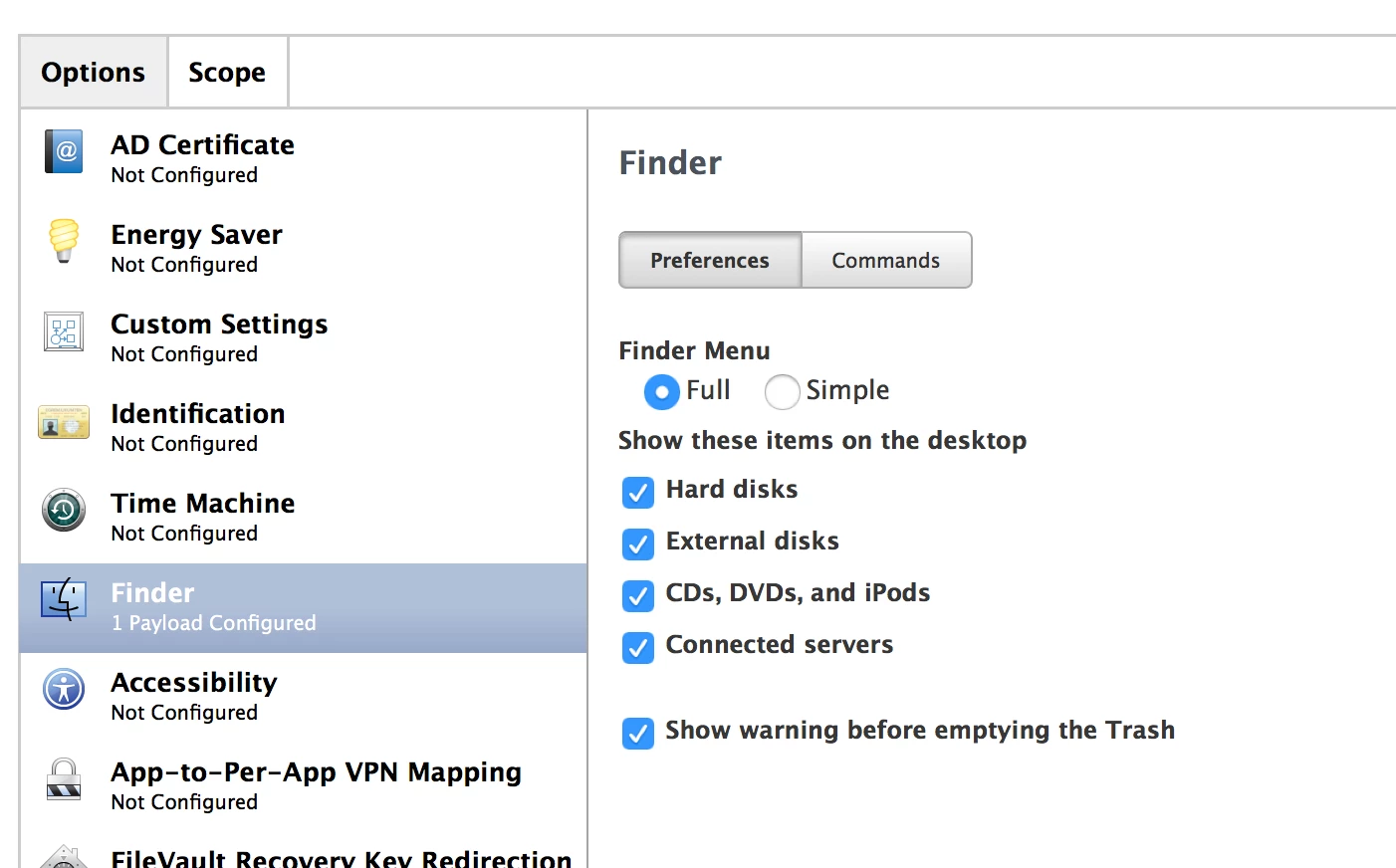
Got any configuration profiles for the Finder?


Forum|alt.badge.img+5
  • Author
  • Contributor
  • 53 replies
  • February 26, 2016

@macbentosh In fact I do...

What would this be doing to cause the flicker?

At first I thought it was a kernel panic or a Finder crash but I can't pinpoint it for sure in the console logs/


Forum|alt.badge.img+3
  • New Contributor
  • 2 replies
  • March 2, 2016

Hi @Sachin_Parmar

I'm seeing this symptom on a JSS client Retina MacBook Pro running 10.11.3
I also noticed the OS lagging quite a bit e.g bringing up spotlight using command-space takes more than a minute.
Furthermore, though I have restricted only specific apps, it seems that all apps on the dock are restricted, except on the Management Account.

Disk utility First Aid gives me a green tick, so I'm guessing it's a software issue...

Any ideas?


Forum|alt.badge.img+5
  • Author
  • Contributor
  • 53 replies
  • March 2, 2016

@jonathan_lee What's the Mac doing at the time, Can you isolate the logs in Console or pinpoint a process in Activity monitor at the time of the lagging?

For the flickering I'll reach out to JAMF to see what they say.


MrRoboto
Forum|alt.badge.img+9
  • Valued Contributor
  • 128 replies
  • August 24, 2018

Did you resolve this issue? I am experiencing the same desktop icons blinking issue and suspect it's caused by managing 'Show these items on the desktop' via a Configuration Profile.


gskibum
Forum|alt.badge.img+13
  • Valued Contributor
  • 288 replies
  • August 27, 2018

@MrRoboto

I've been experiencing this for several months too. Possibly a year. It seemed to coincide with horsing around with an iBeacon. I nuked all that but the problem was not resolved.

I do have a Configuration Profile that has a 'Show these items on the desktop' payload. Your suspicions very well may be valid.


easyedc
Forum|alt.badge.img+16
  • Esteemed Contributor
  • 631 replies
  • August 27, 2018

I've also been seeing this for at least a year. I did also assume it was related to our Finder configuration profile, but we'd rather keep the settings and let users be annoyed than not have it in place.


gskibum
Forum|alt.badge.img+13
  • Valued Contributor
  • 288 replies
  • August 31, 2018

The thing about my flashing HD icon is I have seen it only on my own daily workhorse MBP, and have heard no reports of it from any users. I also haven't seen it on any of my other Macs I use myself.

That's part of why I was thinking it was due to the iBeacon testing. I scoped nothing but my own daily workhorse MBP for the iBacon testing, while the Finder configuration profile has been scoped far and wide for a long time.

But I don't believe I have any active remnants of the iBeacon testing lingering. So who knows!


Forum|alt.badge.img+5
  • Contributor
  • 65 replies
  • August 31, 2018

We get Macintosh HD flickering with a Finder Configuration Payload on another MDM we use for some multi use Macs we have in carts(they would be in JAMF but it's not in the budget ;) ). So it doesn't look like this issue is restricted to just JAMF Pro.