Question

macOS office 365 install : how to stop autoUpdate open

  • June 28, 2021
  • 6 replies
  • 49 views

Forum|alt.badge.img+3

Hi,

We install office365 with pkg and into Depnotify, but in background we always see autoupdate windows open.
How can i prevent autoupdate start ?

Regards,
Cedric

6 replies

mickl089
Forum|alt.badge.img+11
  • Valued Contributor
  • June 28, 2021

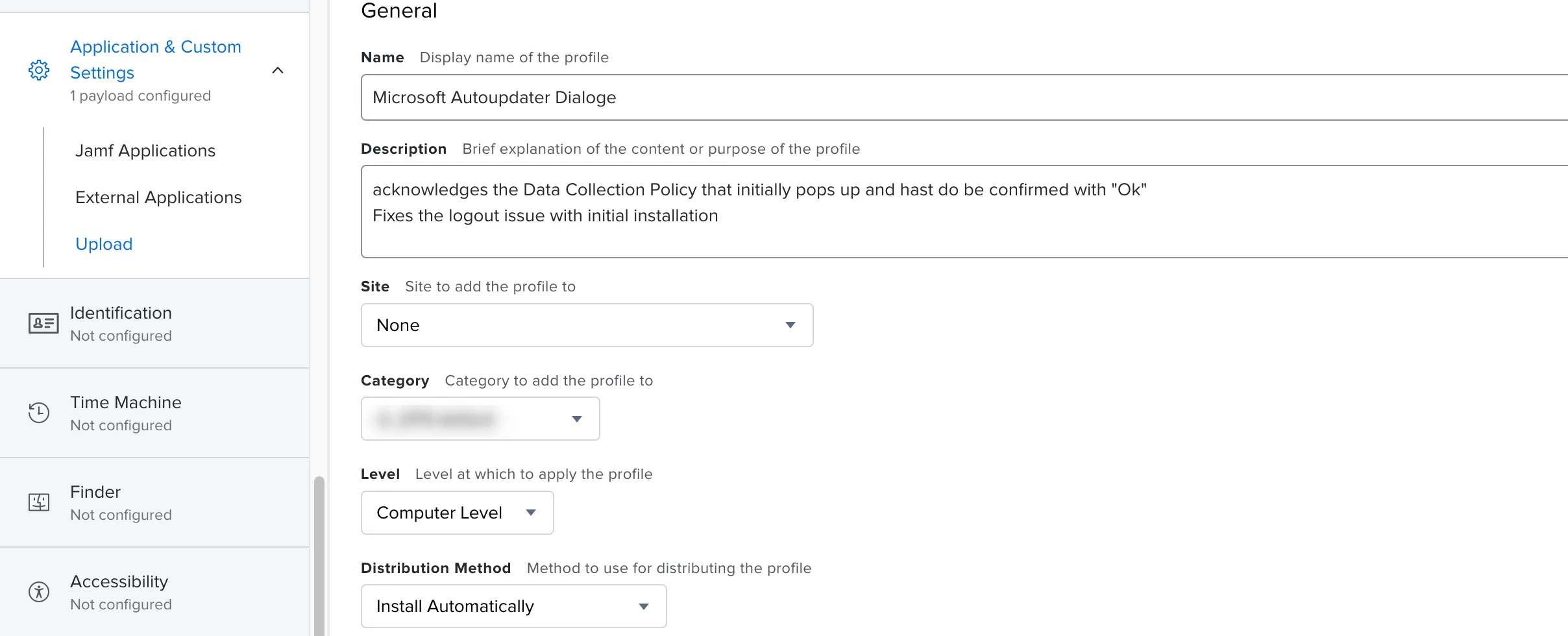
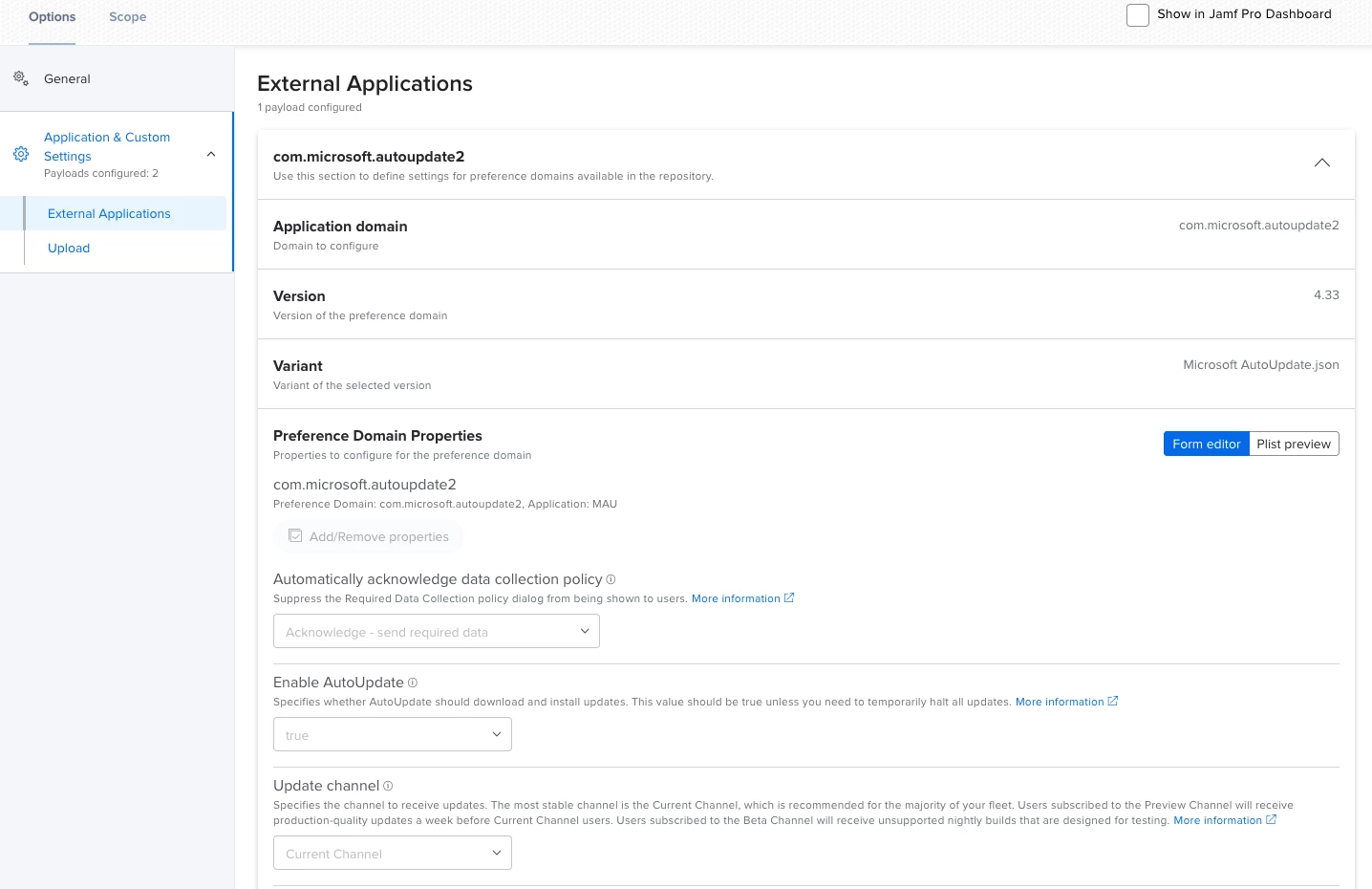
We have a config profile for this problem, try this.


Forum|alt.badge.img+3
  • Author
  • New Contributor
  • June 28, 2021

Hi @mickl089,

where can i donwload this profile ?

Regards,
Cedric


Forum|alt.badge.img+6
  • Contributor
  • June 28, 2021

It's a built-in configuration profile.


Forum|alt.badge.img+3
  • Author
  • New Contributor
  • June 29, 2021

Hi @merlin,
I try this and set Enable to false....

Regards,
Cedric


Forum|alt.badge.img+3
  • Author
  • New Contributor
  • June 30, 2021

Hi,
I have try, but i get always after office install the Microsoft auto update wizard windows.
don't know how to prevent open, or how to close it.
Regards,
Cedric


Forum|alt.badge.img+3
  • New Contributor
  • July 8, 2021

Do you guys know if this is going to apply to Skype as well?