Update 2018-03-14: This issue has been resolved with the newest version of the DLP and SEP clients, as I've stated in this comment.
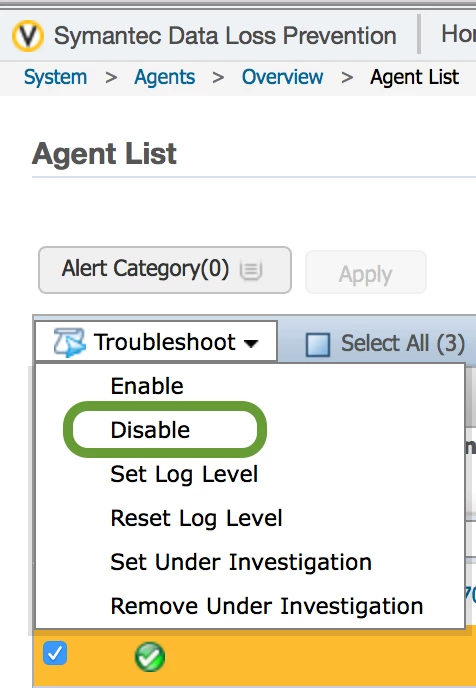
Resolution: With thanks to @lrabotteau, we've been able to see that this issue is directly attributable to the Symantec 14.6 DLP client not being compatible with MacOS High Sierra. My IT Security group has a ticket open with Symantec and they've provided us with steps to remove the agent, as described in this comment. I'm now marking this issue as solved since it's not related to the JSS itself. Now we just need to find a resolution to the DLP issue without requiring a complete upgrade of our DLP infrastructure...
Issue: I have a fresh-out-of-the-box MacBook Pro 13" non-touch strip mac that I've just enrolled. One of my policies requires a reboot – SEP installer. When issuing the reboot or shutdown command, the computer ends up with a Kernel Panic just after the display LED turns off, and the machine will reboot on its own. When the machine finishes rebooting, I can then shut down or reboot the machine without errors.
This machine has macOS High Sierra 10.13.2, and is enrolled with our production Casper server. The server is running 9.98, which I'd like to update, but CAB has put a freeze on changes until after the holidays.
Has anybody else observed this behavior?
UPDATE: I've just filed a support request with JAMF and have attached the following procedures to replicate the issue:
Basically, the problem can be replicated in the following manner:
- Boot new or freshly upgraded mac with High Sierra on it.
- Upgrade to the latest security release and update all the system software patches.
- Enroll our machine in Casper.
- Run all policies. Last policy to run is our SEP installer, which issues a timed reboot command.
- Watch the machine crash just after the screen goes dark, when it should be going to the bootloader and starting up again.
It seems that the issue might be with the reboot script that gets put onto the laptop. I haven't had this issue with 10.13. I haven't tested with
10.13.1, but it is definitely happening with 10.13.2. I've reinstalled Sierra on my personal work machine and the problem does not replicate.
Any suggestions anybody can provide me would be greatly appreciated. Thank you in advance.