I realized that Sierra forces clients to update incremental system updates which can take a while.
I'm trying to find the best way to run said updates using a policy.
Our users don't use Self Service so it needs to be automated.
Ive seen a lot of great suggestions in the forum, I'm just having some issues.
In testing I can force the Management Action to show up with the wording I want. Yet the entire install happens in the background so I'm concerned users will open apps and try and do work during the longer updates - screwing up the updates. Is there a way to lock the screen or put a progress bar on the screen during updates?
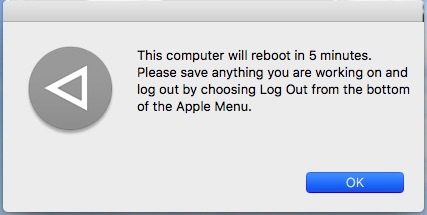
Once the management action is complete, the Restart message is at default "This computer will reboot in 5 minutes...". Is there a place to set this? I have delay set to 1 in the Restart Options payload with a description set in the User Interaction Restart Message field.
It looks like I have to monitor Apple Updates for updates and manually run the policy when I want the updates to run - removing any updates I don't need/want to push. How do you get informed when an update is available to enable the policy?
Thanks for any assistance.