Solved

el Capitan Setting Default Wallpaper

  • June 9, 2016
  • 11 replies
  • 58 views

Forum|alt.badge.img+6

Hi we are trying set all machines to have the same wallpaper via self service does any one have any advice on how to do this.

Best answer by mconners

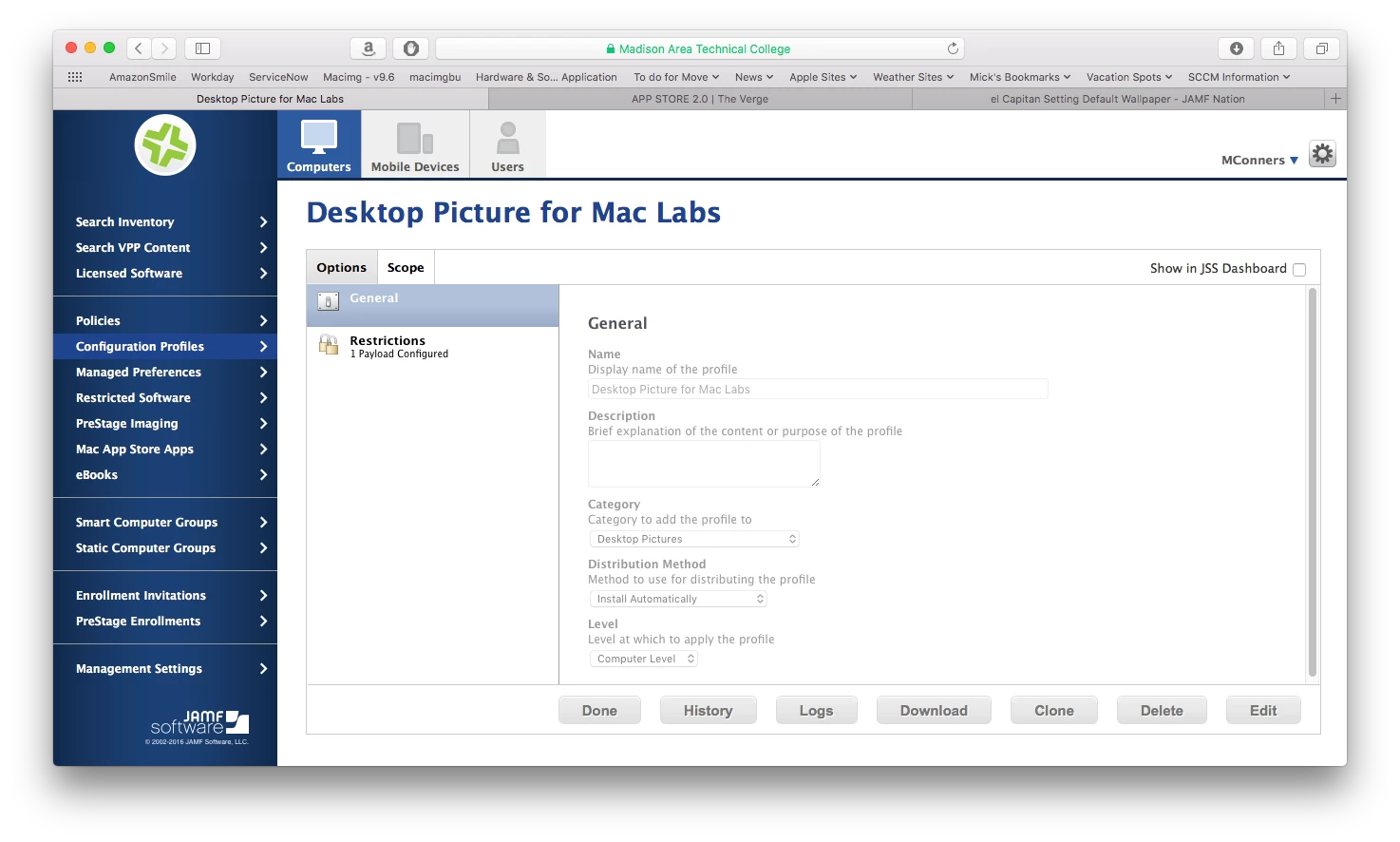
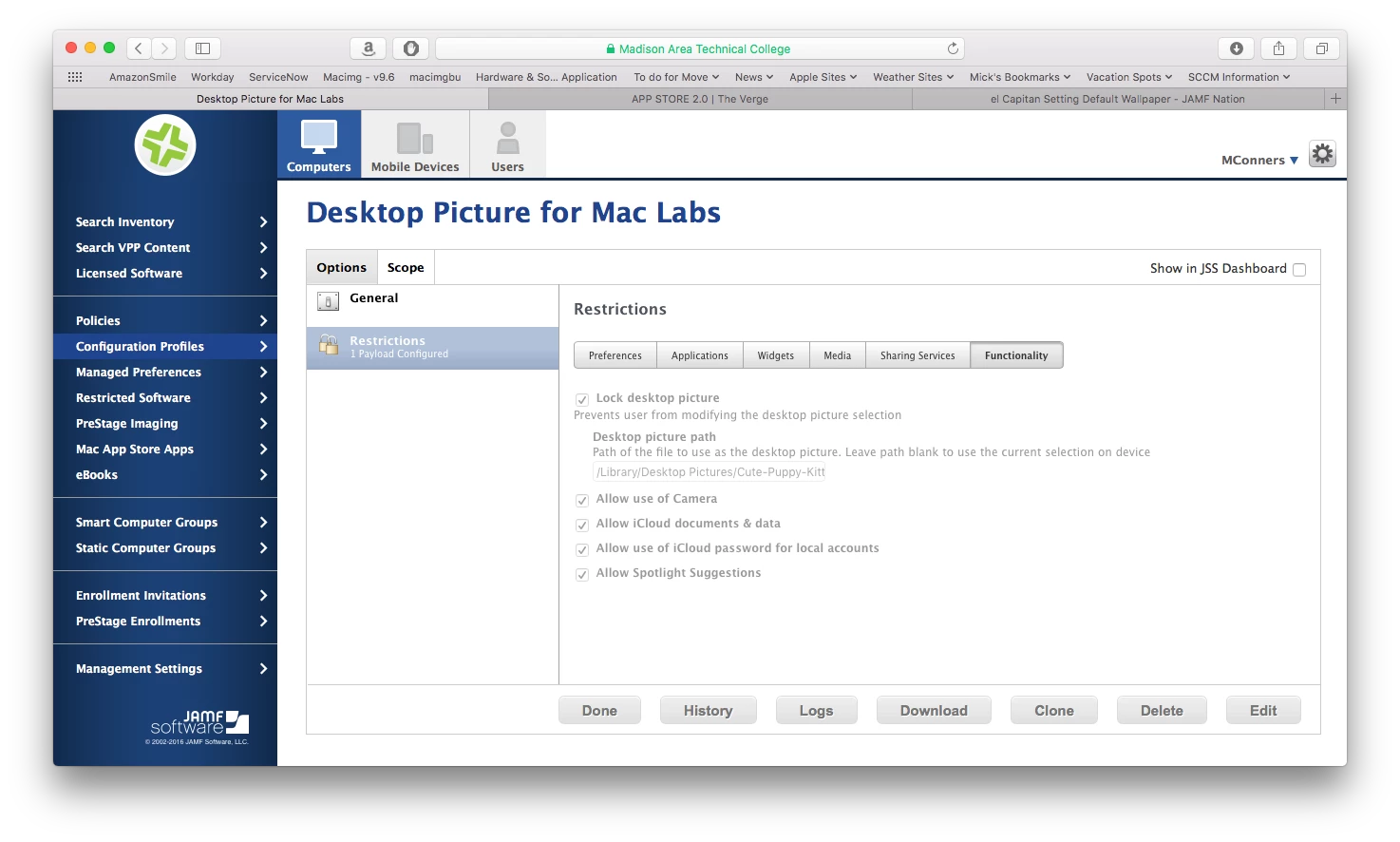
What we do is package the picture we want all of the computers to have, then we use a configuration policy to set that desktop picture. You could do this automatically via a policy for deploying the picture or via self service. We include it at imaging time. Our labs are all being wiped this summer.

Just make sure to place the desktop wallpaper in the standard location, /Library/Desktop Pictures
11 replies

Forum|alt.badge.img+3
  • New Contributor
  • June 9, 2016

Managed Preferences > Desktop Picture should take care of that for you. Set the scope to the machines you want it on.

Testing this now, actually. If anyone else has a better way...


Forum|alt.badge.img+6

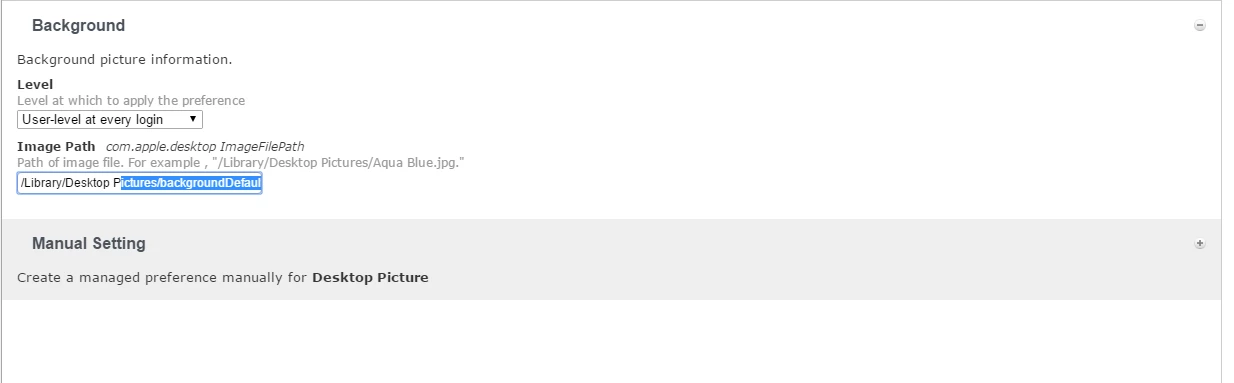
i have it set like this and scoped to machines but it does not seem to push down i have the image set in that location , do i need to set it to current user not just at the root


Forum|alt.badge.img+3
  • New Contributor
  • June 9, 2016

Same for me. Not sure what I'm missing, either.


Forum|alt.badge.img+12
  • Contributor
  • June 9, 2016

@casareanderson You appear to have a space in the path, but I don't see quotes around the path. If the quotes are there, but happen to be beyond the scope of the box, what are the permissions on file?


Forum|alt.badge.img+20
  • Valued Contributor
  • Answer
  • June 9, 2016

What we do is package the picture we want all of the computers to have, then we use a configuration policy to set that desktop picture. You could do this automatically via a policy for deploying the picture or via self service. We include it at imaging time. Our labs are all being wiped this summer.

Just make sure to place the desktop wallpaper in the standard location, /Library/Desktop Pictures


Forum|alt.badge.img+6

@mconners thank you


Forum|alt.badge.img+20
  • Valued Contributor
  • June 9, 2016

@casareanderson Glad I could help...


Forum|alt.badge.img+5
  • Contributor
  • June 9, 2016

@casareanderson what @mconners suggested is the right way to do. i have done the same process 1-2 months ago and it works smoothly and perfectly up until now :)

the Desktop picture path can be done in 3 ways, please see below:
1. "/Library/Desktop Pictures/MyWallpaper.jpg"
2. /Library/Desktop Pictures/MyWallpaper.jpg
3. /Library/Other_Preferred_Path/MyWallpaper.jpg

1st option encloses the full path in quotes if there are spaces in between the words.
2nd option uses a backslash ( ) before the space if you dont want to enclose your path in quotes.
3rd option is actually a possibility if you want to save your CompanyWallpaper.jpg on a different path. this way you can use a path that has no spaces in between which is better to avoid issues like you just experienced. just make sure the permissions on this path are correct which can be set in the process of packaging your Wallpaper.jpg.

-Robert :)


Forum|alt.badge.img+10
  • Contributor
  • June 9, 2016

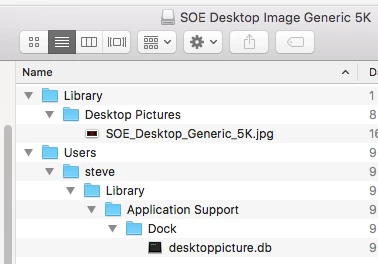
Create a package in Composer that captures the desktop image and the desktoppicture.db file. Make sure you set it to FET and FUT in Casper Admin.


Forum|alt.badge.img+23
  • Esteemed Contributor
  • June 10, 2016

No no NO. Please do NOT snapshot package the desktop picture.db file!

It contains more than just the desktop picture information. It has monitor display info and other things in there too. For example: you package that on an iMac and then deploy to a dual monitor Mac Pro. Bad things will indeed happen.

For things like this, it is far better to use a profile (as above) or to use a script, such as the one from Graham Gilbert which in turn is based on work from @gregneagle .

FYI you may find reference to a script I wrote a while back that did some fairly nasty SQLite hacks. Don't use this. Some people were having big issues with it.

In all cases, you'll have to make sure the picture file is deployed to the machine along with the profile.


Forum|alt.badge.img+5
  • Contributor
  • June 14, 2016

Since packages requires on-prem or cloud dp so what i did, to ensure that all clients had the picture in place before applying the Config Profile to change it, is to place the image in the "inhouse" folder of the tomcat and then deployed a policy with a script to save it on preferred path so the clients can download the image from anywhere.

#!/bin/sh
curl -o /Library/Desktop Pictures/image.jpeg https://jssurl:8443/inhouse/image.jpeg -k -silent