Question

Securly and Big Sur

  • March 15, 2021
  • 16 replies
  • 120 views

sharriston
Forum|alt.badge.img+10

I just wanted to put up this PSA for folks who use Securly for filtering web traffic. I found last week that my Big Sur machines were no longer able to install VPP apps. We would get a strange "Bag Load Failed" error in the JSS logs. Once I removed the profile the apps installed with no issues.

Securly is aware of the issue and says they will let me know when they figure out whats going on.


16 replies

Forum|alt.badge.img+9
  • Contributor
  • March 23, 2021

we are seeing the exact same issue and have raised a case with Securly. Same story, they gave us a test pac script that was supposed to bypass their proxy and the behavior was still the same. Hoping to get a fix for this soon


Forum|alt.badge.img+5

Same to us - with a set proxy.pac VPP Apps can be installed in SelfService (only for Catalina) - but with BigSur we get the same Message "Bag Load Failed"
We also tried to bypass with setting Exceptions (*.apple.com and our Domain) to Automatic Proxy Configuration-Config Profile - without success


Forum|alt.badge.img+1

I believe this is a JAMF issue.

If you manually set the Automatic Proxy Configuration instead of using a config profile, VPP apps download without issue.

To test, remove the config profile or unscope the machine from it.

Send this command (using your actual SmartPAC URL in between the quotes and the correct port name if you aren't using Wi-Fi) via ARD, policy, or whichever method you prefer.

networksetup -setautoproxyurl "Wi-Fi" "https://useast-www.securly.com/smart.pac?fid=blahblahblah"

sharriston
Forum|alt.badge.img+10
  • Author
  • Valued Contributor
  • May 13, 2021

@atlantamacguru I just tested and this works great. I may be able to install Securly this summer after all.


Kyle_vdk
Forum|alt.badge.img+5
  • New Contributor
  • May 13, 2021

Same symptoms, same "solution". Manually adding the PAC URL results in VPP apps in SelfService working fine. Adding via config profile results in bag load.


Forum|alt.badge.img+1
  • New Contributor
  • May 13, 2021

@atlantamacguru I executed your command in a policy and it doesn't error out now in self service. But when installing pages keynote etc, it goes back to install and never really installs the app.


Forum|alt.badge.img+1

@user-fqmwYswDPu I've seen sometimes with Pages, Keynote, Numbers, GarageBand, and iMovie when installing via Self-Service that I need to click "Install" a second or perhaps third time. But it will indeed (eventually) download.

I consider it general VPP flakiness.


Forum|alt.badge.img+1
  • New Contributor
  • May 14, 2021

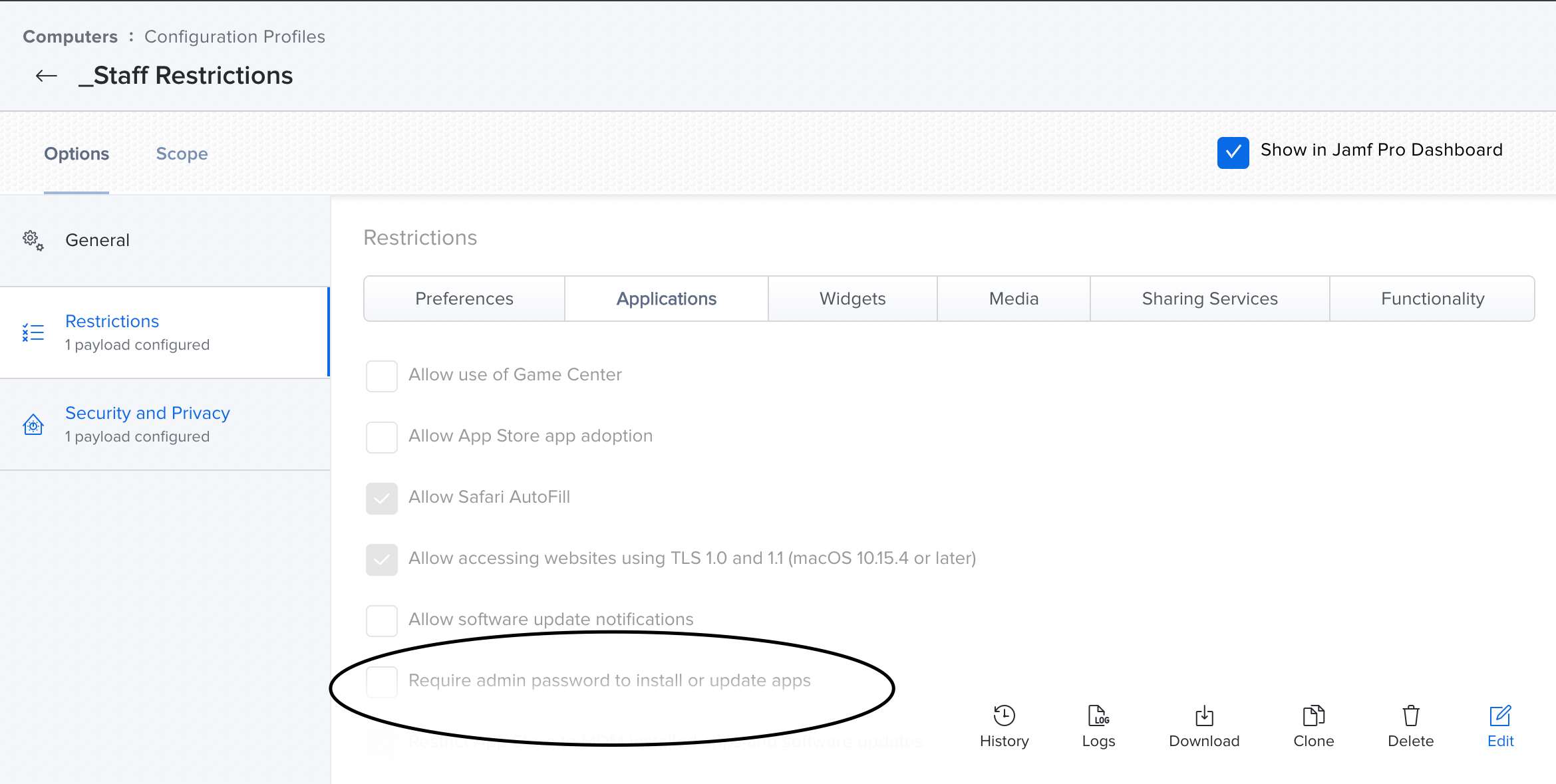
@atlantamacguru It ended up being our config profile causing it not to download. Ended up having to uncheck "Require admin password to install or update apps" on top of your script. All is good now with loading pages,numbers etc. Thanks for the help!!


Forum|alt.badge.img+9
  • Contributor
  • May 17, 2021

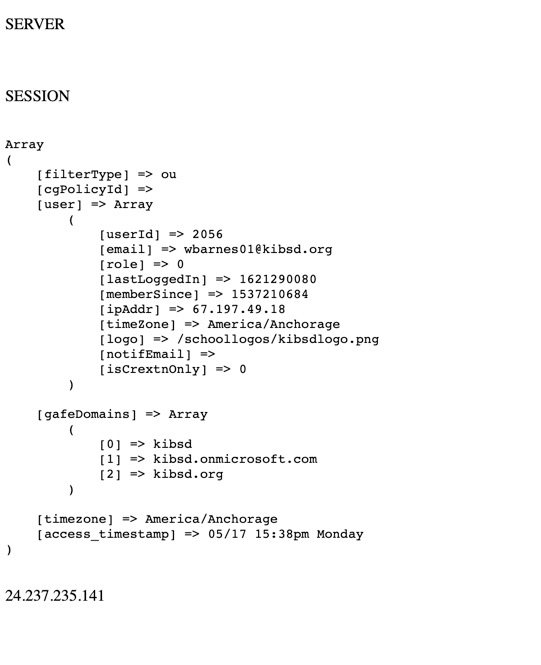
Has everyone had success with adding the PAC URL via script instead of config profile? We have this in place since we are in the process of swapping staff laptops to brand new M1 laptops but what we are seeing is everyone hitting the base/default policy. Our pac URL uses the variable $EMAIL to determine the user the device is associated with and it seemed to be working correctly when in a config profile. This is our PAC URL: https://www.securly.com/smart.pac?fid=*&user=$EMAIL . The Asterisks are just where I removed our company identifier likely not even necessary. Attached is a photo of the browser output of www.securly.com/auth/session which normally is able to output the AD user as well as the OU they are a member of. Currently that info is blank


Forum|alt.badge.img+9
  • Contributor
  • May 17, 2021

This is the browser output when deployed via config profile, Stephanie Taylor is the user this example machine was assigned to.

Array
( [email] => wbarnes01@kibsd.org [useremail] => stephanie.taylor@kibsd.org [role] => 3 [hasValidateFID] => true [safeGroupName] => - [cgPolicyId] => [hash_extn] => :sonx:sgnx:stephanie.taylor@kibsd.org [user] => Array ( [userId] => 2056 [email] => wbarnes01@kibsd.org [role] => 0 [lastLoggedIn] => 1616433060 [memberSince] => 1537210684 [ipAddr] => 67.197.49.18 [timeZone] => America/Anchorage [logo] => /schoollogos/kibsdlogo.png [notifEmail] => [isCrextnOnly] => 0 ) [gafeDomains] => Array ( [0] => kibsd [1] => kibsd.onmicrosoft.com [2] => kibsd.org ) [schoolFID] => wbarnes01@kibsd.org [timezone] => America/Anchorage [access_timestamp] => 03/22 09:23am Monday


Forum|alt.badge.img+9
  • Contributor
  • May 18, 2021

Looks like for whatever reason the setautoproxyURL is leaving out the $EMAIL variable but laying down the rest of the URL. Trying to figure out why thats happening now.


Forum|alt.badge.img+9
  • Contributor
  • May 18, 2021

This was the final solution for us:

!/bin/sh

networksetup -setautoproxyurl "Wi-Fi" "https://www.securly.com/smart.pac?fid=**&user="$3"@kibsd.org"

When ran locally the $EMAIL variable was not functional so I switched to $3 with a login trigger and this seems to be working


sharriston
Forum|alt.badge.img+10
  • Author
  • Valued Contributor
  • May 19, 2021

So an issue I have noticed in my testing is now by setting it via script all my Self Service policies (which aren't VPP apps) are super slow. Anyone else seeing this?


Forum|alt.badge.img+11
  • Contributor
  • July 21, 2021

what if your device doesn't have securly installed on it?


Forum|alt.badge.img+1

In the Apple article "What's new for enterprise in macOS Big Sur", one of the items listed for macOS Big Sur 11.5 is "Resolves an issue where MDM app installations may fail when using a proxy configured with a PAC file."

I'm out of the office at the moment, so I haven't tested this.

https://support.apple.com/en-us/HT211911 


Forum|alt.badge.img+7
  • New Contributor
  • October 15, 2021

@atlantamacguru It ended up being our config profile causing it not to download. Ended up having to uncheck "Require admin password to install or update apps" on top of your script. All is good now with loading pages,numbers etc. Thanks for the help!!


I'm having this issue but never had that option checked