Hey all!
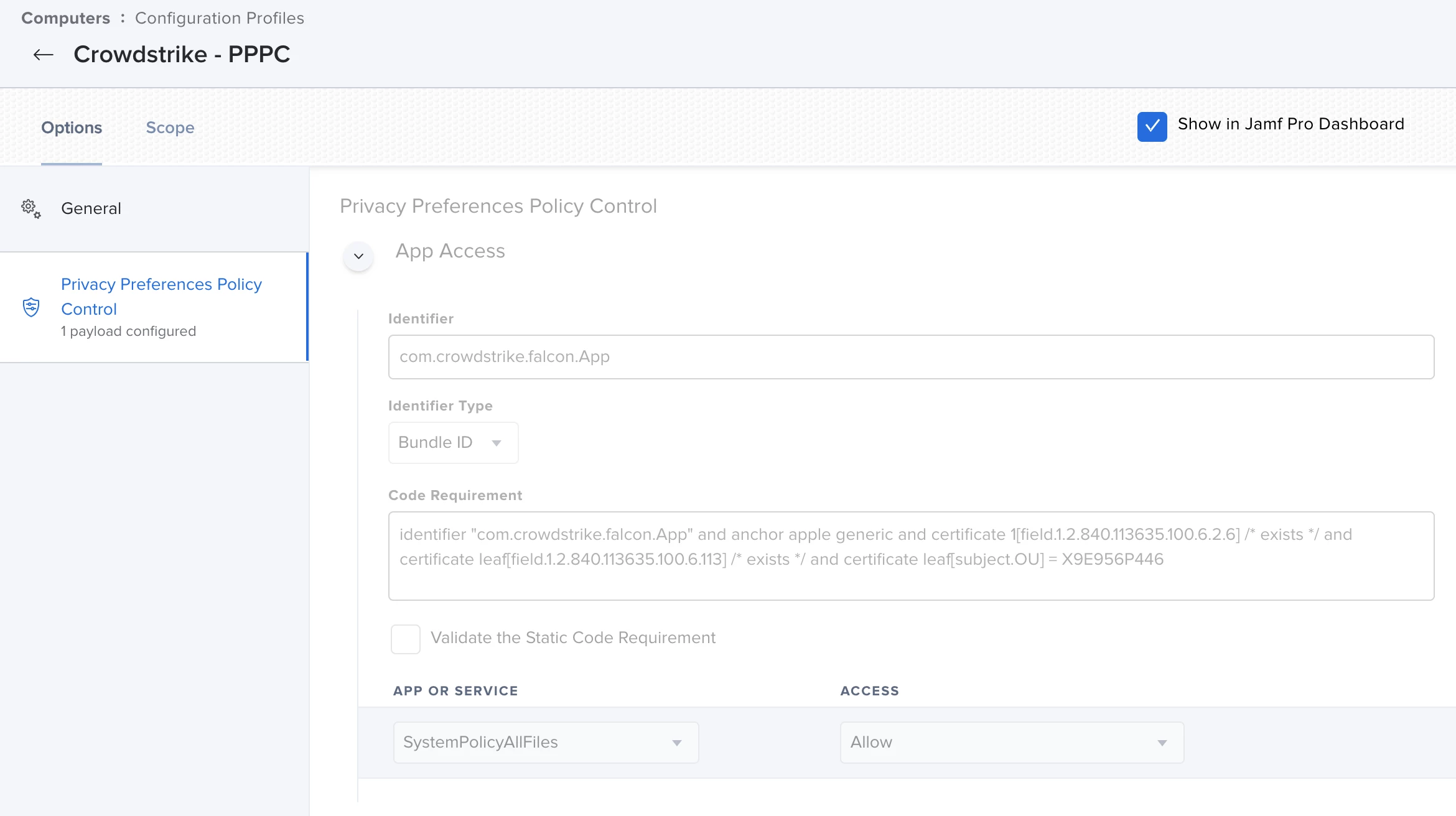
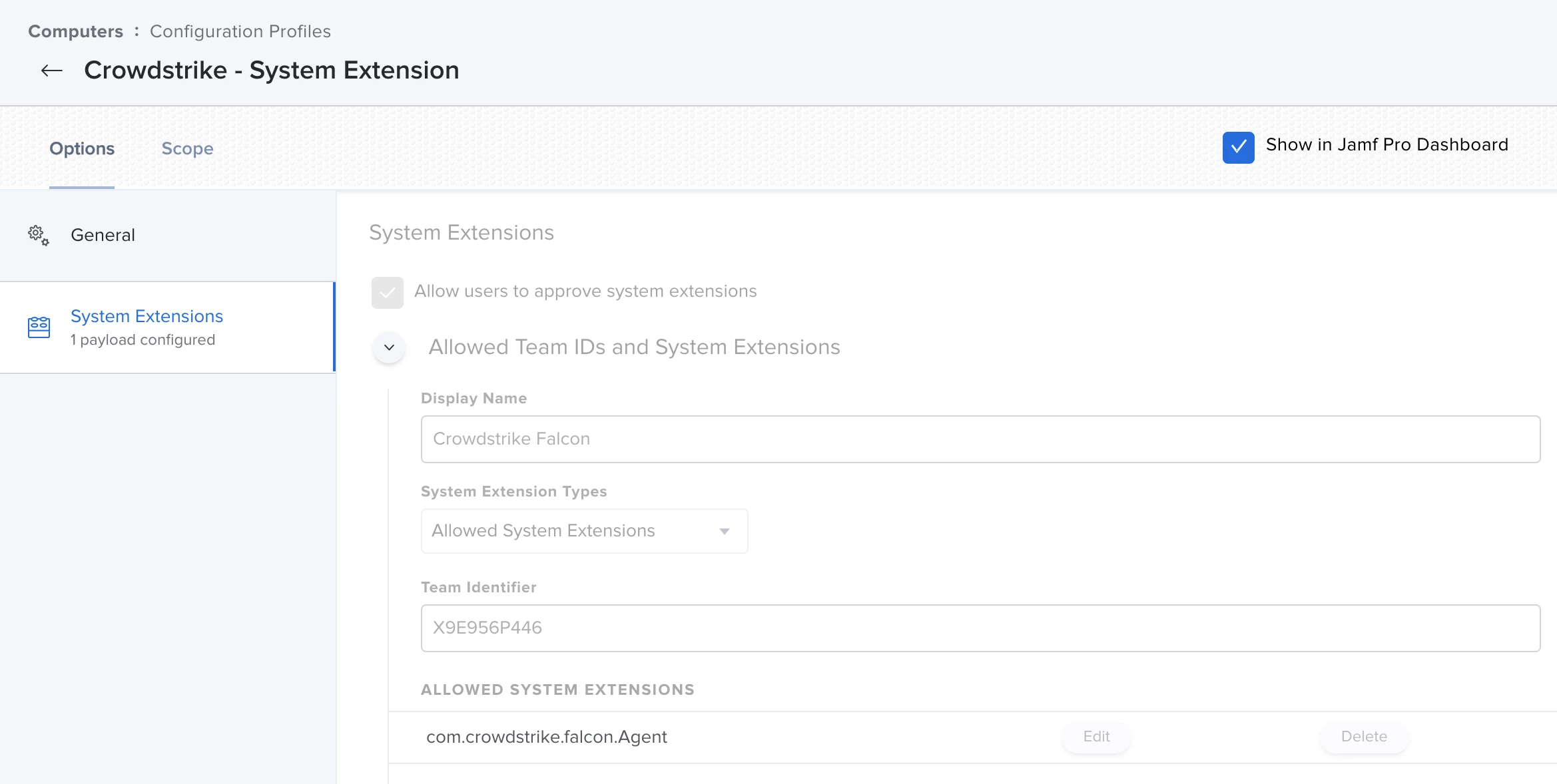
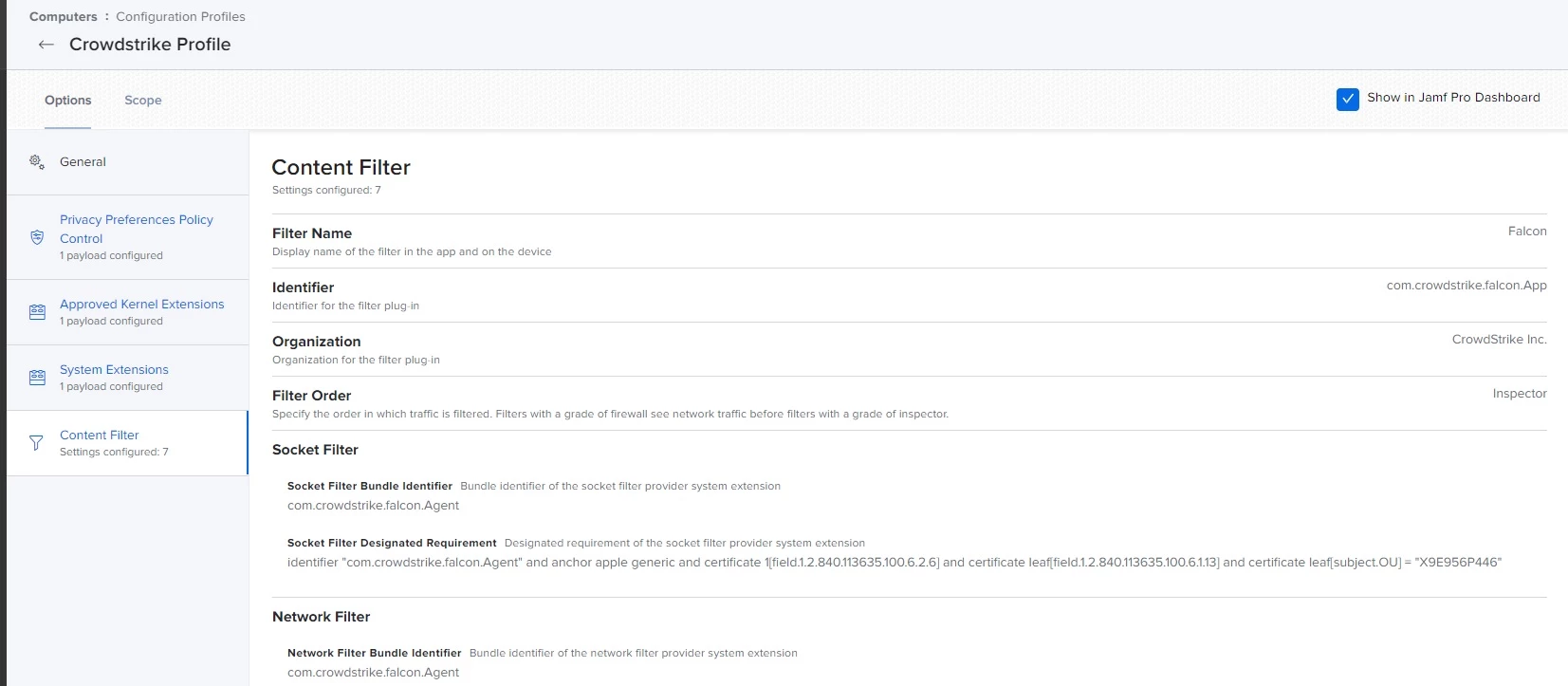
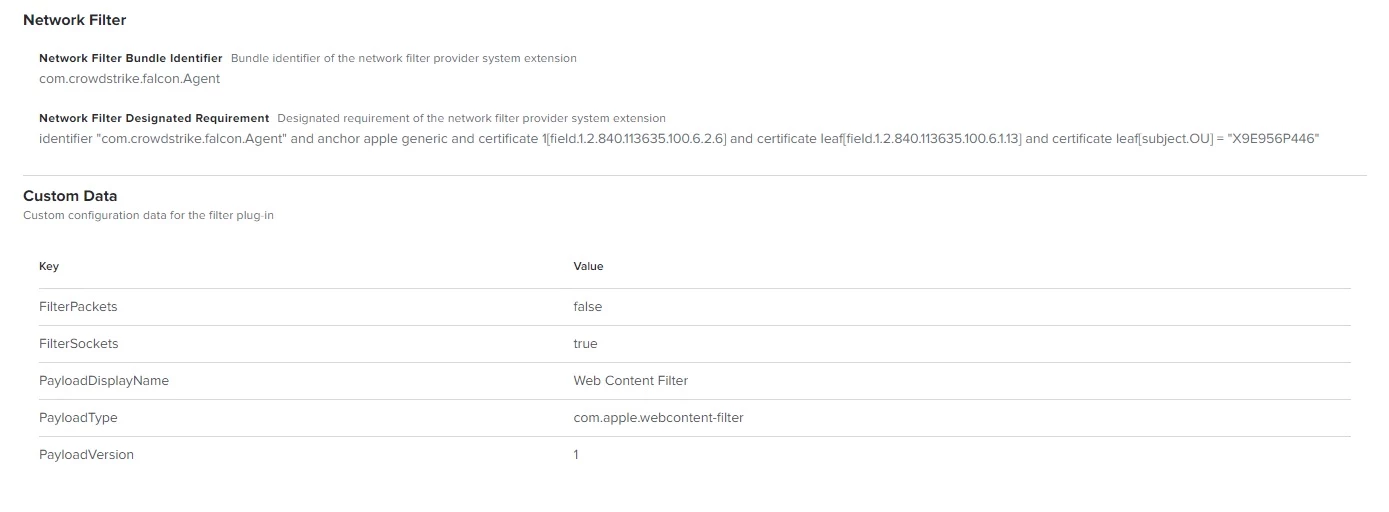
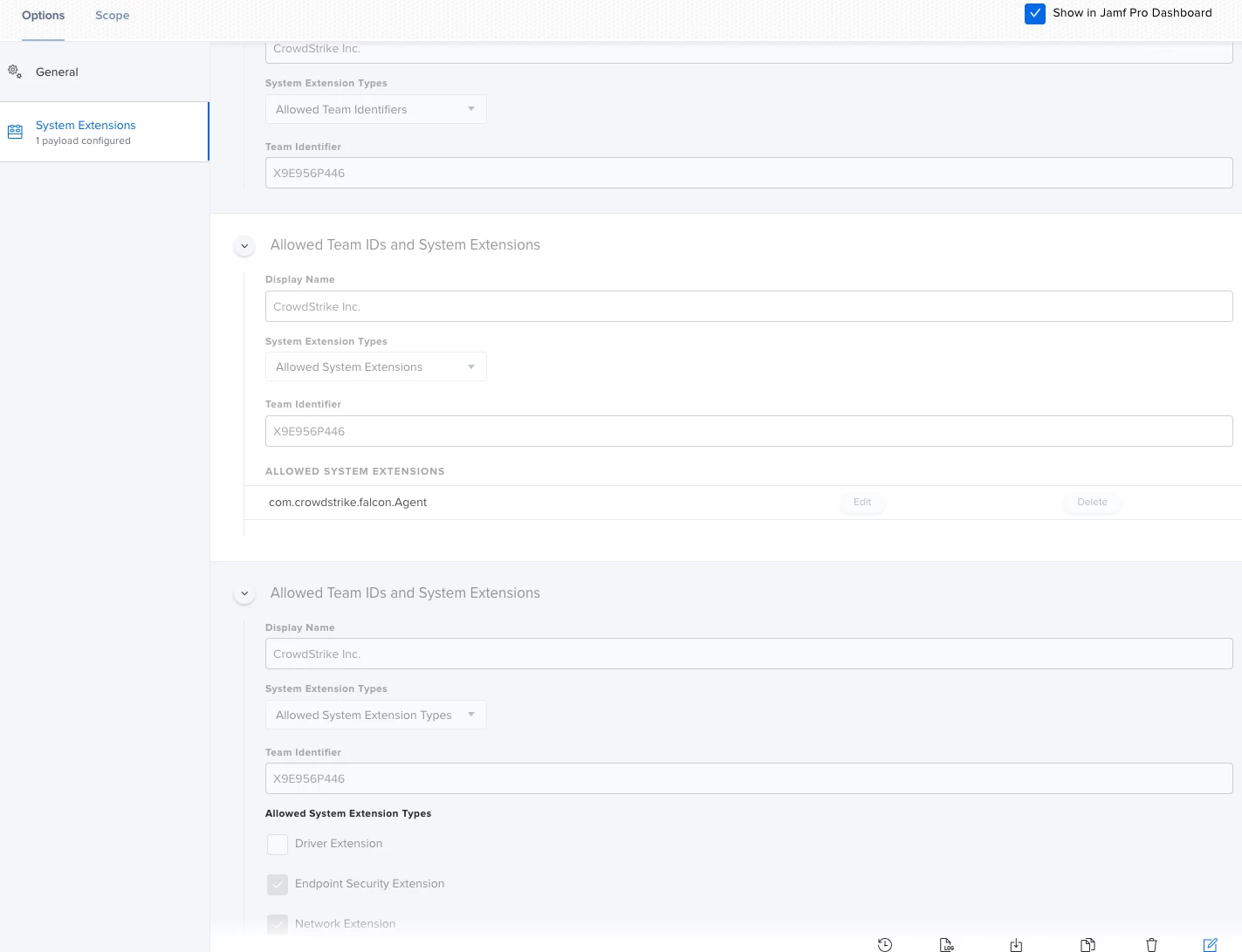
Hope Friday is treating all of you well! I have CrowdStrike installed on our fleet of Macs with configuration profiles to automatically approve all of the necessary extensions and permissions. Lately with the newest Mac OS update 11.5.1 it is re-prompting users to allow Network Filtering and approve permissions.
The configuration profiles I have setup currently are below, would any of you mind pointing me in the right direction for updating the configuration profiles to silently approve the CrowdStrike dialogues?
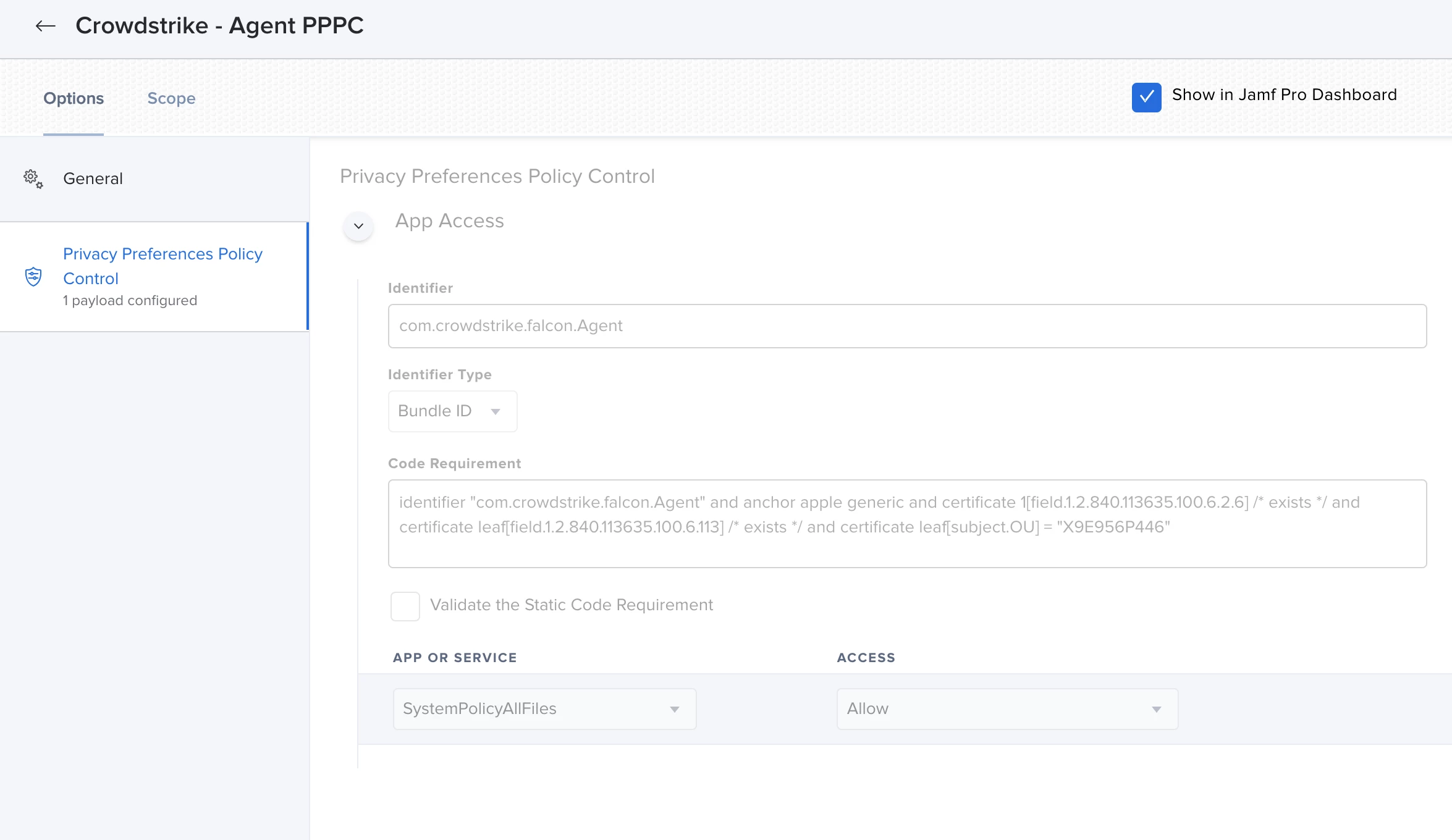
identifier "com.crowdstrike.falcon.Agent" and anchor apple generic and certificate 1[field.1.2.840.113635.100.6.2.6] /* exists */ and certificate leaf[field.1.2.840.113635.100.6.113] /* exists */ and certificate leaf[subject.OU] = "X9E956P446"
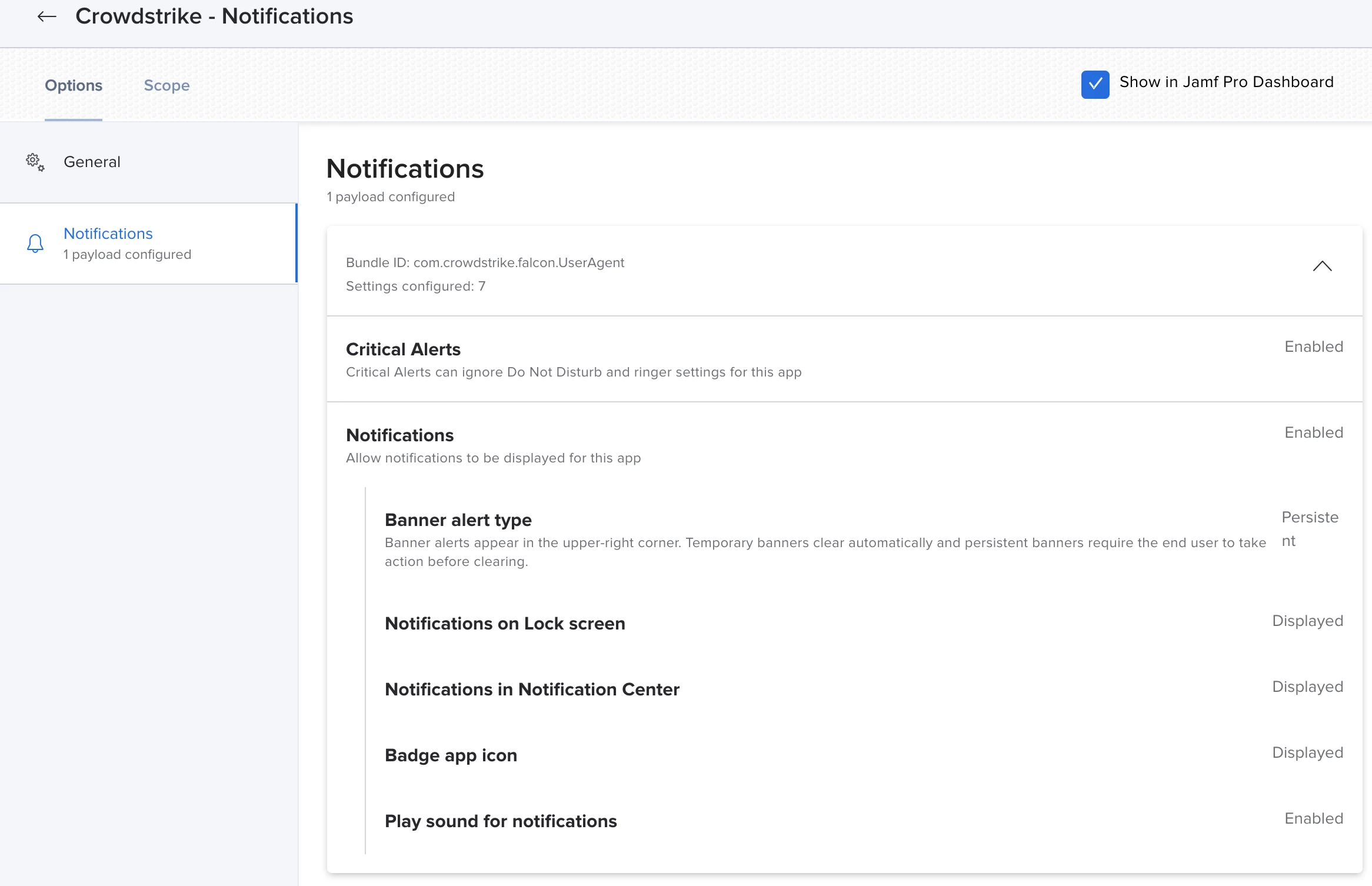
identifier "com.crowdstrike.falcon.App" and anchor apple generic and certificate 1[field.1.2.840.113635.100.6.2.6] /* exists */ and certificate leaf[field.1.2.840.113635.100.6.113] /* exists */ and certificate leaf[subject.OU] = X9E956P446