Question

Suppressing FileZilla 3.35.1

  • August 3, 2018
  • 8 replies
  • 44 views

donmontalvo
Forum|alt.badge.img+36

(answered my own question...scroll down...thanks to input from the developer Tim Kosse)

8 replies

bpavlov
Forum|alt.badge.img+18
  • Esteemed Contributor
  • August 3, 2018

Mozilla is not responsible for FileZilla?


donmontalvo
Forum|alt.badge.img+36
  • Author
  • Hall of Fame
  • August 3, 2018

@bpavlov No, its not, I'll fix that...


donmontalvo
Forum|alt.badge.img+36
  • Author
  • Hall of Fame
  • August 5, 2018

UPDATE: Reached out to the developer, who pointed us to a slightly outdated KB.

In short, the easiest way to suppress is here /Applications/FileZilla.app/Contents/SharedSupport/fzdefaults.xml:

<?xml version="1.0" encoding="UTF-8" standalone="yes" ?>
<FileZilla3>
    <Settings>
      <Setting name="Disable update check">1</Setting>
    </Settings>
</FileZilla3>

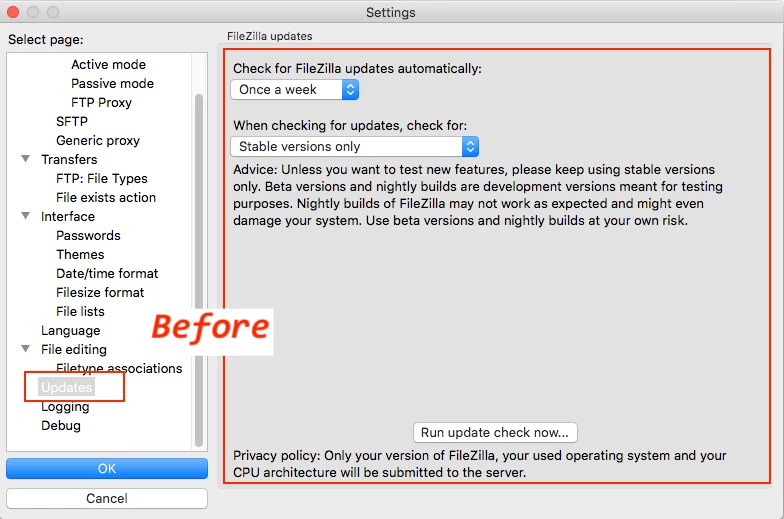
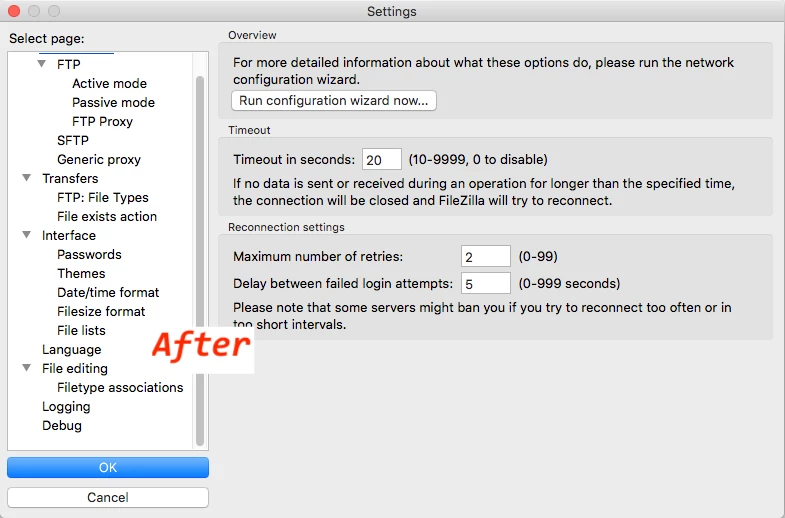
Which removes the "Updates" preference;


donmontalvo
Forum|alt.badge.img+36
  • Author
  • Hall of Fame
  • August 5, 2018

Oh well, lazy Sunday...this might be helpful:

#!/bin/sh
#
# Run this script with using sudo. 20180805 DM

sourceFile="FileZilla_latest_macosx-x86.app.tar.bz2"
downloadUrl="https://download.filezilla-project.org/client/${sourceFile}"
appPath="/Applications/FileZilla.app"

# Set pwd
currentDir=$( cd "$( dirname "${BASH_SOURCE[0]}" )" && pwd )
cd ${currentDir}

# Download source archive
curl --location --remote-name ${downloadUrl}

# Decompress source archive
tar xvjf ${sourceFile}

# Disable updates
cat <<'EOF' > FileZilla.app/Contents/SharedSupport/fzdefaults.xml
<?xml version="1.0" encoding="UTF-8" standalone="yes" ?>
<FileZilla3>
    <Settings>
      <Setting name="Disable update check">1</Setting>
    </Settings>
</FileZilla3>
EOF

# Set ownership and permissions
chown -R root:admin FileZilla.app
chmod 644 FileZilla.app/Contents/SharedSupport/fzdefaults.xml

# Replace old app with new app
if [[ -e ${appPath} ]]; then
    rm -Rf ${appPath}
fi
ditto FileZilla.app ${appPath}

# Create deployable flat package
versionString=$( defaults read "${appPath}"/Contents/Info CFBundleShortVersionString )
pkgbuild --install-location /Applications --component "${appPath}" FileZilla3_"${versionString}".pkg

exit 0

donmontalvo
Forum|alt.badge.img+36
  • Author
  • Hall of Fame
  • September 20, 2018

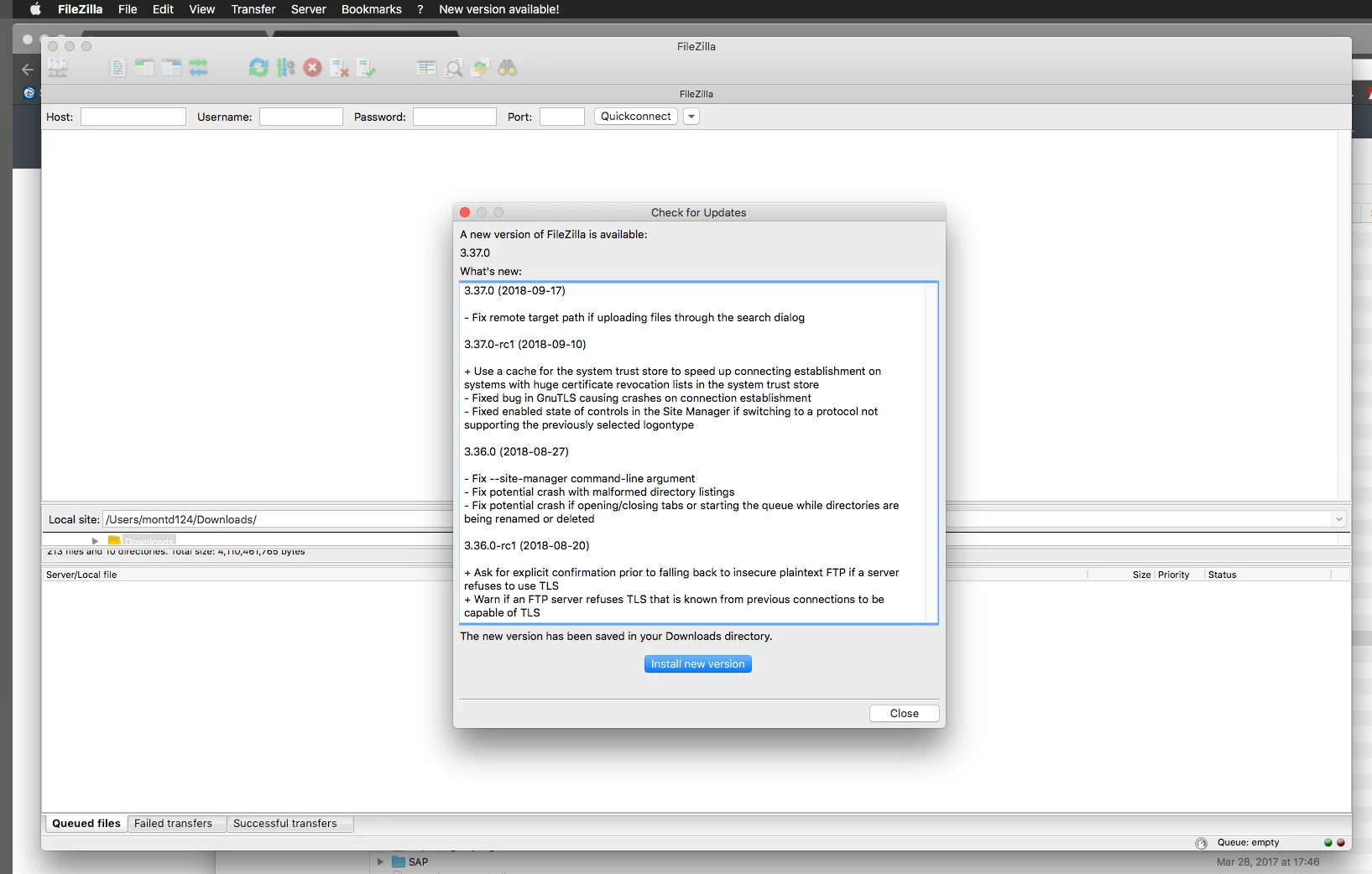
Well...I'm off to rattle this developer's cage again...seems the above only disables the Updates pref, but the app still checks for updates. :(


donmontalvo
Forum|alt.badge.img+36
  • Author
  • Hall of Fame
  • October 9, 2018

Ok I checked with the developer...he doesn't want to deal with this. ¯_(ツ)_/¯


mark_mahabir
Forum|alt.badge.img+16
  • Jamf Heroes
  • October 9, 2018

And Sophos marks it as a PUA, so I've stopped making it available at my shop.


Forum|alt.badge.img

So... This line only disables the visibility of the update section in prefs:

      <Setting name="Disable update check">1</Setting>


Add another line to disable the update checking itself: 


<?xml version="1.0" encoding="UTF-8" standalone="yes" ?> <FileZilla3> <Settings> <Setting name="Disable update check">1</Setting> <Setting name="Update Check">0</Setting> </Settings> </FileZilla3>