
In short I have coupled the Deploying an OS X Upgrade workflow with the displayMessage.sh shell script to encourage the users in our environment to upgrade to OS X El Capitan.
Below, you’ll find the workflow in a little more detail.
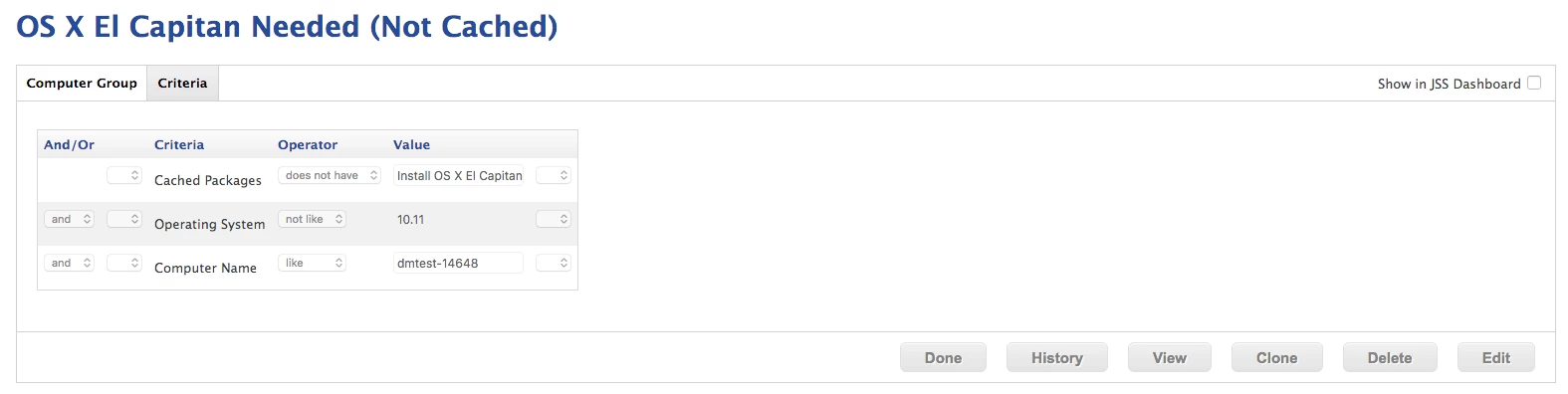
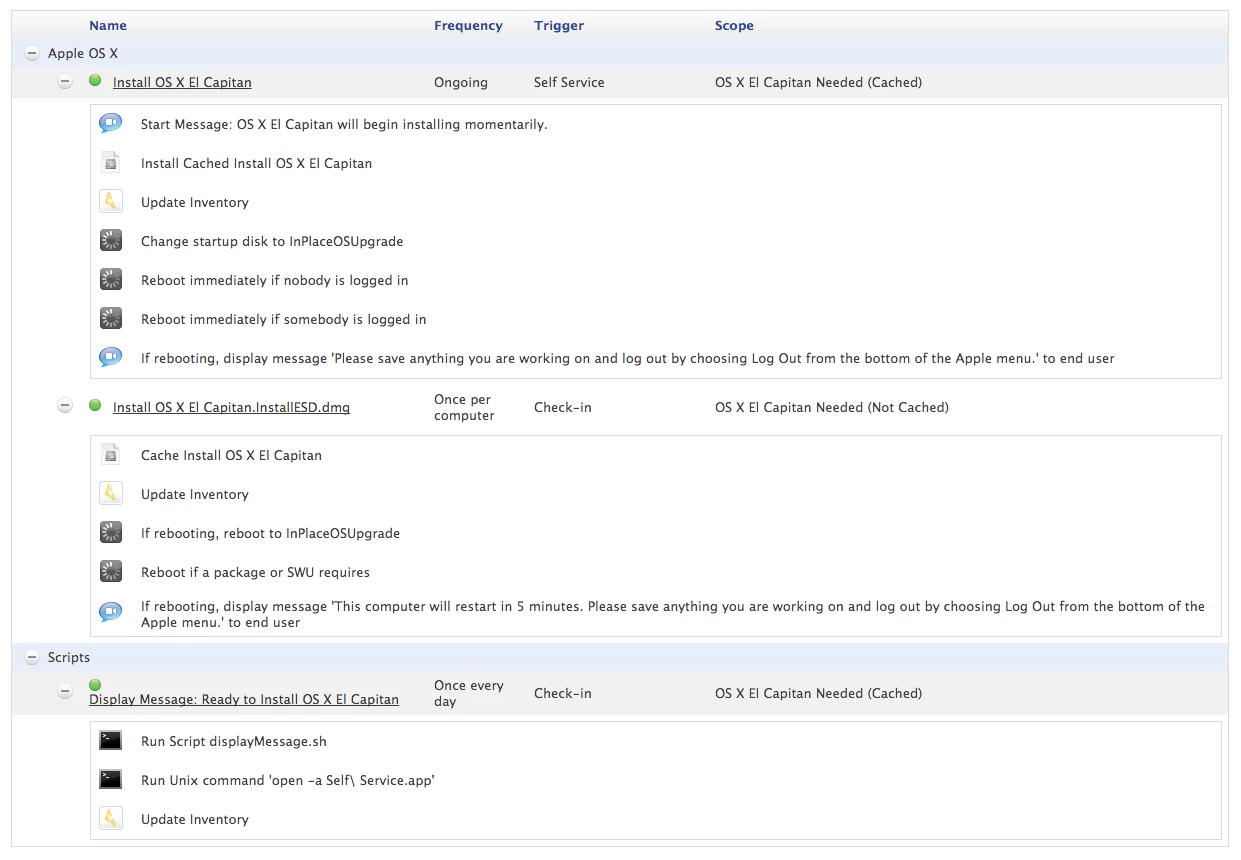
Clients not already upgraded to OS X El Capitan (10.11.x) or with the Install OS X El Capitan.InstallESD.dmg already locally cached, will be included in the OS X El Capitan Needed (Not Cached) smart group.
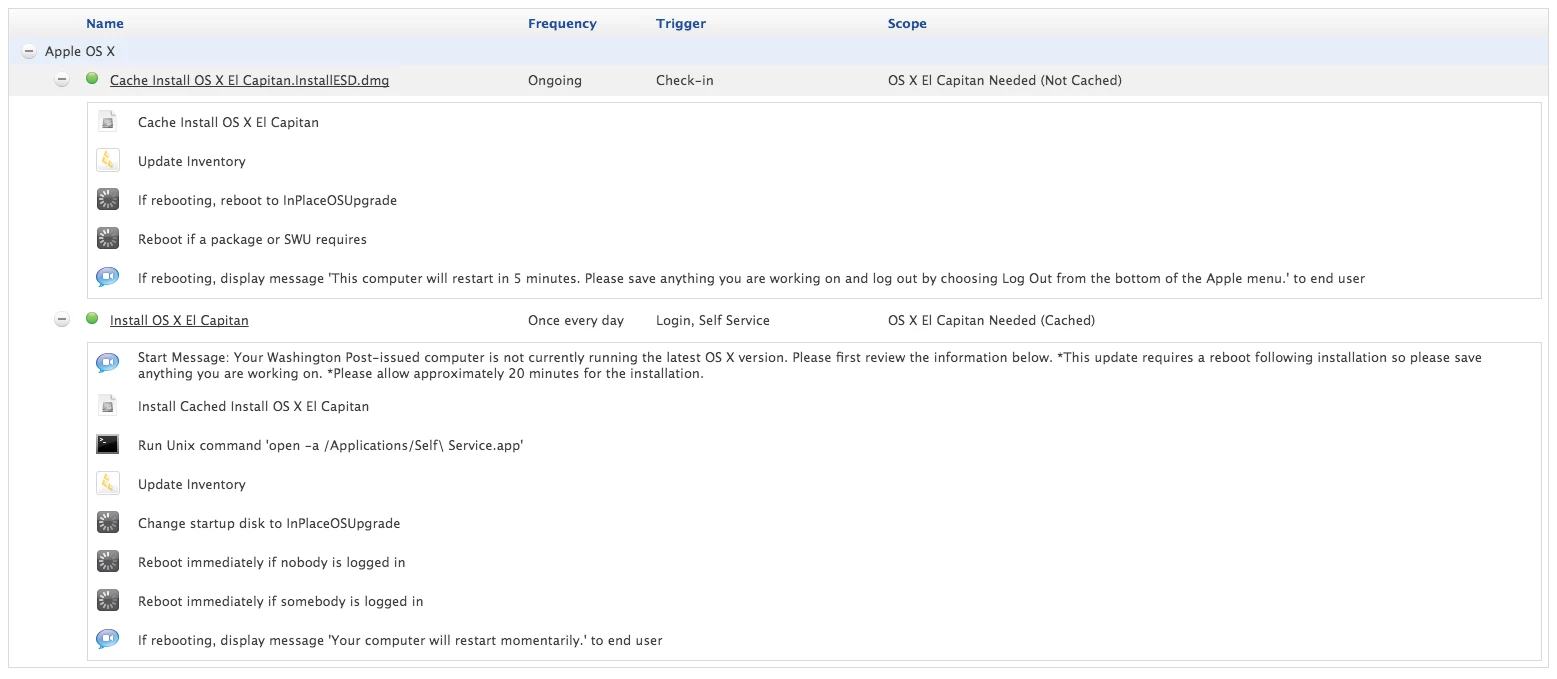
The "Install OS X El Capitan.InstallESD.dmg" policy will run at next check-in, once per computer to aforementioned scope and then run a JSS inventory to update the system that this policy has run successfully.
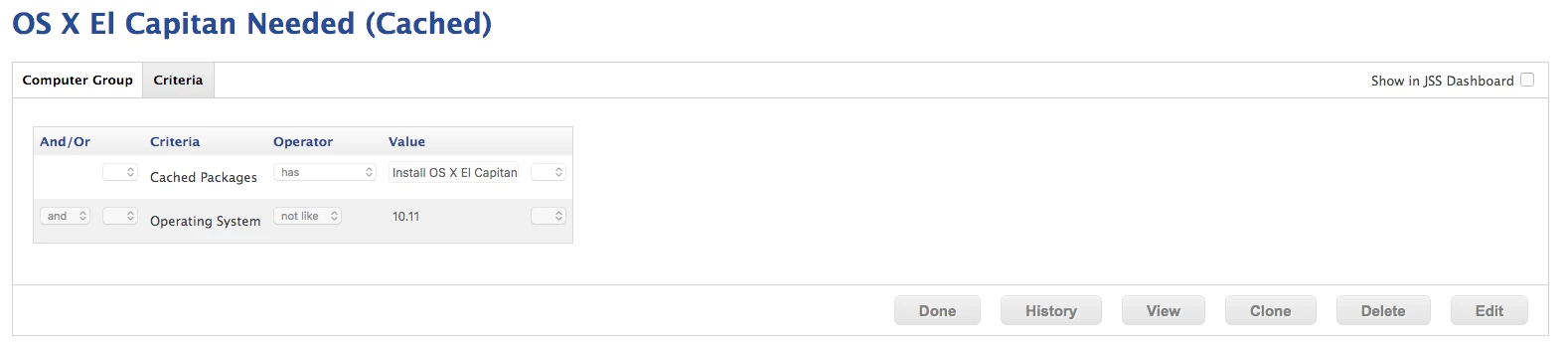
The client will now fall into scope for the OS X El Capitan Needed (Cached) smart group.
This first triggers the "Display Message: Ready to Install OS X El Capitan" policy which simply alerts the user that the update is available in Self Service. The policy will not complete until the user hits OK at which point Self Service is launched and the "Install OS X El Capitan" policy will be featured on the main page. Those who do not update from Self Service, will continually see the message once a day until they are no longer in the scope.
The installation will begin and prompt for an immediate reboot.
Once the installation has completed, an inventory update will post to the JSS and the locally cached installer will be removed.
Issue:
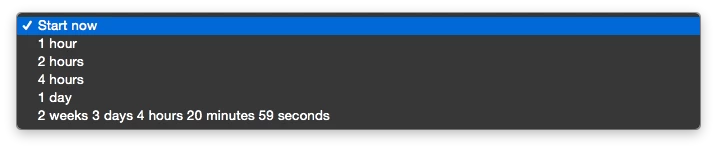
Step 4 seems to be where the hiccup occurs. Specifically what I am noticing is that clients that fall into scope are posting the following error.
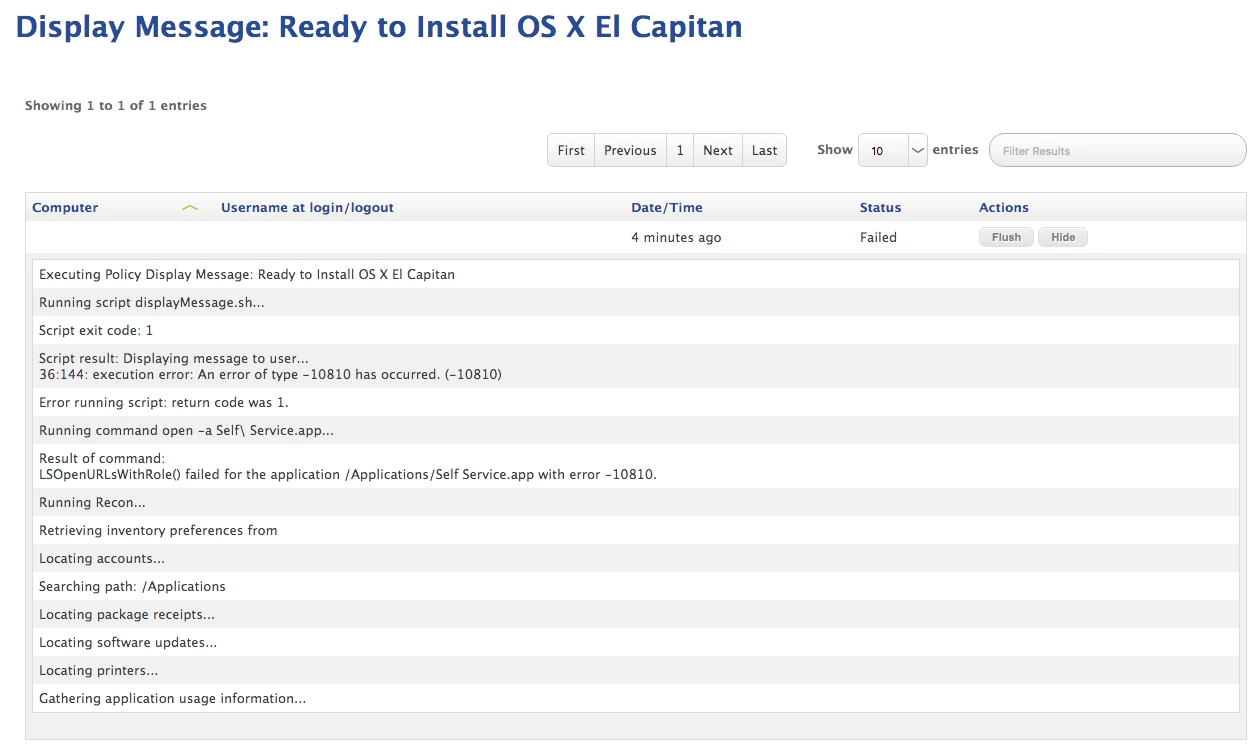
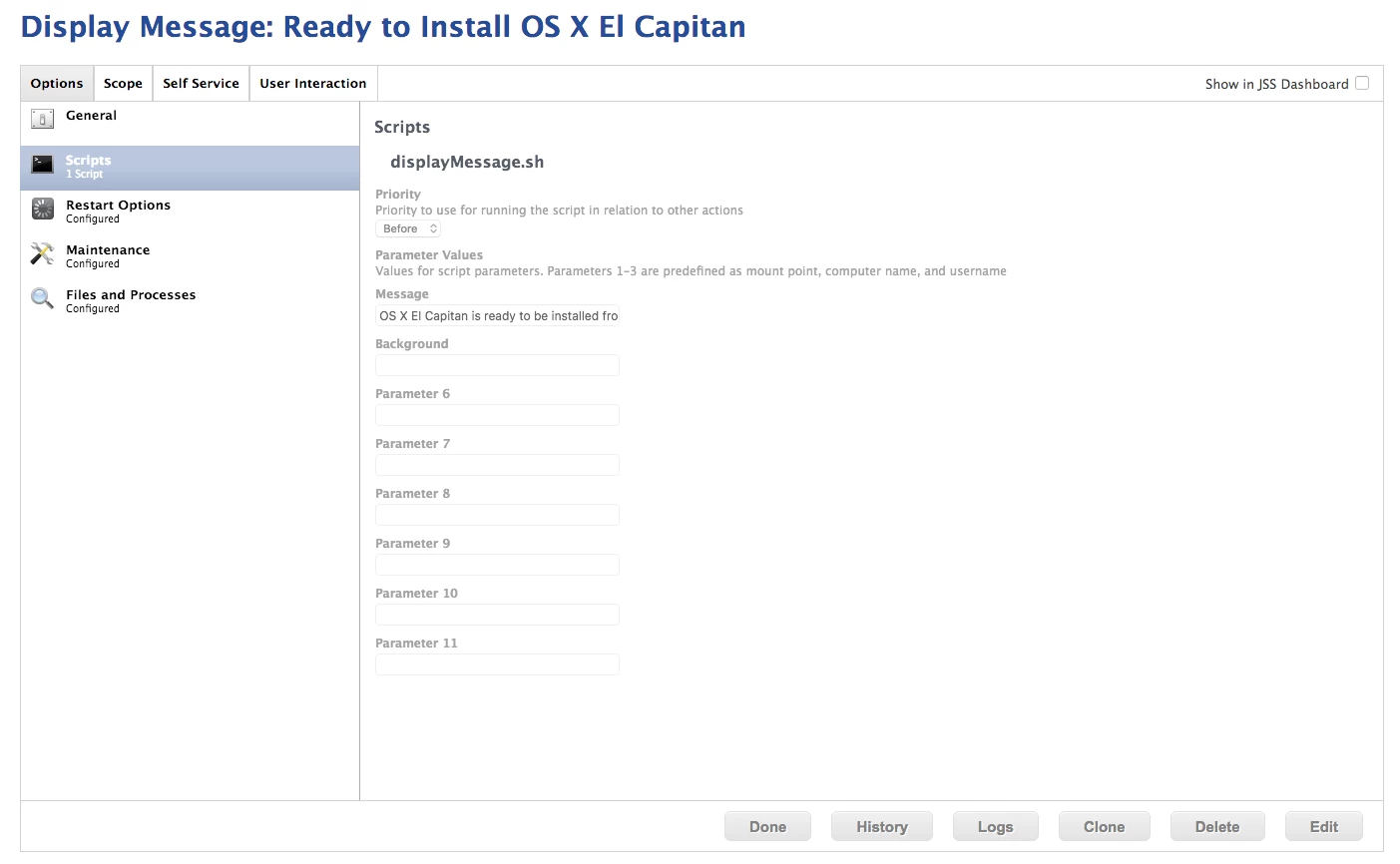
The failed policy does not show the message but does open Self Service. This suggests to me that the issue lies with the script itself which has been used in other applications within our environment with no issues. Please have a look below to see how this particular script is being utilized for this specific policy.
Has anyone seen this error before?