Question

802.1x Login Menu

  • August 2, 2016
  • 2 replies
  • 0 views

Forum|alt.badge.img+8

Hello Everyone,

We have been preparing our laptops for 802.1x and are seeing a small issue on the login page. We need the Wi-Fi option to either be the default option, or the only option.
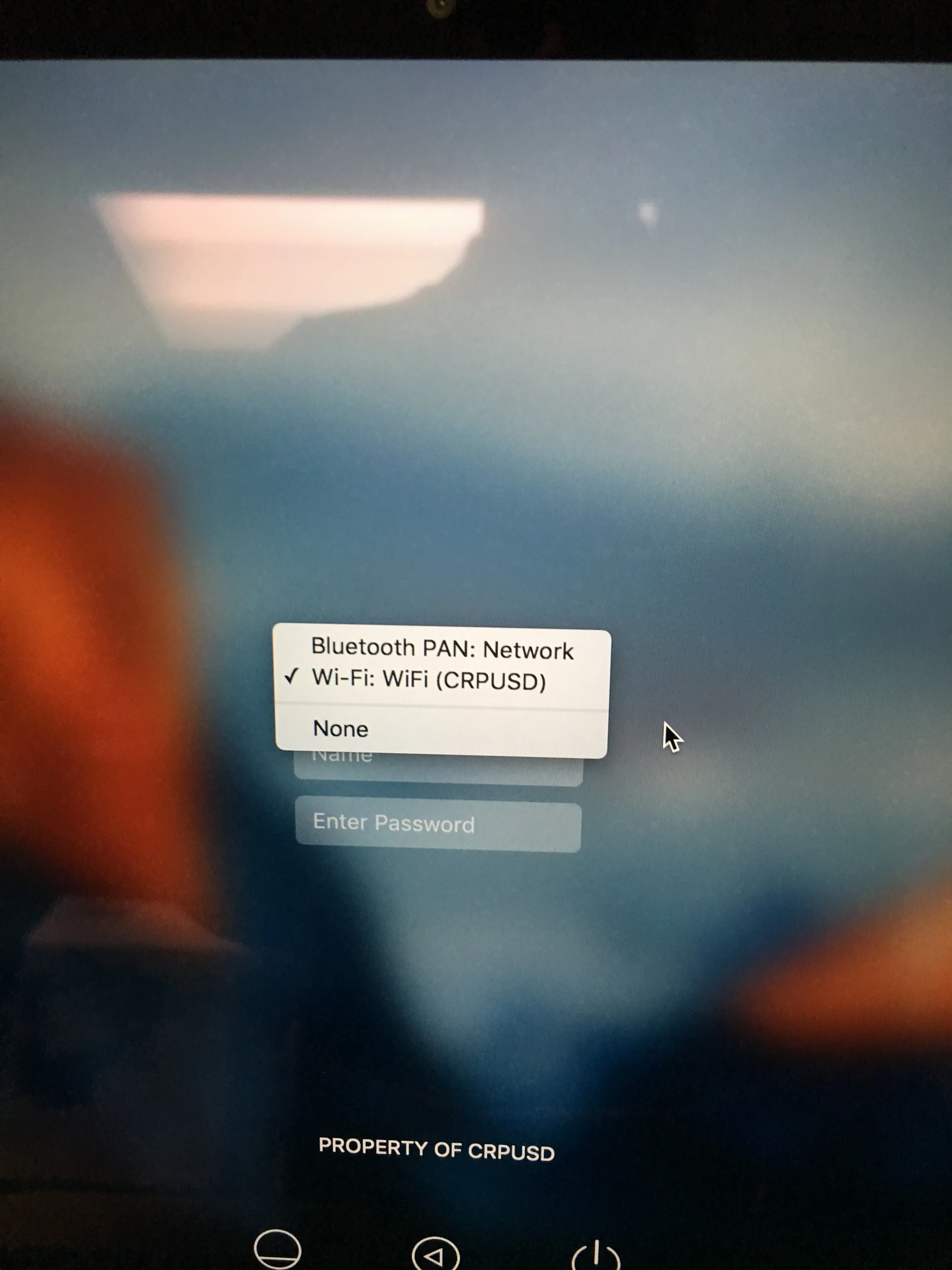
How can this be accomplished? Alternatively, we can look at turning off Bluetooth PAN. Is this change something that can be done via a script?

2 replies

AVmcclint
Forum|alt.badge.img+21
  • Esteemed Contributor
  • August 2, 2016

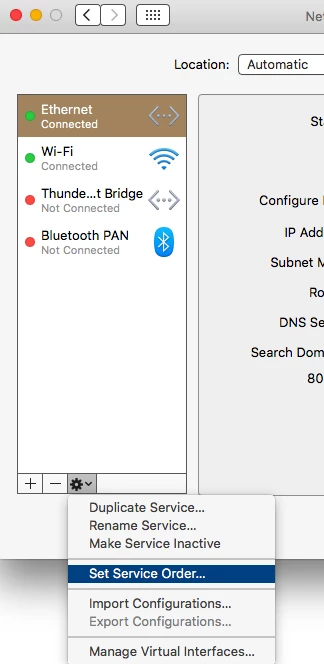
You can do this manually by going to System Preferences > Network. Click the gear icon and then Set Service Order. Then you drag the interfaces into the order you'd like. I always put Ethernet first with WiFi second, but your requirements may differ. There may be a way to do this via CLI but I'm not sure how this would be done.


AVmcclint
Forum|alt.badge.img+21
  • Esteemed Contributor
  • August 2, 2016

it looks like the networksetup command may do it.

Usage: networksetup -ordernetworkservices <service1> <service2> <service3> <...>
    Order the services in order specified. Use "-listnetworkserviceorder" to view service order.
    Note: use quotes around service names which contain spaces (ie. "Built-in Ethernet").