Question

"Account Picture Location" option for local account creation doesn't work

  • January 22, 2020
  • 2 replies
  • 21 views

Forum|alt.badge.img+4

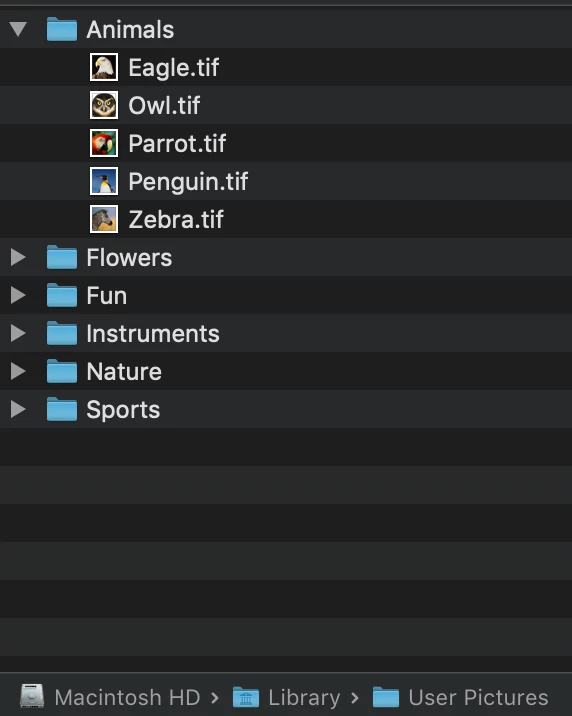
Pushing a local account through a policy and specifying the account picture location to something native like "/Library/User Pictures/Animals/Owl.tif" doesn't work and it instead uses a random image from User Pictures/

2 replies

Hugonaut
Forum|alt.badge.img+15
  • Esteemed Contributor
  • January 22, 2020

try using a jpg instead, i have no experience using a tif

# Reset User Default Photo 
#########################################################################################

#Current User
CURRENT_USER=$(/usr/bin/python -c 'from SystemConfiguration import SCDynamicStoreCopyConsoleUser; import sys; username = (SCDynamicStoreCopyConsoleUser(None, None, None) or [None])[0]; username = [username,""][username in [u"loginwindow", None, u""]]; sys.stdout.write(username + "
");')

# Delete the hex entry for jpegphoto
dscl . delete /Users/$CURRENT_USER jpegphoto
dscl . delete /Users/$CURRENT_USER Picture
dscl . create /Users/$CURRENT_USER Picture "/Library/User Pictures/Animals/Owl.jpg"

#  This forces the system to rebuild the system caches 
#+ along with the local directory cache.

kextcache -system-caches

Forum|alt.badge.img+4
  • Author
  • Contributor
  • January 22, 2020

Thanks Hugonaut, that was very fast. However, we're trying to keep things off of scripts as much as possible so that our non-scripting counterparts can modify policies as well. This is a jamf pro feature that should work but doesn't. The images are all the default Mac OS user images .tif.