Question

AD via Wi-Fi

  • September 7, 2018
  • 13 replies
  • 55 views

remus
Forum|alt.badge.img+5

Hi guys!
I am having a little bit of trouble creating a working Configuration Profile that enables a new user to log in via eduroam Wi-Fi on Mac that is already bound to AD.
We always use the network cable when a new user logs in. I want to get rid of the cable :)

I managed to have the new user log in (via WiFi) but after the user logs out and logs in again the wifi is not working anymore.
The 802.1X, theoretically shows that is connected because the button Disconnect is present.
But I don't see that usual text as I see it on other Macs: "Authenticated via EAP-PEAP (MSCHAPv2)"

I need help :) What am I doing wrong?!?
13 replies

Forum|alt.badge.img+12
  • Valued Contributor
  • September 7, 2018

We see the same issue here. Maintaining a WPA2 Enterprise WiFi connection across multiple login/logout sessions appears to be an Apple bug, and from what I've seen it varies a little depending on which model of MacBook Pro you are using. I'm seeing the biggest trouble with Touchbars, and much fewer issues with the 13" 2017 MBPros.

It's interesting to me that you see this with JAMF, I see the same thing with Ivanti management as well. So I'm thinking it's not really a management software issue but an Apple one.


Forum|alt.badge.img+11
  • Contributor
  • September 7, 2018

Try downloading the .mobileconfig, packaging it, and push it out as a policy instead.


Forum|alt.badge.img+12
  • Valued Contributor
  • September 7, 2018

Post here if that works with JAMF, I'll be sure to switch to that method soon if that resolves it - thanks!


sdagley
Forum|alt.badge.img+25
  • Jamf Heroes
  • September 7, 2018

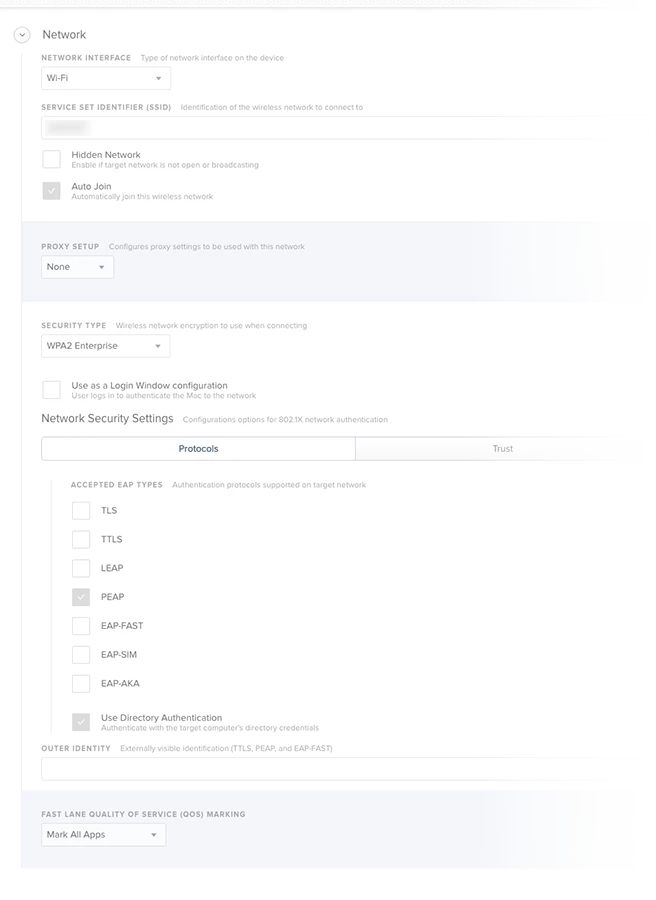
@remus If you want the Mac to be on 802.1x WiFi with no user logged in you have to enable Use Directory Authentication so it'll use the machine'AD credentials to connect. Turn off the Use as a Login Window configuration as that won't work if the user is required to change password on 1st login. When a user logs in the machine credential connection should drop and the Mac will re-connect with a user authenticated connection. When the user logs out it goes back to machine mode. Note that if you're using FileVault 2 the Mac is not going to be on the network until a user logs in as you're in a separate OS partition at the FV2 login screen.


Forum|alt.badge.img+19
  • Contributor
  • September 7, 2018

My profile looks like this:

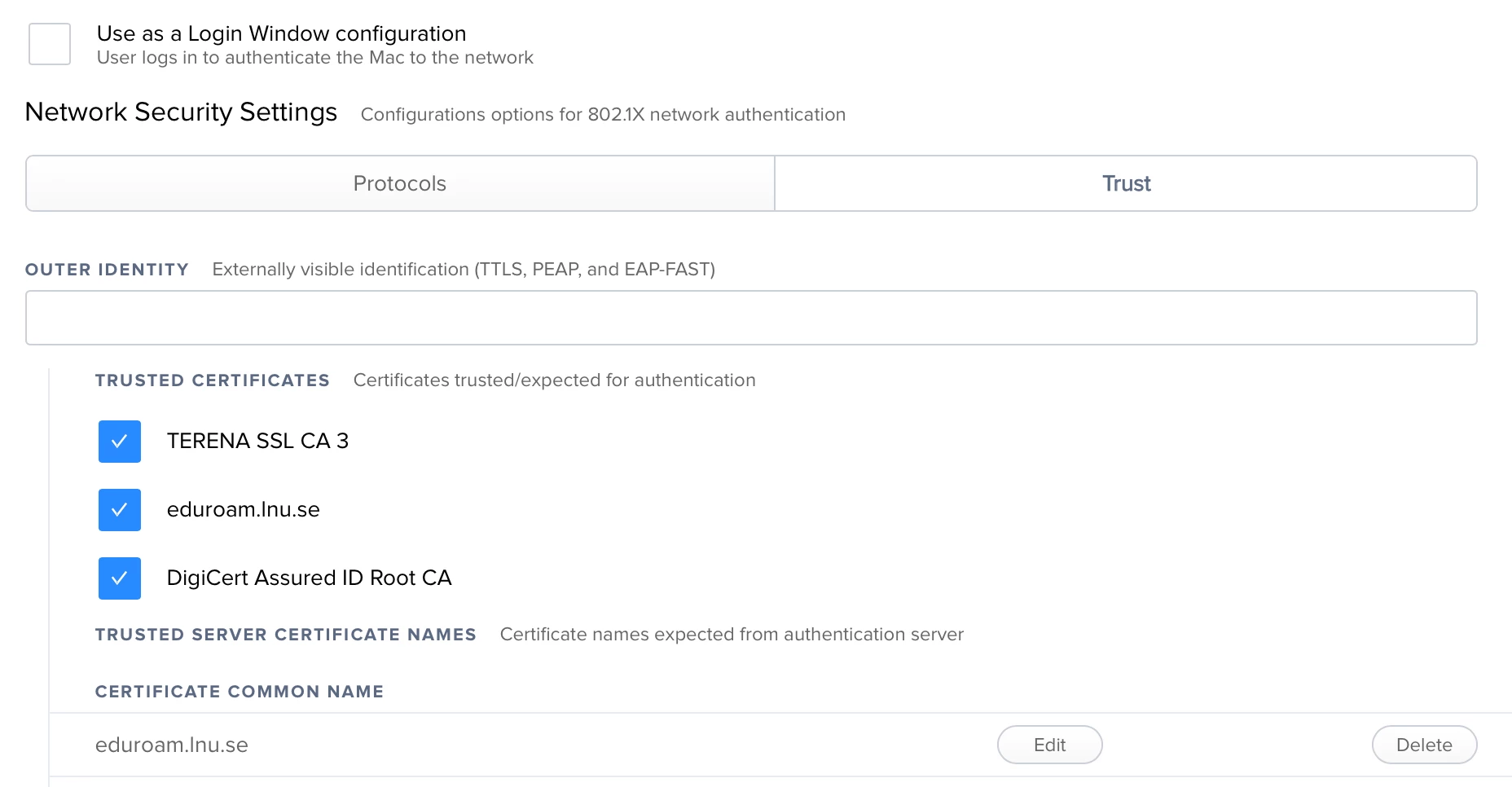
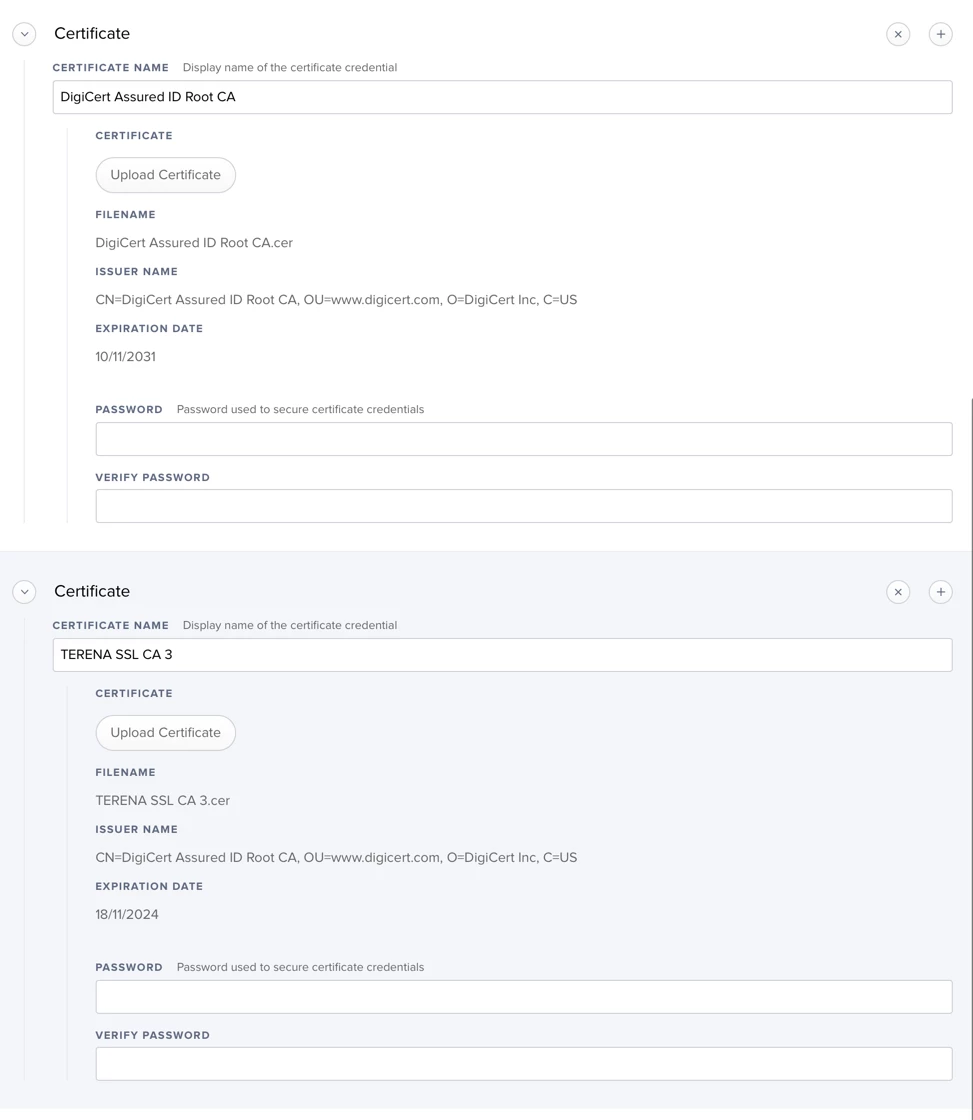
I have our Cisco ISE certs as a payload in the profile. I am also trusting our Cisco ISE certs and also *.ourdomain.org in the Trust section.

This is set as a computer level profile. This allows the Mac to authenticate to wireless as the Mac's AD computer account.


Forum|alt.badge.img+12
  • Valued Contributor
  • September 7, 2018

Unchecking "Use as a Login Window configuration" will make an interesting test for us here. We see success on some models/Cisco AP's and problems on others, all with the same settings in the WiFi payload and macOS version.


sdagley
Forum|alt.badge.img+25
  • Jamf Heroes
  • September 7, 2018

@SGill In my previous org I was fortunate to have all Cisco 3800 series WAPs on our campus. Using Directory Authentication to connect via device credentials was very reliable, and we'd regularly have 600+ devices (mainly MacBook Airs) connected. When we started out we were using Login Window mode, which didn't allow visibility of a machine without a user logged in, and it didn't work for users that required a password change on next login.


remus
Forum|alt.badge.img+5
  • Author
  • Contributor
  • September 18, 2018

@ryan.ball Thank you for your feedback! What certificates are you guys using?
I've unselected the "Use as login Window configuration…". Unfortunately is not working.
The Wi-Fi icon is not getting lit.

Is there anyone here on "eduroam" that has this working?


Forum|alt.badge.img+19
  • Contributor
  • September 18, 2018

We use Cisco ISE, and we have ISE using a digicert cert, which is generated from digicert. We have a wildcard cert from digicert so you clone that with ISE's SAN name. We also have the Digicert Trusted Root cert, and our wildcard cert in there too. It would be the full certificate chain. It might not be necessary for all three but it does not hurt.

Also, I am trusting all the cert names in the trust section, as well as *.ourdomain.com, and I am not Allowing Trust Exceptions as I don't think that would work on a system profile.


Forum|alt.badge.img+12
  • Valued Contributor
  • September 18, 2018

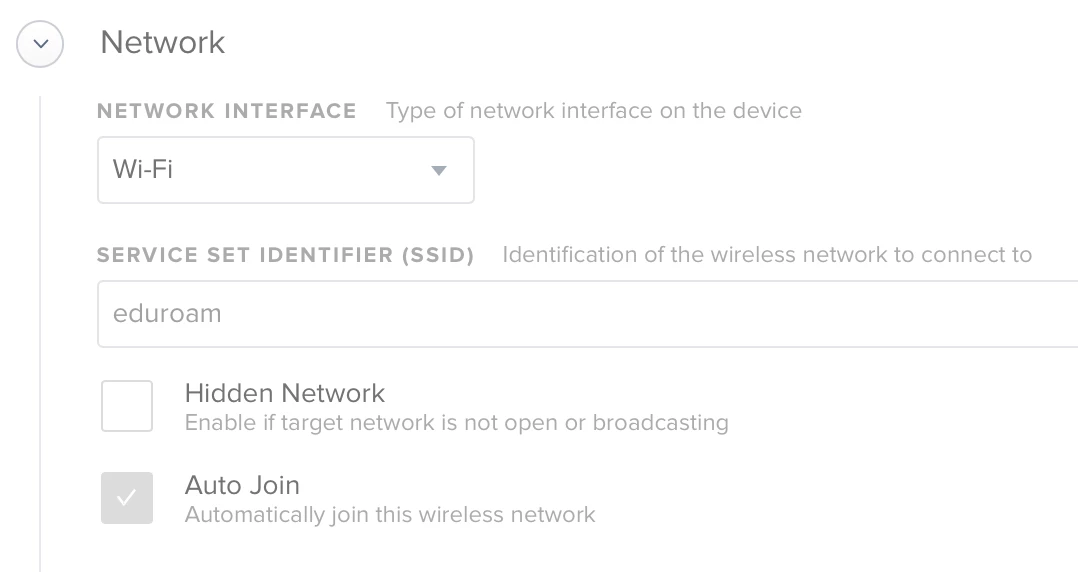
You might check whether "Auto-Join" is checked, and that the profile did successfully update it's settings. Modifying WiFi profiles is very tricky, and usually requires profile updates to push over a wired connection with WiFi OFF in my experience.

Seems to be working here with unchecking "use as a loginwindow config" across multiple user sessions. Our managed macs don't use eduroam, and connect to an internal WPA2 Ent Cisco ISE network with GeoTrust certs instead.


remus
Forum|alt.badge.img+5
  • Author
  • Contributor
  • September 18, 2018

@SGill The Auto Join is checked…


Forum|alt.badge.img+6
  • Contributor
  • March 20, 2019

Did this work?


Forum|alt.badge.img+5
  • New Contributor
  • April 2, 2019

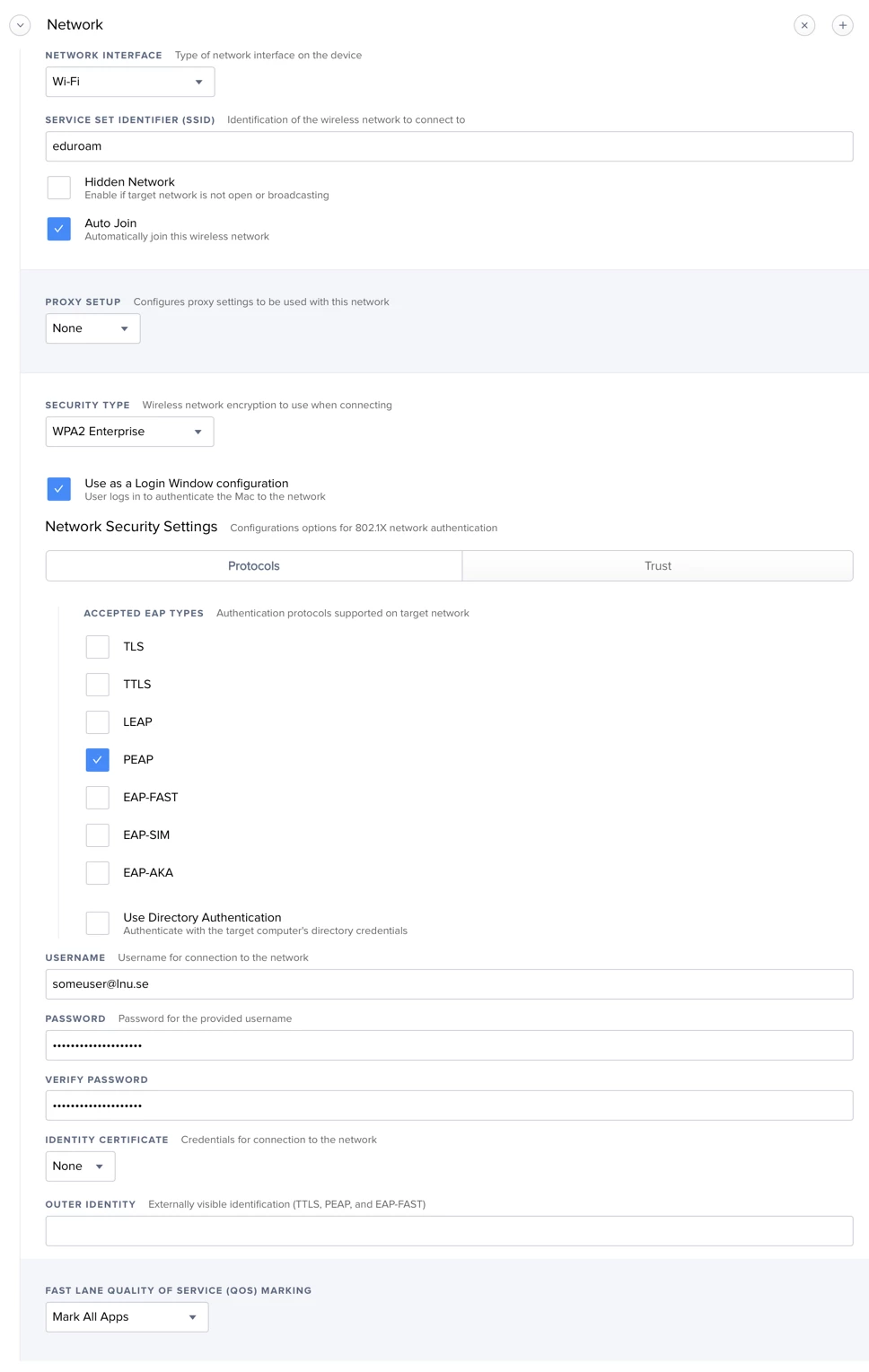
I'm getting almost an identical issue to @remus I am able to manually connect to our wireless network with no issues, but when I go ahead and make the configuration profile I seem to get stuck. I noticed differences in the wireless settings when I connect manually and when I push out the profile. Below see my settings and some screenshots.

If anyone knows a way please let me know. I would really appreciate it.

Thanks!