

Solved

Adobe Acrobat activation issue

  • September 14, 2020
  • 2 replies
  • 37 views

mhasman
Forum|alt.badge.img+22

Hello,

Does anyone experiencing Adobe Acrobat DC activation issue by Adobe Enterprise licenses assignment?

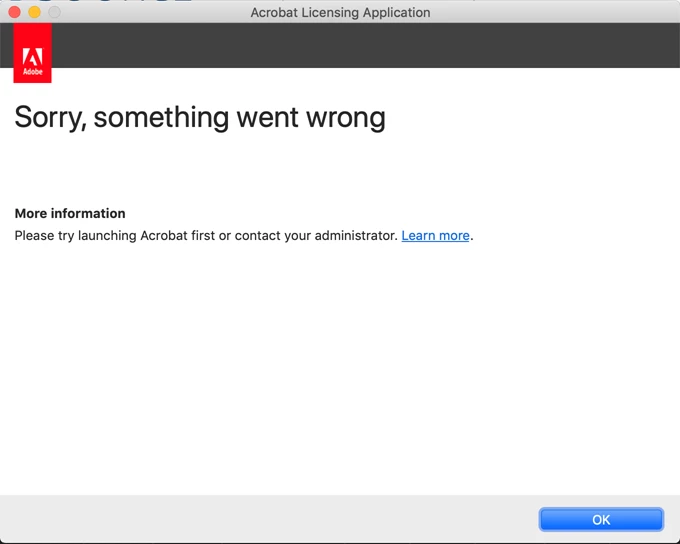
On some Macs, we see Acrobat not wanting to validate licensing, receiving the "something went wrong" message. Users successfully login to Creative Cloud with accounts, and have all other assigned applications working activated but Acrobat. In same time, Acrobat Reader works well, accesses to Creative Cloud account and files.

By troubleshooting, we deleted all Acrobat preferences, uninstalled-reinstalled Acrobat, logout-login to CC Client; on Adobe portal side, deleted-reassigned Acrobat per Adobe ID. Still getting the same error opening Acrobat app.

Wonder if someone knows how to fix, maybe some hidden files to delete, etc.

Thanks!
Best answer by remyb

We had the same issue, ended up solving it by running the adobe removal tool (Not creative cloud cleaner!)
- So download this tool: http://ardownload.adobe.com/pub/adobe/acrobat/mac/AcrobatDC/misc/AdobeAcroCleanerTool.dmg
- Run it, delete everything
- reboot!
- reinstall Acrobat DC trough creative cloud app

2 replies

Forum|alt.badge.img+7
  • Contributor
  • Answer
  • September 16, 2020

We had the same issue, ended up solving it by running the adobe removal tool (Not creative cloud cleaner!)
- So download this tool: http://ardownload.adobe.com/pub/adobe/acrobat/mac/AcrobatDC/misc/AdobeAcroCleanerTool.dmg
- Run it, delete everything
- reboot!
- reinstall Acrobat DC trough creative cloud app


mhasman
Forum|alt.badge.img+22
  • Author
  • Valued Contributor
  • September 18, 2020

@remyb Thank you, Remy! Your solution works great!