Question

Adobe CC (creative Suite) june 2015 Fails

  • June 16, 2015
  • 68 replies
  • 268 views

Show first post

68 replies

Forum|alt.badge.img+14
  • Contributor
  • July 8, 2015

@etippett

We do not include the creative cloud app in our packages. I have CCP version 1.9.1.6 and Adobe Application manager version 9.0.0.106 (Latest for both).


Forum|alt.badge.img+10
  • Contributor
  • July 9, 2015

An update for those experiencing issues with Acrobat not installing at the login window:

I finally received an answer from Adobe after sending them my CCP-built package for them to test with. They were able to verify and re-create the issue and logged it as a bug. Apparently it only affects the "Continuous" release track of Acrobat DC (I wasn't aware of the Continuous and Classic tracks and am still sorting out the details; you can read up on them here). The engineering team is planning on rolling the fix into the next update, which is supposed to be out mid-next week. I am supposed to be notified when this update is released and then will have to build a new package in CCP. Apparently with the Continuous track CCP always downloads the latest version available and the individual updates do not show up nor can they be selected/de-selected like with the other apps.

Eric


Forum|alt.badge.img+8
  • Contributor
  • July 16, 2015

Has anyone heard anything about a CCP update?


Forum|alt.badge.img+18
  • Valued Contributor
  • July 16, 2015

I believe it updates itself when you launch it if it needs to.


Forum|alt.badge.img+10
  • Contributor
  • July 16, 2015

@andysemak Are you asking since 1.9.1.6 that was discussed above? No, I've not heard of any updates since then.


Forum|alt.badge.img+8
  • Contributor
  • July 16, 2015

Does that fix the bug which prevents the pkg from installing at the loginwindow?


Forum|alt.badge.img+14
  • Contributor
  • July 16, 2015

I haven't received an update to CCP since 06/29/15.

@andysemak

Nope, it has not.


Forum|alt.badge.img+10
  • Contributor
  • July 16, 2015

The update that is supposed to fix the login window issue is not for CCP but Acrobat DC Continuous. I have not heard anything yet about that update being released. I'll see if I can find anything out.


Forum|alt.badge.img+8
  • Contributor
  • July 16, 2015

Thanks, Eric


Forum|alt.badge.img+8
  • Contributor
  • July 16, 2015

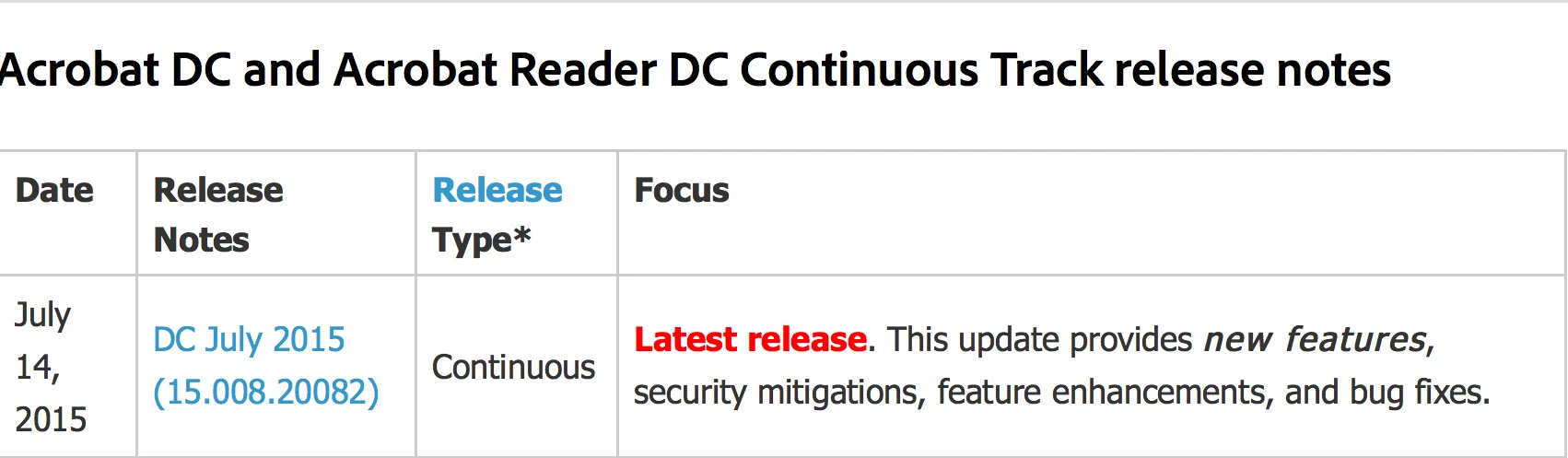
Just found this on the Adobe site

Couldn't see anything specific in the release notes at a quick glance but i'll build a new pkg and let you guys know the outcome.


Forum|alt.badge.img+10
  • Contributor
  • July 16, 2015

@andysemak Can you share the web address where you found that?


Forum|alt.badge.img+8
  • Contributor
  • July 16, 2015

Sure

https://helpx.adobe.com/acrobat/release-note/release-notes-acrobat-reader.html


Forum|alt.badge.img+14
  • Contributor
  • July 16, 2015

Thanks for linking that @andysemak

It sucks that Adobe doesn't have exact dates for their other products.

Example:

https://helpx.adobe.com/indesign/indesign-releasenotes.html


Forum|alt.badge.img+10
  • Contributor
  • July 16, 2015

Thanks @andysemak . Here's some other info I found:

https://www.adobe.com/devnet-docs/acrobatetk/tools/ReleaseNotes/DC/dccontinuousjuly2015.html

I did get a voicemail from the Adobe tech support rep I've been working with that a new version had been released. He didn't specifically say it would fix this issue, but I assume that's why he called. He did not provide a version number, but did say he'd send a download link, though I've not received that yet. I'll post updates as I get more info on what version is supposed to fix this.


Forum|alt.badge.img+10
  • Contributor
  • July 16, 2015

OK, I got the installer link from my Adobe tech, but it's an incremental update, not a full installer. This won't solve the issue then, since I would still need to install the broken CCP package first, then this update. I've responded asking for more details. It is version 1500820082 that supposedly fixes the issue, however.


Forum|alt.badge.img+8
  • Contributor
  • July 16, 2015

I found another issue with InDesign CC 2015. When I run the Remote Update Manager the Indesign update AdobeInDesignCC2015-11.0/11.0.1.105 fails. It only installs fine on Macs that have the Adobe Creative Cloud app installed.
Has anyone else experienced this as well? I suppose it's related to the issue with InDesign when starting the program.

For now I just made a new package with this update included. That works fine. Since we're still testing and not use it in production it won't be an issue when we put CC 2015 in production.


Forum|alt.badge.img+14
  • Contributor
  • July 17, 2015

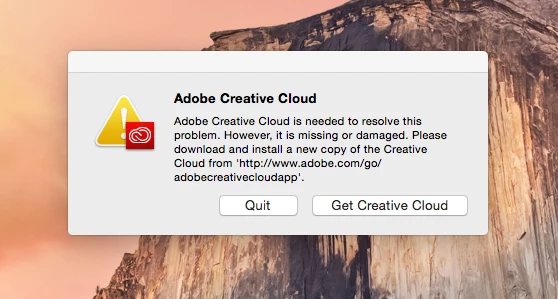
The soultion to this (image below), is to rename a folder in /Application Support. Adobe InDesign 2015 will open normally once you rename the folder. The can be done in the Adobe InDesign policy with a script set to 'After'.

mv /Library/Application Support/Adobe/Adobe Desktop Common /Library/Application Support/Adobe/Adobe

This is the workaround that Adobe has made for OS X and Windows.


Forum|alt.badge.img+8
  • Contributor
  • July 17, 2015

@Abdiaziz this is what I tried and solves the startup issue. But the update fails even when this workaround is applied.
For Windows the update of the CCP solves the problem, for Mac unfortunately not.