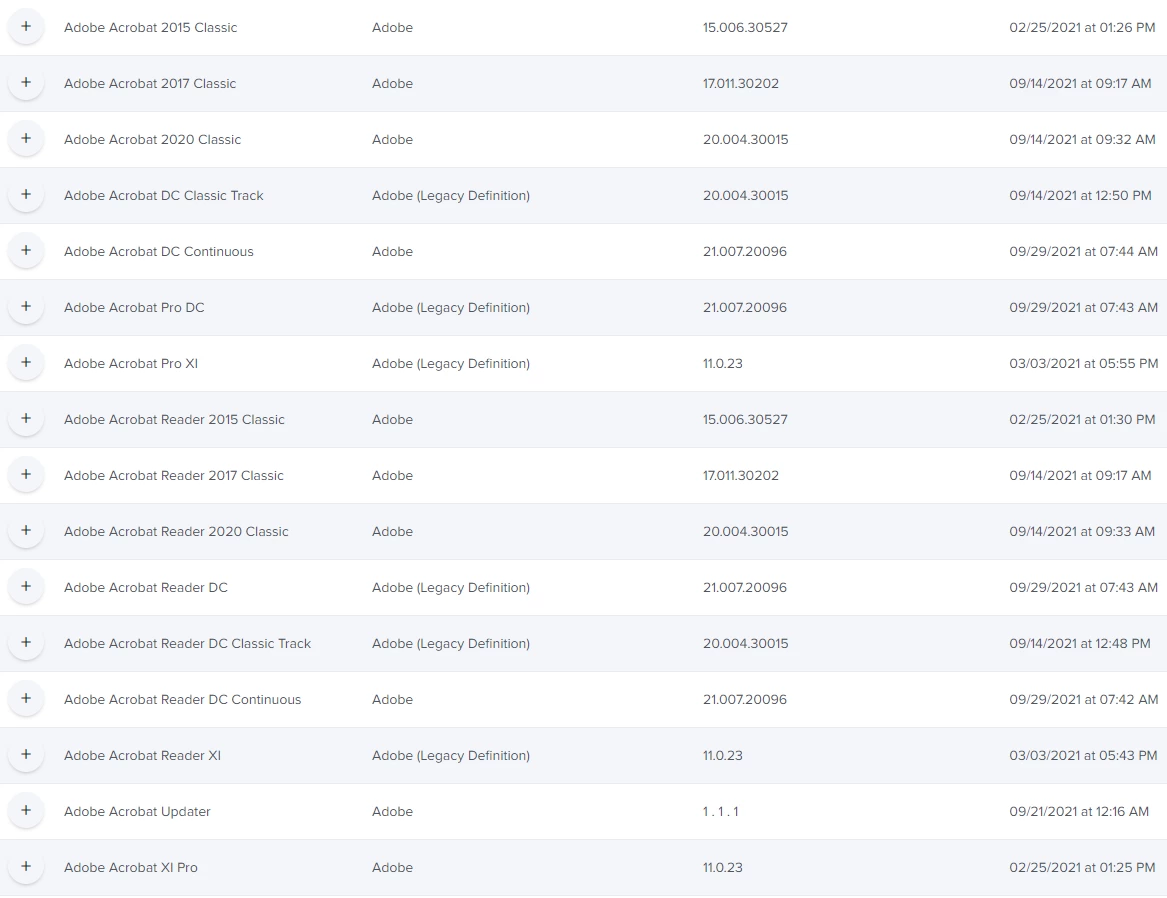
I am getting into Patch Management and we have Adobe Acrobat Pro through Creative Cloud, plus Acrobat Reader available in Self Service. I want to keep them updated by using Patch Management as best I can, but came across a large set of options in PM that I don't really understand and hoping someone has some insight.
The version names I can sort out - those are for places that want to stick with an older version.
"Classic" in the name may refer to a version with a serial number that is entered or that comes on disk?
"Continuous" might mean an online version rather than disk based?
"(Legacy Definition)" ???
Reader DC for example has three different styles listed. and two of them are listed with a (Legacy Definition), and two different latest versions across the three different options.
If I had to choose, I would likely select the Continuous version without the legacy note and the most recent version number. But that would be a guess based on theories posted above. How did I do?