Question

ADPassMon Step by Step

  • March 8, 2016
  • 19 replies
  • 70 views

Forum|alt.badge.img+5

Hi All,

Is there a Step by Step guide to ADPassMon?

It seems a little complex to setup, though looks like something we could benefit from here.

We have a problem in that people do not reset their passwords until after they've expired. They then get keychain errors because IT have to reset it manually.

They also cannot reset passwords offsite as they have no access to the DC.

Thanks

Bill

19 replies

Forum|alt.badge.img+17
  • Valued Contributor
  • March 8, 2016

@billystanton

Shoot me an email - bwiessner@me.com. I have a few pointers.


bentoms
Forum|alt.badge.img+35
  • Hall of Fame
  • March 8, 2016

@billystanton I added a deployment section to the wiki a couple of weeks ago, it's here.

Does it help at all?

@bwiessner Can you have a look too & possibly file a PR with some recommendations?


Forum|alt.badge.img+5
  • Author
  • Contributor
  • March 8, 2016

Hi,

thanks both!

I think I am struggling with the LaunchDaemon part..

I want persistant to run, but not sure how to get this onto the users machine?

Thanks

Bill


Forum|alt.badge.img+5
  • Author
  • Contributor
  • March 8, 2016

Actually also struggling with setting the settings ourself as an IT department, and then stopping the user from amending them?


bentoms
Forum|alt.badge.img+35
  • Hall of Fame
  • March 8, 2016

@billystanton

  1. You'll want to make a plist with something like this. (Changing the path if the app is not in /Applications/)
  2. Copy that into a blank TextWrangler document & save as org.pmbuko.ADPassMon.plist.
  3. Save it to /Library/LaunchAgents/
  4. Set the owner to root (sudo chown root /Library/LaunchAgents/org.pmbuko.ADPassMon.plist)
  5. Set the mode to 644 (sudo chmod 644 /Library/LaunchAgents/org.pmbuko.ADPassMon.plist)
  6. Test, logout then back in as a Mac & ADPassMon should launch & not be able to be quit.
  7. Once verified working, package in Composer as a DMG/PKG & deploy with ADPassMon.app

Forum|alt.badge.img+5
  • Author
  • Contributor
  • March 8, 2016

Thank you!

Apologies if its a simple question!

Will give this a go tomorrow and report back!


Forum|alt.badge.img+5
  • Author
  • Contributor
  • March 8, 2016

What would I call the Plist file??


bentoms
Forum|alt.badge.img+35
  • Hall of Fame
  • March 8, 2016

@billystanton This should lock the preferences.

FWIW, i'm going to be re-writing ADPassMon in python at some point.. I also plan it to have an admin app to help set the prefs & package it.

Just need time, a lot of it.


Forum|alt.badge.img+5
  • Author
  • Contributor
  • March 8, 2016

Thank you!

I will play around with this tomorrow.

Thanks again

Bill


Forum|alt.badge.img+9
  • Valued Contributor
  • March 21, 2016

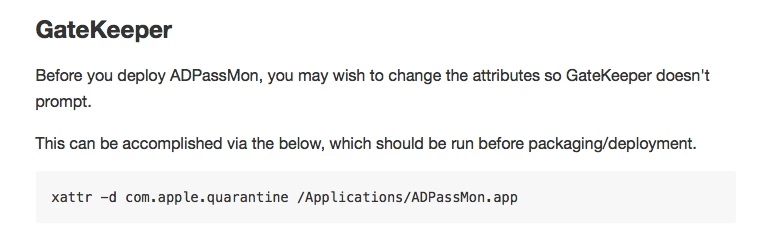
@bentoms In the "Deployment" section of the wiki, it says:

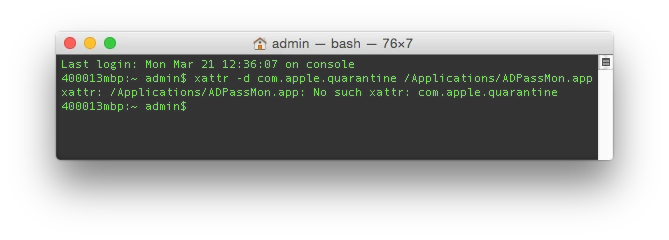
I tried this on my test system and I got the following:

When I logged in as an AD user it launched and asked for an admin name and password. Will I have to enter these on deployments?


bentoms
Forum|alt.badge.img+35
  • Hall of Fame
  • March 21, 2016

@itupshot Safari adds the quarantine flag. I guess other browsers may not.

The admin prompt, that's odd. Did it ask for assistive devices or something?


Forum|alt.badge.img+9
  • Valued Contributor
  • March 22, 2016

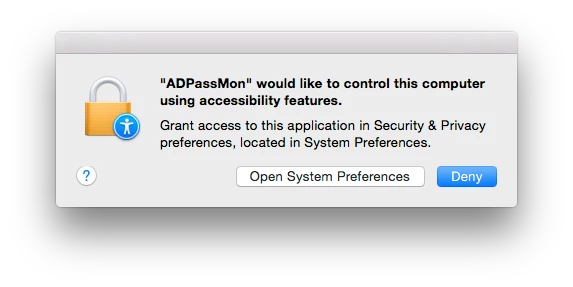
@bentoms When I logged in as another network (AD) user, and tried to use the "Change Password..." it asked:

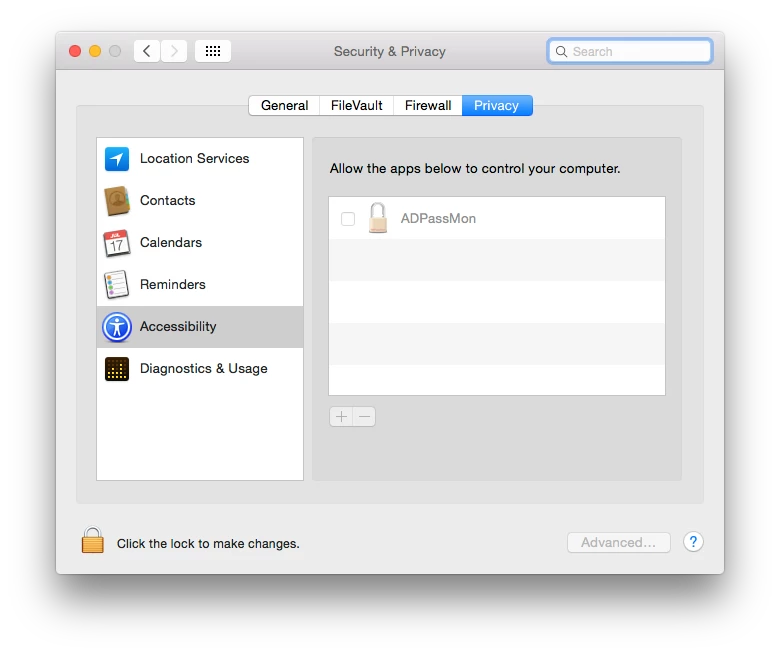
Then it took me to the Security and Privacy prefpane where I had to enter the local admin password to allow it. Is this normal? Is it because I selected to change password using Native OS instead of ADPassMon?


bentoms
Forum|alt.badge.img+35
  • Hall of Fame
  • March 22, 2016

@itupshot ah. Yep. That will be as you've used Native OS & not ADPassMon change method.


Forum|alt.badge.img+9
  • Valued Contributor
  • March 22, 2016

@bentoms OK, so then I should make the default "Use ADPassMon" so all my AD users don't get this prompt if they want to change their password from the menu (they don't have admin privileges). Correct?


bentoms
Forum|alt.badge.img+35
  • Hall of Fame
  • March 22, 2016

@itupshot yep.

I wasn't happy with the users & groups thing. So I added the ADPassMon method to my fork.


Forum|alt.badge.img+9
  • Valued Contributor
  • March 23, 2016

@bentoms Should I be worried about that com.apple.quarantine error? Is it a file I should find somewhere on the system?

The reason you see an "admin$" prompt is because I always install new software, and run the Casper Suite tools for packaging them up using the local admin account.

Will the app eliminate the "Local Items" keychain prompts? The documentation mentions working with the "Login" keychain, but nothing about the "Local Items" keychain.

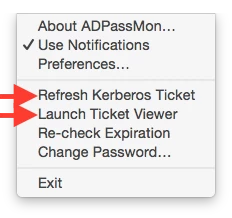
Is there a way to hide these options from the menu?


Forum|alt.badge.img+6
  • Contributor
  • May 4, 2016

This seems like a cool app that may be just what we need.... but in the download ADPassMon-master.zip, I can't seem to find the actual app.
I'm probably looking in the wrong place....


Forum|alt.badge.img+14
  • Contributor
  • May 4, 2016

@AdamH Sounds like you downloaded the repository (source code) instead of the release (finished product): https://github.com/macmule/ADPassMon/releases/latest

Under downloads on that page you want ADPassMon.app.zip


Forum|alt.badge.img+6
  • Contributor
  • May 4, 2016

Got it!