
Question

Allowing Google Chrome Notifications

  • July 2, 2021
  • 3 replies
  • 118 views

Forum|alt.badge.img+6

Hi guys,

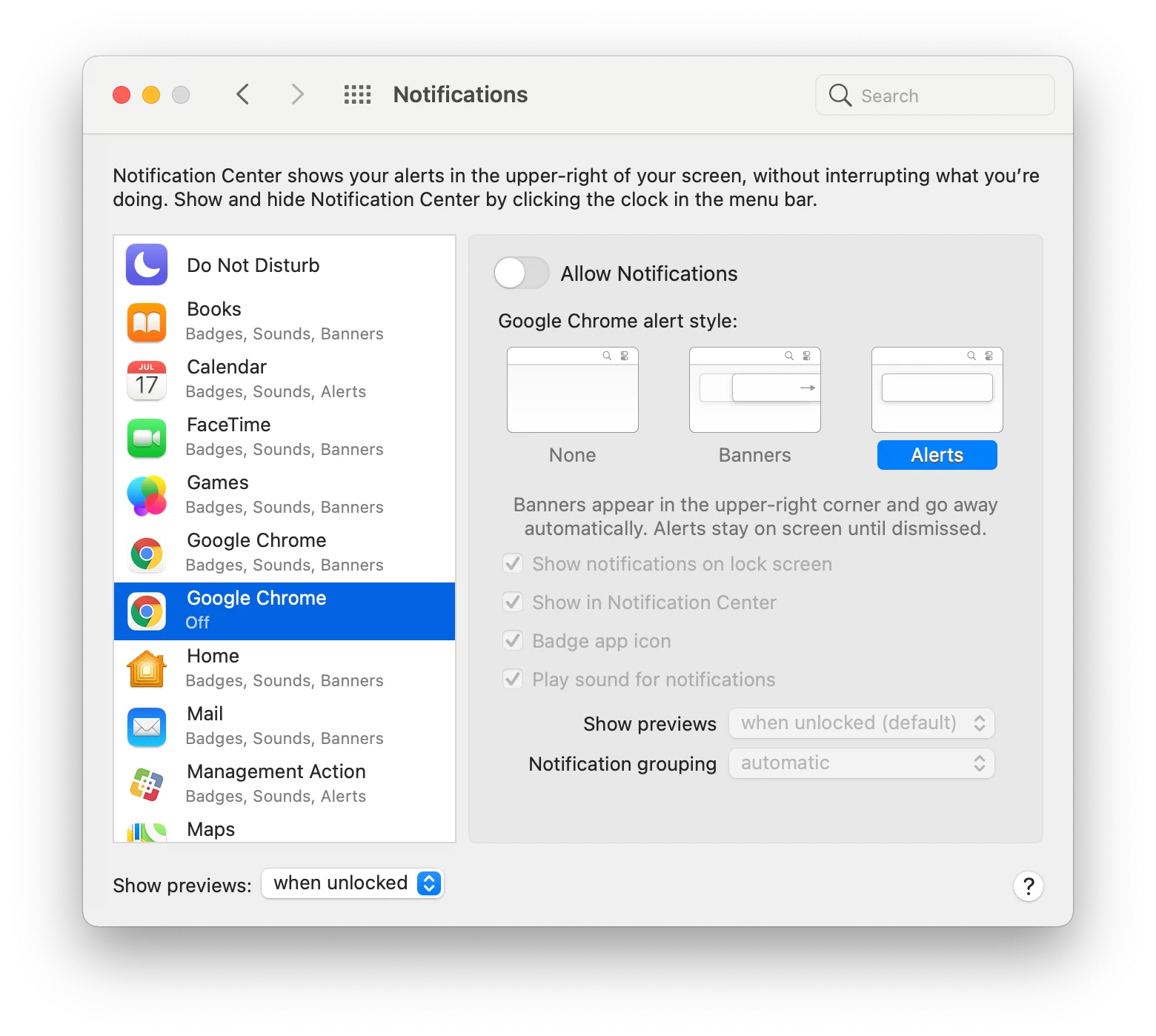
I'm trying to push a configuration profile to allow Google Chrome notifications, but I seem to be running into some issues. I've created a profile with the Bundle ID: com.google.Chrome but it seems like I need to add in a separate bundle ID since I see two instances of Chrome in the Notifications System Preferences. Is there an easy way to find out what bundle ID I need to allow?

3 replies

junjishimazaki
Forum|alt.badge.img+10

The bundle ID for the Chrome notification should be com.google.Chrome.framework.AlertNotificationService.


Forum|alt.badge.img+20
  • Contributor
  • March 20, 2022

@RLim945  have you figured this out?  I would like to do something similar with Google Drive for Desktop to set the notification to either Allow or Don't Allow so the user doesn't get the prompt.

What are you setting your notification setting to for Google Chrome?  Allow or Don't Allow?


Forum|alt.badge.img+8
  • Contributor
  • September 12, 2022

@tcandela You need to setup a config profile that uses the Notifications payload.


App Name: Google Chrome

Bundle ID: com.google.Chrome

Enable both "Critical Alerts" and "Notifications"


App Name: Google Chrome Helper

Bundle ID: com.google.Chrome.framework.AlertNotificationService

Enable both "Critical Alerts" and "Notifications"