Question

Always On VPN Configuration

  • March 12, 2020
  • 7 replies
  • 139 views

Forum|alt.badge.img+7

Hello, can anyone point me to some type of guide or instruction for getting Always On VPN configured for Macs via Jamf? We've been using the AnyConnect app for now but need to upgrade.

7 replies

Forum|alt.badge.img+5
  • Contributor
  • March 12, 2020

Here's a config i've been messing with in sandbox for a while, seems to work pretty well. The idea is to target your company's DNS IP address - the config will try to contact the IP address. If success, no VPN connection is needed. If it can't ping your DNS, a VPN connection attempt is made. Note that there is no key set up for ethernet connections, but it's not hard to add.

 <?xml version="1.0" encoding="UTF-8"?>
<!DOCTYPE plist PUBLIC "-//Apple//DTD PLIST 1.0//EN" "http://www.apple.com/DTDs/PropertyList-1.0.dtd">
<plist version="1.0">
<key>OnDemandEnabled</key>
        <integer>1</integer>
 <key>OnDemandRules</key>
        <dict>
            <key>Action</key>
            <string>Disconnect</string>
            <key>DNSServerAddressMatch</key>
            <array>
                <string>***</string>
                <string>***</string>
            </array>
            <key>InterfaceTypeMatch</key>
                <string>WiFi</string>
            <key>SSIDMatch</key>
                <array>
                    <string>***</string>
                </array>
        </dict>
        <dict>
            <key>Action</key>
                <string>Connect</string>
        </dict>

Forum|alt.badge.img+7
  • Author
  • Contributor
  • March 12, 2020

Thanks @ajfunk , that looks like it could be a helpful piece of the puzzle.


Forum|alt.badge.img+7
  • Author
  • Contributor
  • March 12, 2020

Can anyone that has implemented "Always On VPN" with their Macs via Jamf share their steps?

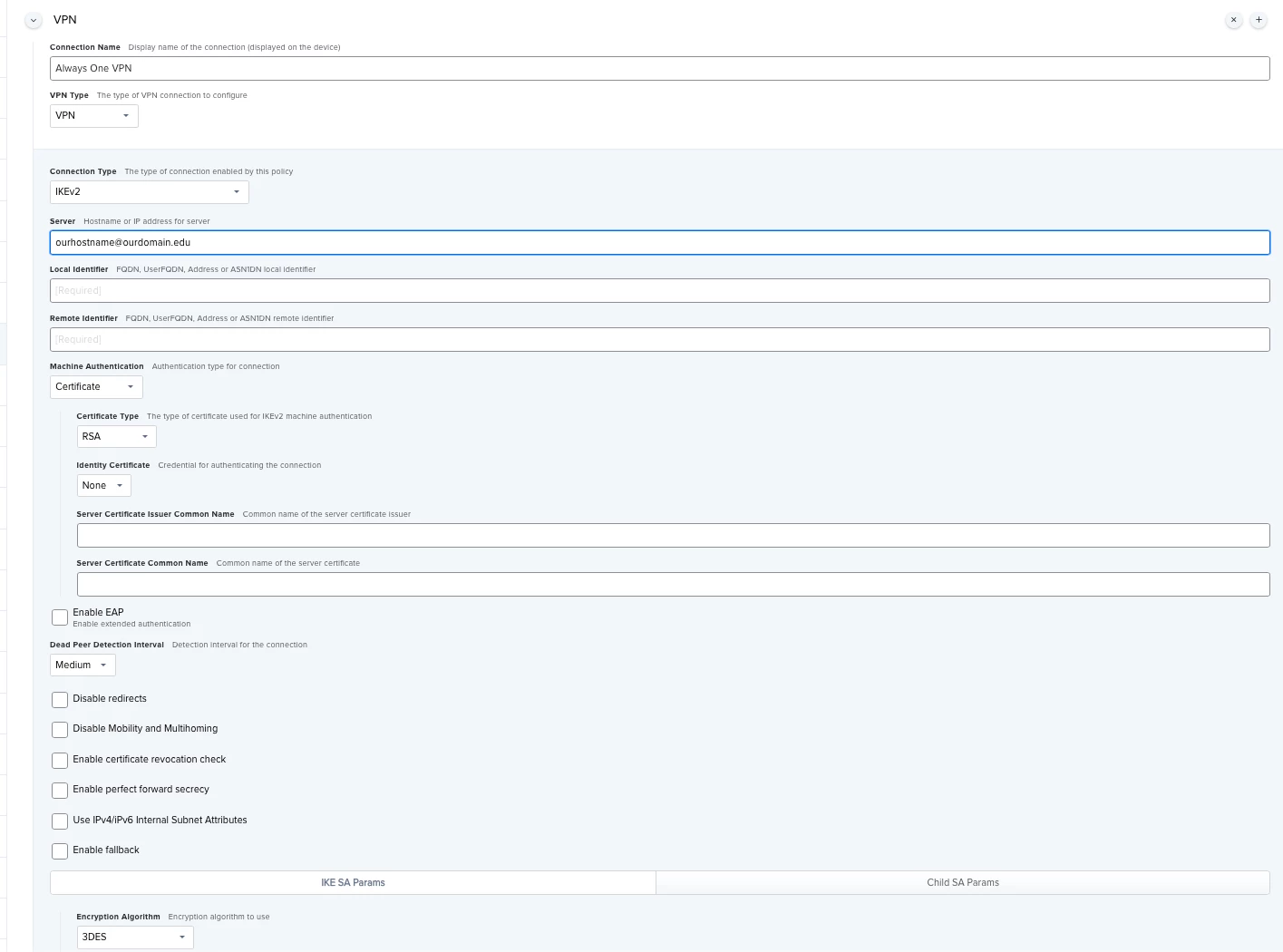
Here is where I am at so far. Our networking department gave me a couple of certificates that need to be installed on the client machines that will have the Always On VPN service enabled.

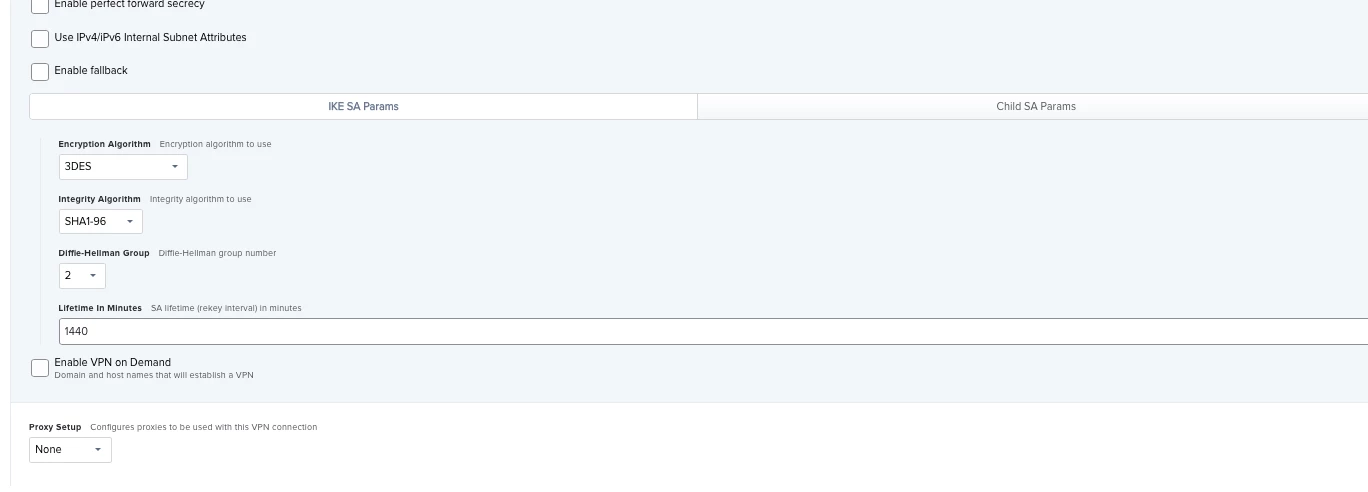
I think that I need to enable my Jamf Pro server as a SCEP proxy so I can get the two certificates in on the Macs. OR, can I just put the certificates in my VPN profile, like we do with our Network profiles for SSIDs?

Next, I believe I need to create a VPN configuration profile. Here is screenshot(s) of where I am with that so far:


Forum|alt.badge.img+9
  • Contributor
  • March 12, 2020

If you're already using certificate authentication with AnyConnect I would look at using the AlwaysOn capability built into what you already have deployed.


dlondon
Forum|alt.badge.img+14
  • Honored Contributor
  • October 11, 2021

Hi @dtmille2 - the screen you showed above seems to be for iOS.  I thought you were trying to do AoVPN for Mac's?

I too am trying to figure out how to do this for Mac's - did you get anywhere?


Forum|alt.badge.img+7
  • Author
  • Contributor
  • October 15, 2021

Hi @dlondon , we ended up using the AnyConnect app and a two factor authentication protocol.


dlondon
Forum|alt.badge.img+14
  • Honored Contributor
  • October 18, 2021

Thanks @dtmille2  - Jamf Support pointed out my mistake - had to change to User profile in General section.

I'll check out AnyConnect but we will be doing machine auth using a Certificate