
Question

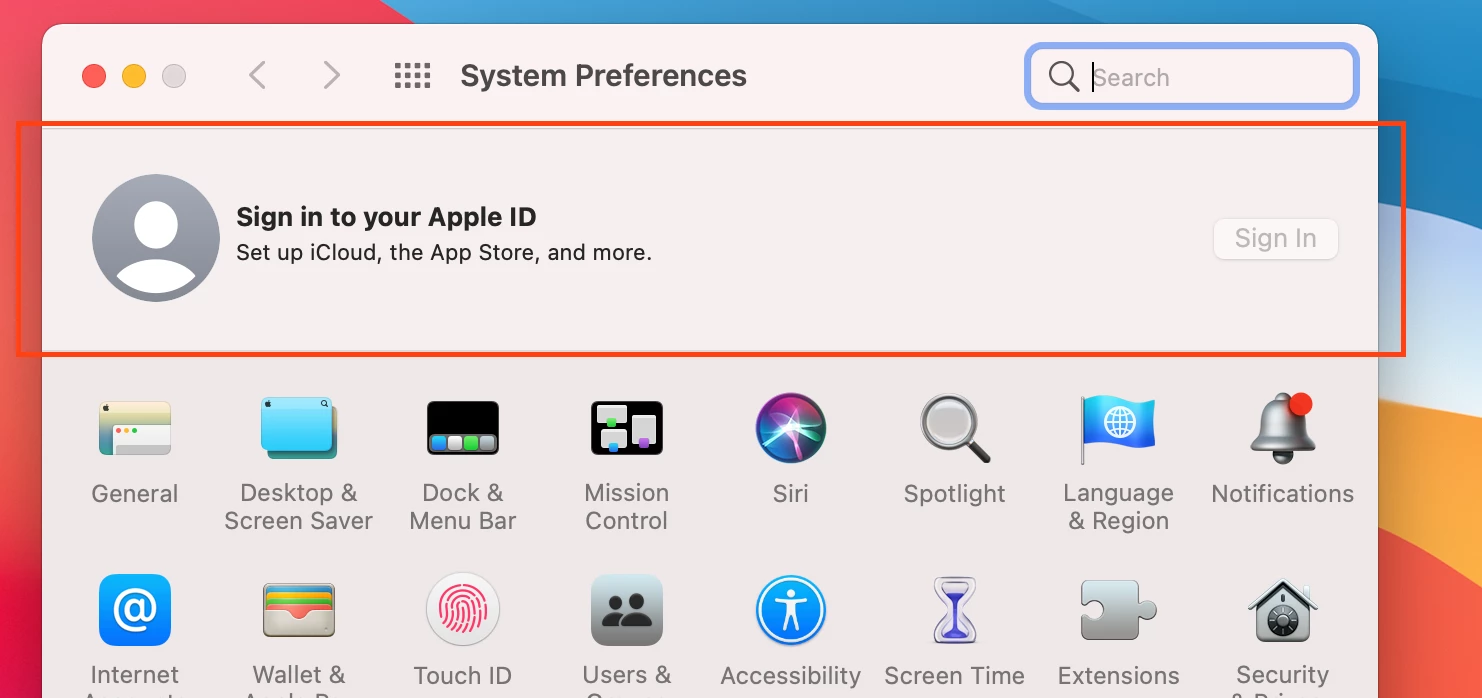
Any way to hide this "Sign in to your Apple ID" section in Sysprefs?

  • May 17, 2021
  • 4 replies
  • 53 views

Forum|alt.badge.img+7

Any way to hide this section up top in system preferences?

I've got a profile with restrictions set to disable the "Apple ID Preference Pane" and "Family Sharing", but this section persists. Ultimately, I just don't want prompts to use iCloud Drive or sign in to yadyadayada. I want to allow the capability to use these features, just want to prevent the advertising of it. Any suggestions or is this not available yet?
4 replies

Forum|alt.badge.img+12
  • Valued Contributor
  • May 17, 2021

@rickwhois DId you use an option in Jamf to remove the Apple ID pane - or create your own? I'm on 10.27 and hadn't seen that option.

+1 for how to hide this section


Forum|alt.badge.img+7
  • Author
  • Valued Contributor
  • May 17, 2021

@k3vmo yes this is found in computer configuration profiles. restrictions>preferences>check the box for restrict items in system preferences, and then there is an option for Apple ID Pane and family options. I'm on 10.28 but I think it has been there for a bit. not sure.


Forum|alt.badge.img+9
  • Valued Contributor
  • May 17, 2021

Better to create a profile on your own (either manually or with something like Profile Creator), sign it, and upload so Jamf doesn't cruft up your profiles with extra stuff you didn't mean to set.


Forum|alt.badge.img+5
  • Contributor
  • January 11, 2022

DOESN'T WORK CURRENTLY BIG SUR 10.3.5