Question

Anyone deployed Palo Alto GlobalProtect?

  • April 2, 2014
  • 108 replies
  • 683 views

Show first post

108 replies

Forum|alt.badge.img+8
  • Valued Contributor
  • August 23, 2017

Tried that. No matter what I did it would not pre-populate the address. even with a restart in between installing the plist and the Client. Had to use this:

#!/bin/sh

echo '<?xml version="1.0" encoding="UTF-8"?>
<!DOCTYPE plist PUBLIC "-//Apple//DTD PLIST 1.0//EN" "http://www.apple.com/DTDs/PropertyList-1.0.dtd">
<plist version="1.0">
<dict>
    <key>Portal</key>
    <string>pan-vpn.address.com</string>
</dict>
</plist>' >/Library/Preferences/com.paloaltonetworks.GlobalProtect.plist

Notice the name of the file is different.


Forum|alt.badge.img+7
  • Contributor
  • October 11, 2017

@typeraj I would like to find out how you guys were able to bypass the keychain access prompt. Can you provide more information?


Forum|alt.badge.img+7
  • Contributor
  • October 11, 2017

@alexyu650 We ended up deploying the certificate to the login keychain instead of the system. It still prompts the user the first time it needs to access the cert but not after that.


Forum|alt.badge.img+7
  • Contributor
  • October 24, 2017

@typeraj Did you guys use a configuration profile to drop the cert into the login keychain or did you guys use a script? I currently can't get it imported using a script.


Forum|alt.badge.img+7
  • Contributor
  • October 30, 2017

@alexyu650 Actually we kinda used both - we created the config profile in the Web App, exported it as a .mobileconfig and pushed that to a tmp folder on the users machine. We then have a script that encodes the .mobileconfig in base64 and then installs it using the profiles command.


Forum|alt.badge.img+3
  • New Contributor
  • March 20, 2018

Grr. The cert admin prompt. This is my answer to https://live.paloaltonetworks.com/t5/Management-Articles/GlobalProtect-Requests-System-Keychain-Access-on-Mac-OS-X/ta-p/53332
I put a trusted cert somewhere and then run (as root)

security import /path/to/mycert.p12 -k "/Library/Keychains/System.keychain" -P TheCertSecretWord -T /Applications/GlobalProtect.app/Contents/Resources/PanGPS

This imports the cert to the system keychain and adds the trust for the PanGPS binary.

I'm still struggling with the whole package, and this thread has been a godsend. It will be worth it for the prelogon promise of always-on VPN.
Also special thanks @rtrouton for https://derflounder.wordpress.com/2011/03/13/adding-new-trusted-root-certificates-to-system-keychain/ with command line fu and ways to get rid of the cert after the import.
However, if the process has to repeat after every upgrade, not sure if I want to delete it.


Forum|alt.badge.img+8
  • Valued Contributor
  • March 21, 2018

@chris.hansen I just add the Trusted Certs to a configuration profile. No need to manually install. Our GP Always On VPN looks for a Machine Cert which is obtained from AD by another configuration profile. So there is no need to tell the Global Protect app to use a specific cert as that is handled by the GP infrastructure.

Hope that helps.


Forum|alt.badge.img+7
  • Contributor
  • March 23, 2018

@jason.bracy I did the exact same thing at my last deployment of GP I included the cert needed in a config profile but when the GP app started, it always prompted for the admin name and password. Did you not get the same issue?


bradtchapman
Forum|alt.badge.img+20
  • Valued Contributor
  • March 29, 2018

@typeraj @alexyu650 : if you guys want to deploy client certificates and avoid the prompt for credentials, do the following:

  • Install the root and intermediate certificates in the login keychain;
  • Install the client certificate in the keychain with a non-exportable private key, and with permission set to "Allow all applications access to this item."

The last bit is important; with 'allow all' set, users will never be prompted to enter their keychain password. This is happening because applications are being told by the security framework to request an entitlement to use that private certificate (adding themselves to the private key). This is usually a one-time deal, but if you update the application then it has to request a new entitlement. Why is this significant? Think of a rogue app masquerading as "GlobalProtect" and trying to steal the existing entitlement.


Forum|alt.badge.img+3
  • New Contributor
  • June 1, 2018

Wouldn’t this "allow all apps" setting enable a rogue GP app to access the cert?


Forum|alt.badge.img+3
  • New Contributor
  • June 1, 2018

edited previous post


Forum|alt.badge.img+6
  • Contributor
  • August 31, 2018

deleted


Forum|alt.badge.img+1
  • New Contributor
  • February 11, 2019

Commenting in 2019 to say that this thread was very helpful.
Just packaged PA in Self Service with the provided plist script from this thread which does successfully pre-populate the portal address. The script runs "before" the package and that's working out well.


Forum|alt.badge.img+9
  • Contributor
  • April 17, 2019

@11locsMC I am trying to deploy GlobalProtect 4.1.11 now and encountering difficulties. Can you provide which script you had used (there are a few different ones here).

I cannot get it to work if even if I run the script before the install, nothing is populating in the address.

Thank you,


ImAMacGuy
Forum|alt.badge.img+23
  • Esteemed Contributor
  • April 18, 2019

I went a slightly different route, I crated a package with just the settings plist that put it in the plist in right place, then the Global Protect installer.

copied both to

private/tmp

Then packaged both files up into another package that run the post install script of...

#!/bin/sh
## postinstall

installer -pkg /private/tmp/GlobalProtect.pkg -target /
sleep 15
installer -pkg /private/tmp/GP_settings_plist.pkg -target /
sleep 5

rm -rf /private/tmp/GlobalProtect.pkg 
rm -rf /private/tmp/GP_settings_plist.pkg


exit 0      ## Success
exit 1      ## Failure

I'm sure there's a more eloquent way of doing it, but this works.

**Edit: updated path


Forum|alt.badge.img+1
  • New Contributor
  • June 4, 2019

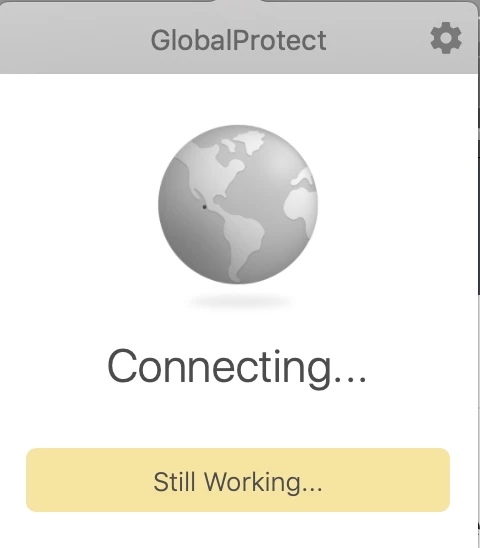
I know this is an old post, but I am trying to deploy PAN GP 5.0.2. When it deploys to a machine, everything seems to match up correctly (plist, etc) but when you launch it gets stuck in a connecting loop, it never ask for the username and password. Anyone have any ideas?


Forum|alt.badge.img+1
  • New Contributor
  • June 17, 2019

We are running into the same issue as @VictoriousLoser Can't seem to figure out a way around it.


Forum|alt.badge.img+6
  • Contributor
  • June 20, 2019

@VictoriousLoser @Tfinn am getting the same problem as well.. Haven't found a solution apart from reinstalling it.


Forum|alt.badge.img+1
  • New Contributor
  • June 20, 2019

@simon.brown Currently the work around I have going is to push the installer as a package, then push the .plist file as a .dmg file after. That has gotten me back to seeing the user login screen, but I am not 100% happy with the way it works - it seems that there should be an easier and cleaner way to do it.


Forum|alt.badge.img+1
  • New Contributor
  • June 25, 2019

@VictoriousLoser That appears to be working for us right now. Thanks for the tidbit


Forum|alt.badge.img+3
  • New Contributor
  • August 15, 2019

Hello @VictoriousLoser, did you push both package and dmg file on the same policy or separate? My one has blocked by Privacy&Security which is grey out for users? Thank you for your share.


Forum|alt.badge.img+1
  • New Contributor
  • September 10, 2019

@nikjamf sorry I am just now getting to this, what OS are you running? I started to see this same issue on Mojave computers and had to create a separate policy to allow changes by Palo Alto Networks.


Forum|alt.badge.img+6
  • Contributor
  • September 29, 2019

Ran in to the same issues, for me it appeared the apps launchd wasn't loading.

adding:

launchctl load /Library/LaunchDaemons/com.paloaltonetworks.gp.pangpsd.plist

to the end of the script seemed to fix the issue.


Forum|alt.badge.img+3
  • New Contributor
  • October 8, 2019

We running OS Mojave and few High Sierra, and both cannot bypass the Security prompt, and the configuration file with kext extension and Team ID pushed to the system. I'm still working on modifying the .plst file.


Forum|alt.badge.img+6
  • Contributor
  • October 11, 2019

To be honest, we're having issues just having the package install via Jamf, without any config attached. Seems it doesn't like being installed as root via Jamf.