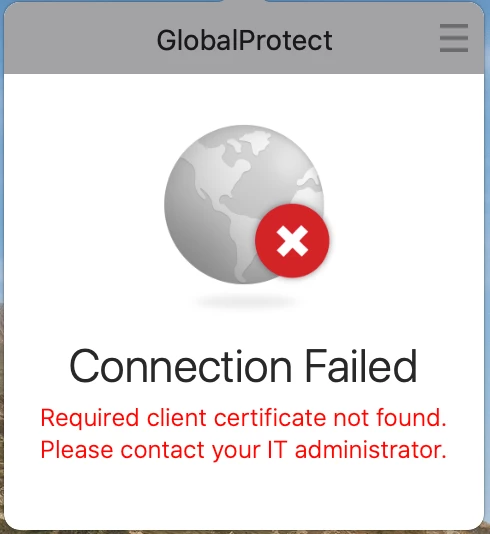
My searches have turned up nothing. Just looking for gotchas, do's and don'ts, etc.

- Home
- Community
- Get Support
- General Discussions
- Anyone deployed Palo Alto GlobalProtect?
Anyone deployed Palo Alto GlobalProtect?
- April 2, 2014
- 108 replies
- 685 views
108 replies
- New Contributor
- June 22, 2020
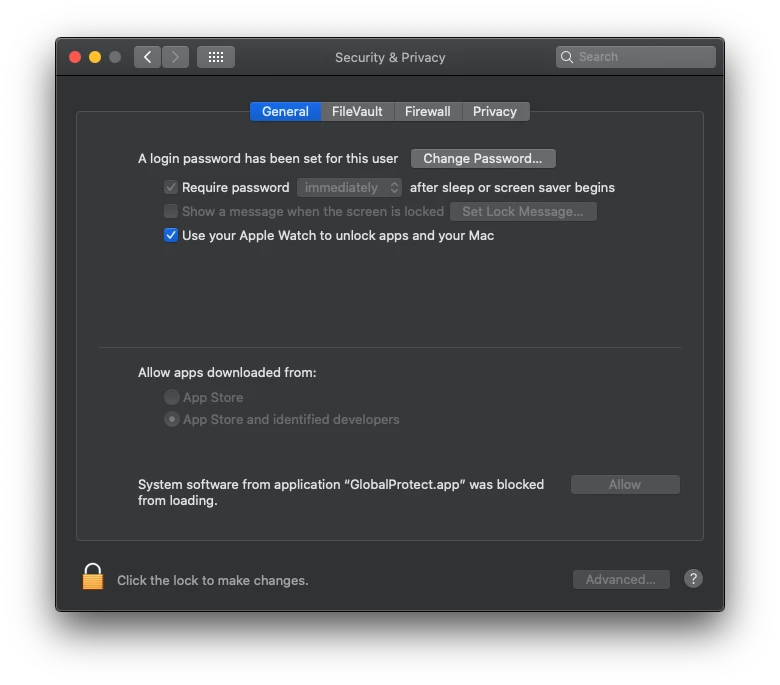
Issue 1: I am running into an issue with 5.1.4 where after it installs it prompts the user to allow it in SysPref>Security despite us deploying a kext/sysext profile a couple versions ago.
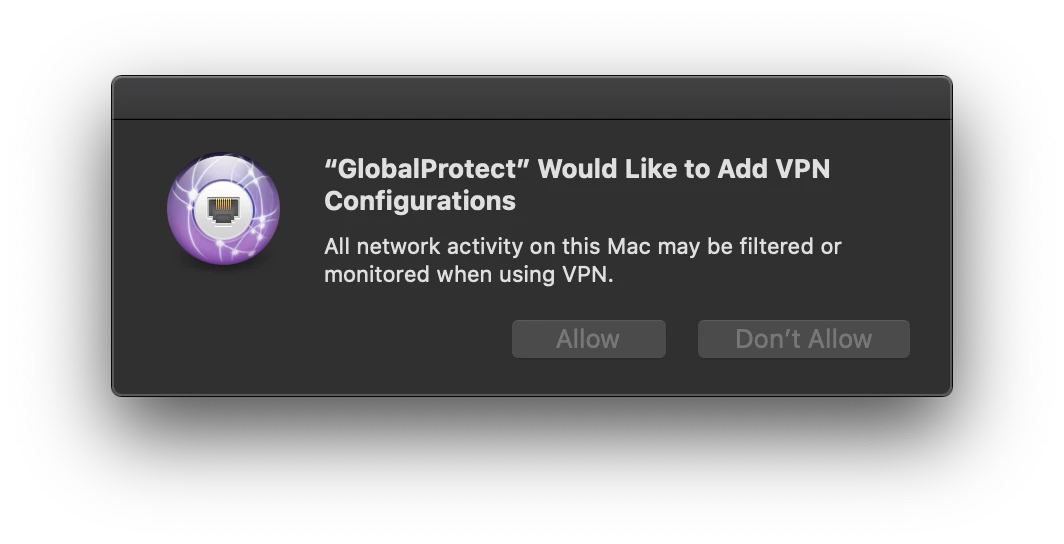
Issue 2: On a company configured device: If the user never allows the app it still functions. But after allowing, the user receives a prompt to allow GlobalProtect to add a VPN Configuration. This prompt pops up EVERY time it connects to VPN whether the user chose to Allow/Don't Allow on the previous connection. Company devices are set up with the old CIS benchmarks from High Sierra. Anyone know of a setting in CIS benchmarks that could be causing this? (Our InfoSys team hasn't given us an updated policy for Catalina CIS Benchmarks.)
On a personal device: after allowing the configuration it saves and uses it to connect on future connections.


- New Contributor
- June 27, 2020
Hi. In Test, we have upgraded GlobalProtect from v5.0.4 to v5.1.4. This upgrade is being delivered from JAMF Pro and works as should.
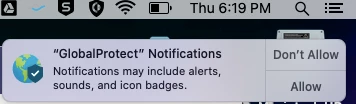
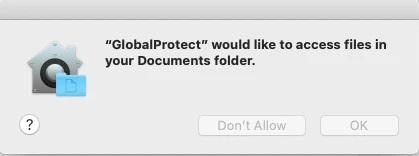
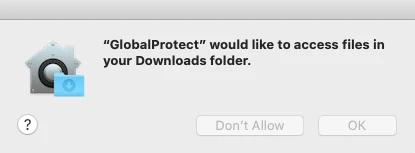
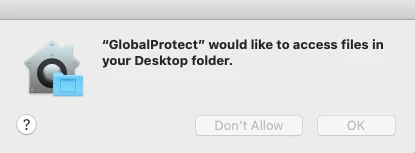
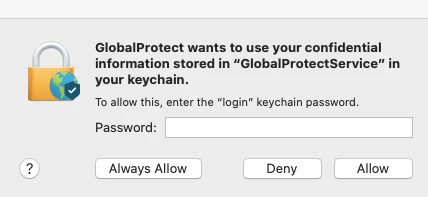
However, on the client side after the update, the following prompts appear:


The Keychain pop-up prompts appears last

How do I use System Extensions in JAMF Pro to pre approve GlobalProtect v5.1.4 program as a whole so that the end users do not need to interact with these prompts?
- Contributor
- June 27, 2020
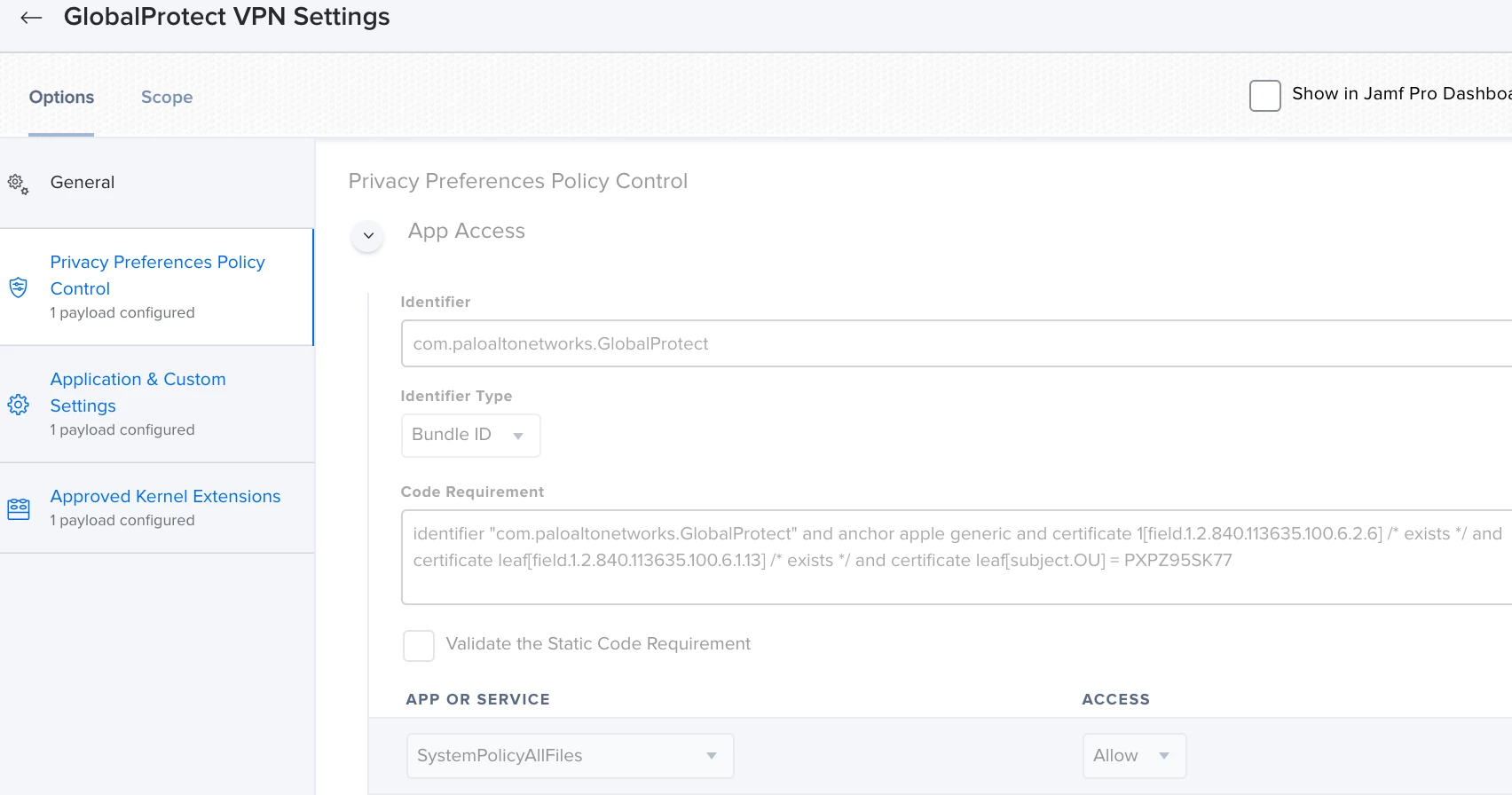
@mas19 We push a configuration file to set our VIP portal address (although this requires as script.) Along with it the Kernel Extension. And finally the PPPC permissions that will allow access to the folders.

)
- New Contributor
- June 28, 2020
@Gonzalez This put me and others into the right direction. Since being a newbie, we already had the Kernel Extensions created for previous versions of GlobalProtect. For the new version of 5.1.4, we enabled Systems Extensions due to going forward with Catalina requirements. On your payload for Application & Custom settings, curious to know your settings to see if it would be applicable. Thanks again sir!
- New Contributor
- July 9, 2020
@mas19 I'm seeing the same thing. I have two different PPPC profiles. One matches the previous (up to 5.1.4) binary identifier "com.paloaltonetworks.GlobalProtect" and one with the new (5.1.4 and newer) identifier "com.paloaltonetworks.GlobalProtect.client" allowing access to the user's Desktop / Documents / Downloads folder, and the prompts still pop up when upgrading from 5.0.x to 5.1.4 (or 5.1.5). It's not obeying the profile, as best I can tell. I have a ticket open with Palo Alto but no progress to report.
I'd like to request anyone else with similar issues please open a ticket with PA so we can get some traction on this collectively.
- Valued Contributor
- July 10, 2020
@mas19 I am having the same issue and opened a ticket with PAN - no really luck getting them to help though.
- New Contributor
- July 14, 2020
It appears the problem is the change in the bundle identifier for an existing application in Catalina. If GlobalProtect is installed with the 5.0.x and previous bundle identifier of "com.paloaltonetworks.GlobalProtect" then is updated to 5.1.x and the new bundle identifier is "com.paloaltonetworks.GlobalProtect.client", the user is prompted regardless of what PPPC profiles are in place. That same behavior does not exist in Mojave.
However, if you uninstall GP 5.0.x then install GP 5.1.x, it obeys the PPPC profile and the user doesn't see anything. So it looks like we might need to be raising tickets with Apple rather than Palo Alto. I understand the logic behind wanting the user to "acknowledge" when a bundle identifier changes for security, but there needs to be some kind of an exclusion for when that new ID matches MDM delivered PPPC profiles.
- New Contributor
- July 15, 2020
Here is the official response from Palo Alto engineering:
As per our engineering team there is no way to block the pop up from showing multiple times. This is an MAC OS related issue and GP cannot fix this. Following is an explaination provided by our engineering team.
If using the System keychain, there is no "Always Allow" button in pop-up dialog, the system API will trigger the pop-up every time when a new connection is establishing. Sometime System keychain is in "Locked" status for GP process, GP will call some system API to "Unlock" it to retrieve info. In this case, there will have one more pop-up. Basically it's system behavior and GP cannot control it.
- Valued Contributor
- July 15, 2020
I've been removing 5.0.x before the install of 5.1.x but not scoping any config profile changes....I've just been adding the "com.paloaltonetworks.GlobalProtect.client" PPPC profile for all the macs I'm testing on.
- Contributor
- July 20, 2020
@mas19 While a pain... you may be able to use the security command to open the system keychain and avoid one of the prompts. Thanks to all for the update on the bundle identifier. A question from me, how did you get the Jamf policy to install the system extension. Using the pkg file provide by our network team I can only get the basic VPN client to install. Unless I manually run the installer?
- Valued Contributor
- July 20, 2020
FWIW, I did add a line to my install script to delete all the remaining keychain items and now I just get the dumb PPPC prompts. The function, in case anyone is interested:
RemoveGPKeychainItems () {
# Look for GP keychain items and delete them to avoid pop-ups
if [[ `/bin/launchctl asuser $userid /usr/bin/security find-generic-password -l GlobalProtectService $userKeychain` ]]
then
echo "found GlobalProtectService keychain item, deleting"
/bin/launchctl asuser $userid /usr/bin/security delete-generic-password -l GlobalProtectService $userKeychain
fi
if [[ `/bin/launchctl asuser $userid /usr/bin/security find-generic-password -l GlobalProtect $userKeychain` ]]
then
echo "found GlobalProtect keychain item, deleting"
/bin/launchctl asuser $userid /usr/bin/security delete-generic-password -l GlobalProtect $userKeychain
fi
}- Valued Contributor
- July 23, 2020
CURRENTUSER=$(/bin/echo "show State:/Users/ConsoleUser" | /usr/sbin/scutil | /usr/bin/awk '/Name :/&&!/loginwindow/{print $3}')
userid=$( /usr/bin/id -u $CURRENTUSER )
userKeychain=/Users/$CURRENTUSER/Library/Keychains/login.keychain- New Contributor
- August 24, 2020
Has anyone else seen this issue with GlobalProtect? It usually occurs after a restart...
GlobalProtect version = 5.1.5
- New Contributor
- October 19, 2020
@Gonzalez Were you able to find a way to get the Jamf policy to install the system extension? I saw your previous post from 7/20/2020 about that, and I'm running into the same issue. I'm only getting the basic VPN client to install. Curious if you found a way.
- Honored Contributor
- December 10, 2020
Happy Thursday, @jkryklywec! Did you ever pull off an EA for the VPN IP of GlobalProtect?
- Contributor
- December 10, 2020
@hstanley A member of the Macadmins Slack group posted the solution. There is a script that is included and needs to run. I've included the following in a script that runs before the package install with a couple of commands to ensure plist and other workarounds.
out_dir="/Library/Logs/PaloAltoNetworks/GlobalProtect"
pan_info()
{
curtime=date
echo $curtime " " $1 >> ${out_dir}/PanGPInstall.log
}
pan_info "Install system extensions after installation"
sudo mkdir -p "/Library/Application Support/PaloAltoNetworks/GlobalProtect"
sudo touch "/Library/Application Support/PaloAltoNetworks/GlobalProtect/install_system_extensions.now"- Honored Contributor
- December 11, 2020
@jkryklywec With assistance from @franton, we're testing the following EA for both AnyConnect and GlobalProtect
#!/bin/sh
# Extension Attribute to read the IP address of the active VPN connection
anyConnectTest="/opt/cisco/anyconnect/bin/vpn" # Cisco binary
globalProtectTest="/Applications/GlobalProtect.app/Contents/Resources/PanGPS" # GlobalProtect binary
###
# Cisco AnyConnect
###
if [ -f "${anyConnectTest}" ] ; then
# Cisco AnyConnect installed; read current IP Address
anyConnectIP=$(/opt/cisco/anyconnect/bin/vpn stats | grep "Client Address (IPv4):" | awk '{print $4}')
if [ "${anyConnectIP}" = "Not" ]; then
# IP address is blank, report no connection
anyConnectStatus="AnyConnect IP: Inactive"
else
# IP address is *not* blank, report the IP address
anyConnectStatus="AnyConnect IP: ${anyConnectIP}"
fi
else
# Cisco AnyConnect is not installed
anyConnectStatus="AnyConnect not installed"
fi
###
# Palo Alto Networks GlobalProtect
# Thanks, @franton!
###
if [ -f "${globalProtectTest}" ] ; then
# Palo Alto Networks GlobalProtect installed; read current IP Address
if [ -z "$( ifconfig | grep -E "gpd|utun2" | grep "UP" )" ]; then
globalProtectStatus="GlobalProtect IP: Inactive"
else
globalProtectStatus="GlobalProtect IP: $( ifconfig | grep -A2 -E "gpd|utun2" | grep inet | awk '{ print $2 }' )"
fi
else
# Palo Alto Networks GlobalProtect is not installed
globalProtectStatus="GlobalProtect not installed"
fi
echo "<result>$anyConnectStatus
$globalProtectStatus</result>"
exit 0- Jamf Heroes
- December 11, 2020
@dan-snelson There may be some variation on what utun instance you want to check for the GlobalProtect assigned IP address. On my test system utun0 is what corresponds to the IPv4 address displayed in the GlobalProtect GUI as the assigned local IP. This is with GP version 5.2.4
- New Contributor
- December 11, 2020
@dan-snelson
will check it out, i actually had 2 EA for GP one for versions less than v5.14 looking in GPD0 and for v5.14 and greator using utun2
but your script merges both of those ! awsome
- Honored Contributor
- December 16, 2020
Happy Wednesday, all!
I need to more carefully review @cbrewer's script; we're currently testing the following Files and Process > Execute Command in our install policy for GlobalProtect 5.1.7-20 to ward off the dreaded "Connecting…" post-install:
loggedInUser=$( /bin/echo "show State:/Users/ConsoleUser" | /usr/sbin/scutil | /usr/bin/awk '/Name :/ && ! /loginwindow/ { print $3 }' ) ; loggedInUID=$( /usr/bin/id -u "$loggedInUser" ) ; /bin/launchctl kickstart -kp gui/${loggedInUID}/com.paloaltonetworks.gp.pangpa ; /bin/launchctl kickstart -kp gui/${loggedInUID}/com.paloaltonetworks.gp.pangps
- Esteemed Contributor
- December 17, 2020
what's the easiest way to Deploy Global Protect with the system extensions if required? Just pushing the base package out doesn't seem to select them by default. Would it be Choices.XML file then? If so, does anybody have a pre-made one before I go down the road if creating a new one?
What about systems that dont use SysExt? Would it still be safe to install them? Otherwise I would assume a separate installer would be needed.
Enter your E-mail address. We'll send you an e-mail with instructions to reset your password.
Scanning file for viruses.
Sorry, we're still checking this file's contents to make sure it's safe to download. Please try again in a few minutes.
OKThis file cannot be downloaded
Sorry, our virus scanner detected that this file isn't safe to download.
OK