Answer

App Store System Preferences

  • March 12, 2016
  • 9 replies
  • 32 views

Forum|alt.badge.img+7

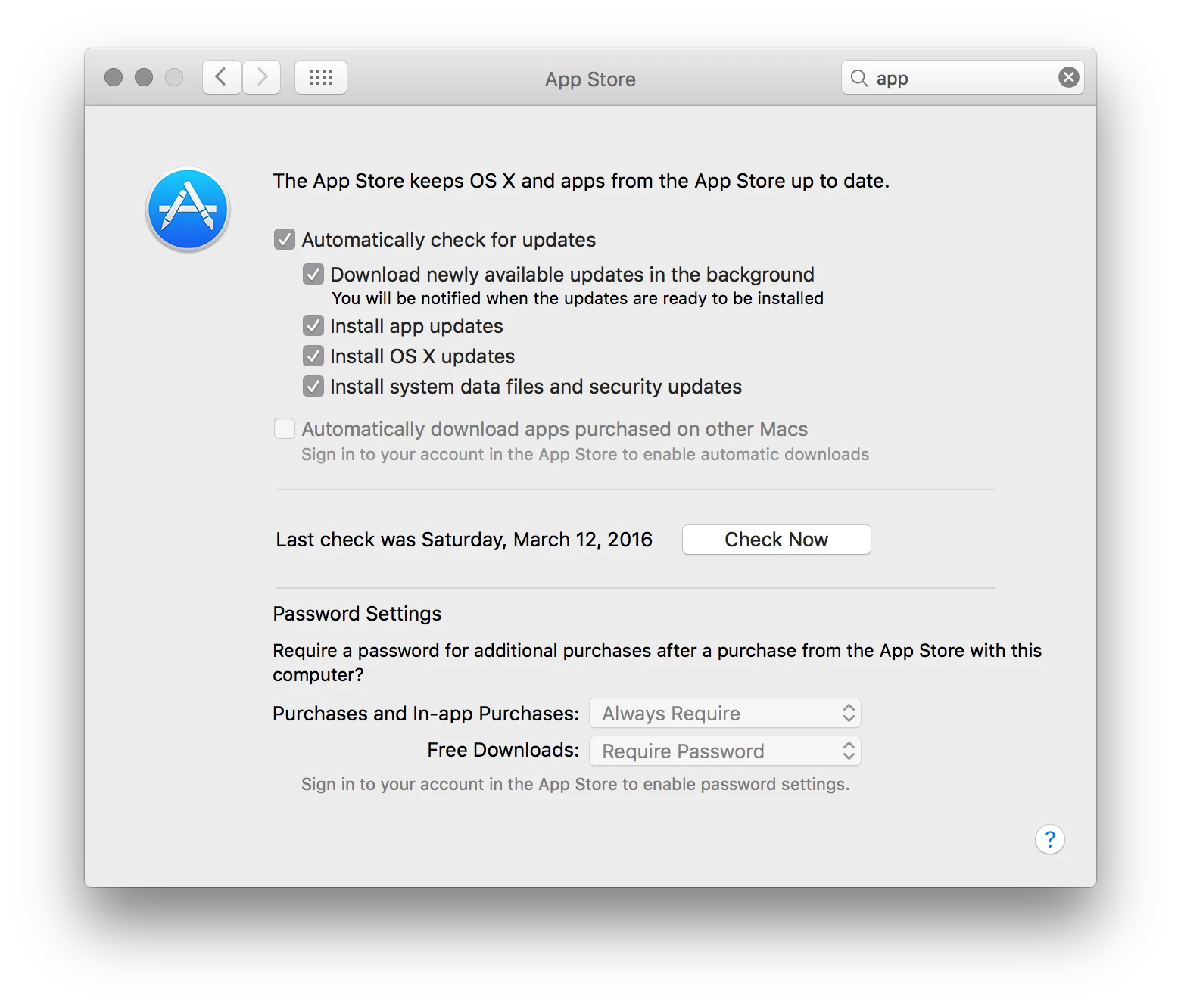
Does anyone have a good way to manage the System Preferences pane for the App Store? I've searched around but haven't found a good solution.

I'd like to not have to block the entire App Store. I just don't want the application to automatically
check for updates.

Best answer by milesleacy

Three items...

Configuration profile using a custom payload...
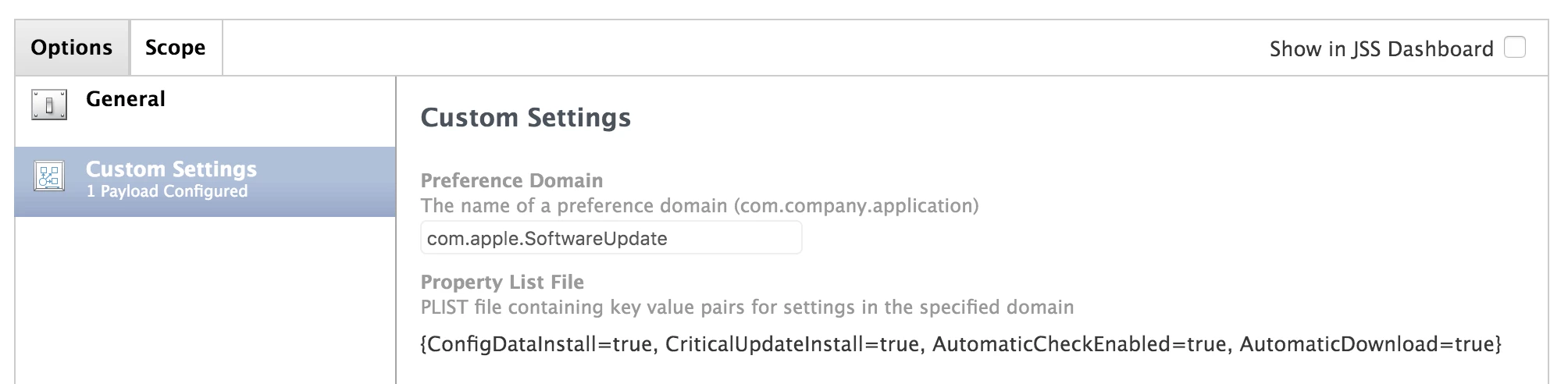
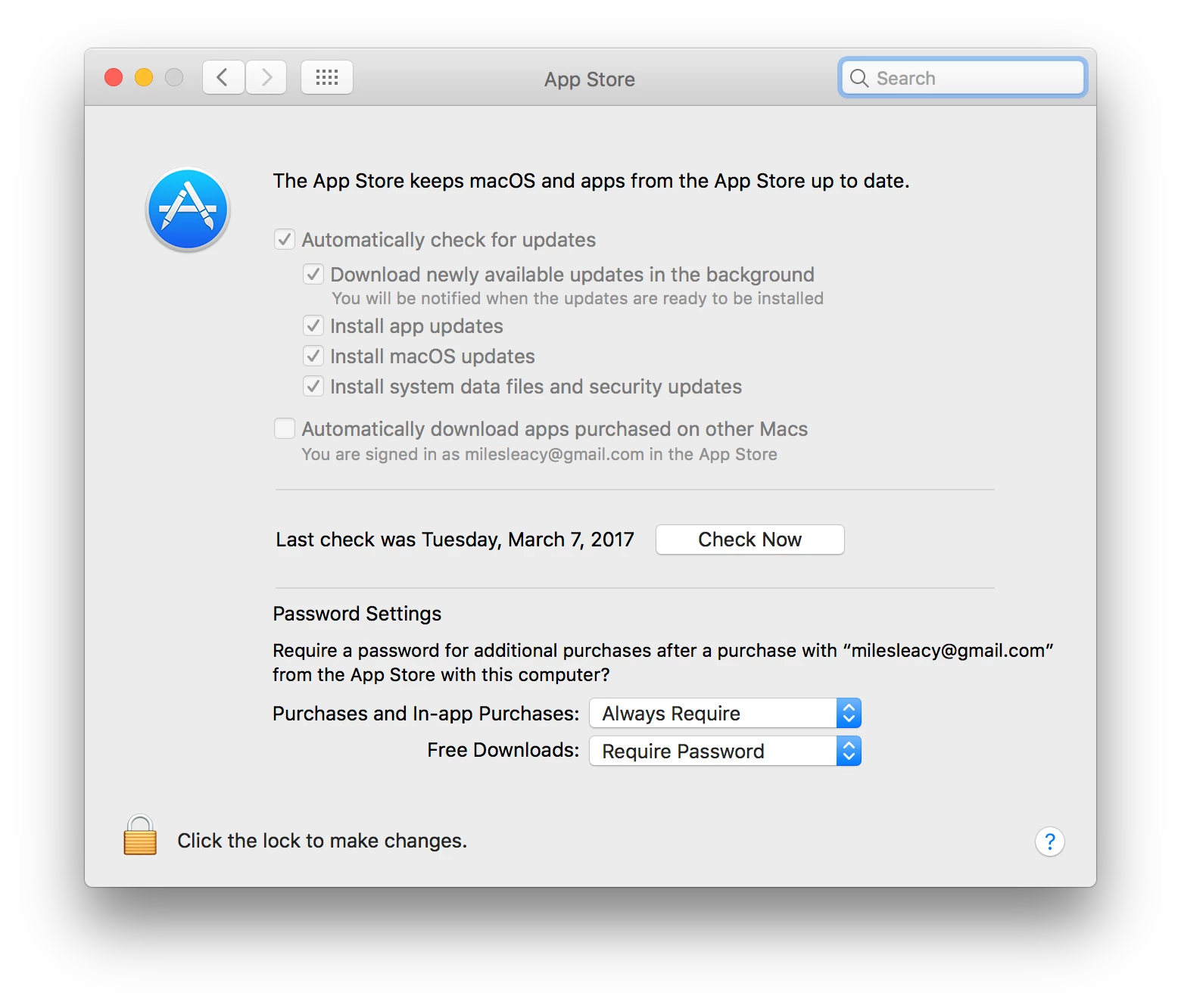
This covers the "Automatically check for updates", "Download newly available updates in the background", and "Install system data files and security updates" (includes Xprotect updates).

The other two options are governed by the preference domain com.apple.commerce, and I have not been successful in setting these with a configuration profile. I use scripts temporarily until these settings are consistently manageable with profiles...
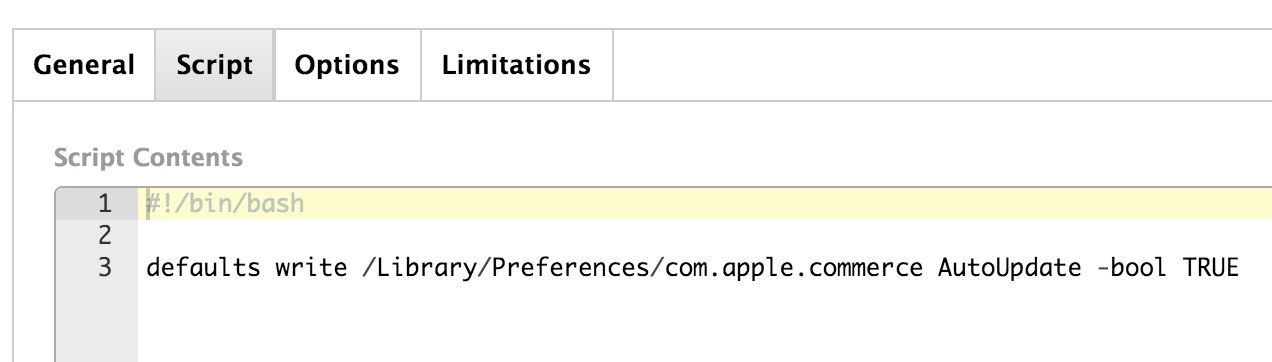
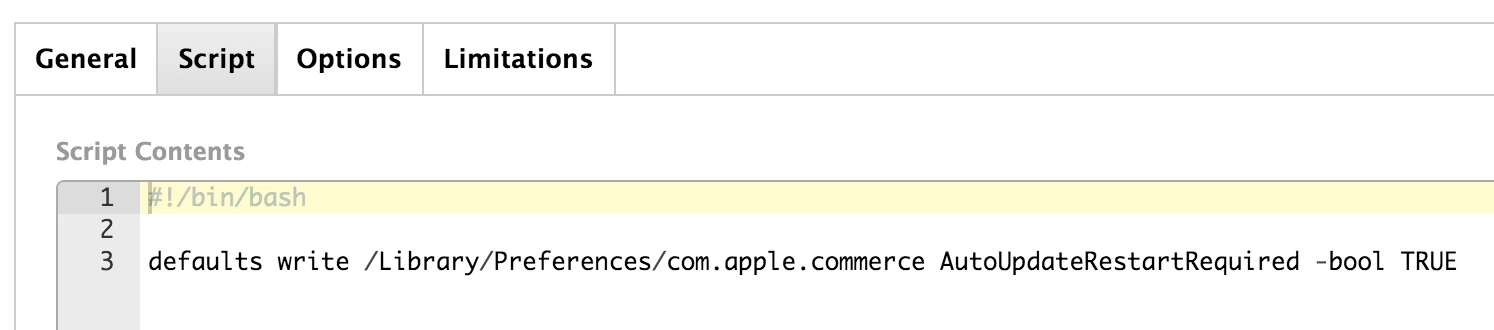
These are separate by design. Modularity is everything. I have an extension attribute for these settings populated by a "defaults read" on the same keys. Policies that run these scripts are scoped to smart computer groups where the setting is off.

9 replies

rqomsiya
Forum|alt.badge.img+12
  • Honored Contributor
  • March 13, 2016

Are your users admin? Either a config profile or script will let you set these. I use a script that only jnstalls the xprotect updates. Basically only the first and last checkbox are checked.

I'll post the script when i get to my Mac.


Forum|alt.badge.img+23
  • Valued Contributor
  • Answer
  • March 13, 2016

Three items...

Configuration profile using a custom payload...

This covers the "Automatically check for updates", "Download newly available updates in the background", and "Install system data files and security updates" (includes Xprotect updates).

The other two options are governed by the preference domain com.apple.commerce, and I have not been successful in setting these with a configuration profile. I use scripts temporarily until these settings are consistently manageable with profiles...


These are separate by design. Modularity is everything. I have an extension attribute for these settings populated by a "defaults read" on the same keys. Policies that run these scripts are scoped to smart computer groups where the setting is off.


Forum|alt.badge.img+7
  • Author
  • Contributor
  • March 14, 2016

@rqomsiya @milesleacy Thanks for the help, I've got it sorted out now.

The config profile with custom settings is the way to go.


Forum|alt.badge.img+5
  • Contributor
  • March 8, 2017

I don't think the custom config profile works in Sierra.

Can anyone else confirm this?


Forum|alt.badge.img+23
  • Valued Contributor
  • March 8, 2017

Seems to be working in 10.12.3.


Forum|alt.badge.img+5
  • Contributor
  • March 13, 2017

Would you mind sharing your plist code?

Thanks


Forum|alt.badge.img+23
  • Valued Contributor
  • March 13, 2017

@seann See my answer above. The four keys in com.apple.SoftwareUpdate (ConfigDataInstall, CriticalUpdateInstall, AutomaticCheckEnabled, AutomaticDownload) are set by the custom profile payload.

I did not have success configuring com.apple.commerce with a custom profile payload in El Capitan and delivered those settings via scripts. As the scripts continue to function in Sierra, I have not prioritized re-testing a custom profile payload for Sierra.

See the source com.apple.SoftwareUpdate.plist contents used to create the custom payload below...

<?xml version="1.0" encoding="UTF-8"?>
<!DOCTYPE plist PUBLIC "-//Apple//DTD PLIST 1.0//EN" "http://www.apple.com/DTDs/PropertyList-1.0.dtd">
<plist version="1.0">
<dict>
    <key>ConfigDataInstall</key>
    <true/>
    <key>CriticalUpdateInstall</key>
    <true/>
    <key>AutomaticCheckEnabled</key>
    <true/>
    <key>AutomaticDownload</key>
    <true/>
</dict>
</plist>

Forum|alt.badge.img+5
  • Contributor
  • March 13, 2017

Thanks. Yeah, I made a custom config and uploaded it based on your previous responses, but unfortunately it wasn't working. I'll compare yours and mine, maybe I made a stupid typo someplace.

Update - thanks again, working now. I think that I must have made an error somewhere. Or maybe b/c I was stupidly using TextEdit.


Forum|alt.badge.img+7
  • Contributor
  • November 23, 2018

@rqomsiya Still have that script?