Solved

Apple Mail keeps trying to run on Sierra?

  • July 14, 2017
  • 4 replies
  • 33 views

Forum|alt.badge.img+10

As we've got new Macs coming in this summer and they can't accept anything lower than Sierra, I'm now working on setting up a Sierra software configuration.

One of the things we have set up on our JSS is that the Apple Mail.app is blocked using Restricted Software (because we want people using Outlook instead). On Sierra what I am seeing is that the restriction message is popping up on a regular basis even when Mail.app isn't loaded / isn't being used.

Does anyone know what causes this behaviour and how to stop it? Would simply deleting Mail.app have any significant bad effects? We don't see this happening on 10.11 or 10.10.

Thanks,
Dan Jackson (Lead ITServices Technician)
Long Road Sixth Form College
Cambridge, UK.

Best answer by cffntd

I wouldn't recommend deleting the Mail app. We had a similar issue in our environment. This thread helped solved our issue:

https://www.jamf.com/jamf-nation/discussions/22107/restricted-mail-app-trying-to-run-on-boot-macosx-10-12

In the process name, you should drop the ".app" if you tick the "Restrict exact process name box".

4 replies

davidacland
Forum|alt.badge.img+18
  • Valued Contributor
  • July 14, 2017

We had a similar issue recently. There were a few extra binaries that are in the /Applications/Mail.app bundle that were triggered occasionally, causing the "this software is restricted" message to appear, even when Mail wasn't running.

We switched to blocking the /Applications/Mail.app.Contents/MacOS/Mail binary directly and it quietened down.

We are using a restriction in a configuration profile rather than the standard Jamf restricted software though.


Forum|alt.badge.img+3
  • New Contributor
  • July 14, 2017

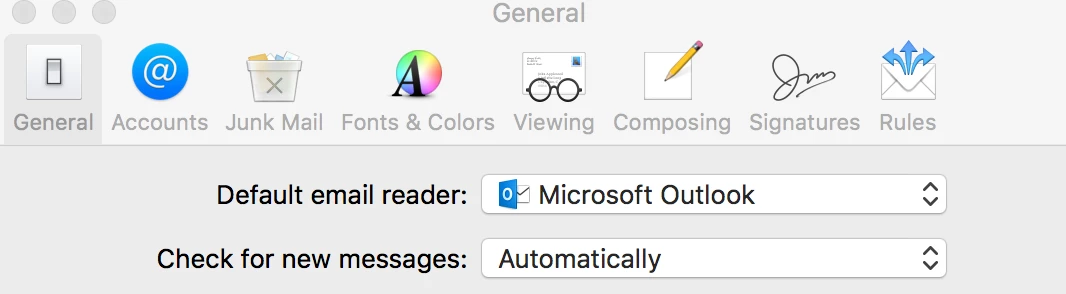
change default email to Microsoft Outlook and try. It might help you.


cffntd
Forum|alt.badge.img+6
  • Contributor
  • Answer
  • July 14, 2017

I wouldn't recommend deleting the Mail app. We had a similar issue in our environment. This thread helped solved our issue:

https://www.jamf.com/jamf-nation/discussions/22107/restricted-mail-app-trying-to-run-on-boot-macosx-10-12

In the process name, you should drop the ".app" if you tick the "Restrict exact process name box".


Forum|alt.badge.img+10
  • Author
  • Valued Contributor
  • July 17, 2017

@jimw thanks, that seems like it will work, I'll try that.

@mvijay I'm currently looking into ways we can do that with a script, but it seems fairly involved so to sort out the immediate issue I'm just going to correct our Restricted Software entry in the first instance.