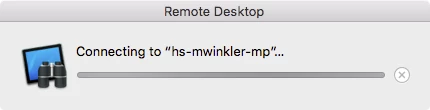
Apple Remote Desktop is able to authenticate with a client computer, but it is unable to connect to it for some reason. I have tried completely uninstalling as per the following article:
https://support.apple.com/en-us/HT201766
No good. I am able to connect to the client from a different computer running the same OS (Mac OS X 10.11.1)
It just hangs on "Connecting…"
Best answer by seanhansell
Are you running OS X El Capitan with multiple monitors?
There's currently a bug where Remote Desktop will not make a connection if your Remote Desktop Admin window is on any monitor other than your primary screen. I don't have a Radar for this but I've run into it myself a few times.
Move your ARD Admin window to your main screen and you should be able to establish a connection just fine.
So is the system that is initiating the connection, based on an older version f OS X?
It's probably not much help, but I've broken Observe and Control functionality before, presenting similar symptoms when I unwittingly applied a newer version Remote Desktop Client update on an unsupported client. I tried a number of ways to put the old version back, but in the end I reached a point where reinstall OS X was the remaining option.
I'm having the same problem since upgrading my machine to El Capitan.
If I select two machines and click Observe, I can see them both. If I try to Observe or Control either one individually, it sits on that Connecting.
Some of the machines are 10.10.4 and some are 10.10.5. Some have 3.8.3 and some are 3.8.4 for the ARD version.
I can still connect to my Mac servers (all are older than 10.10).
I can also connect to some, but not all, of my teacher laptops individually.
I talked to an Apple engineer that said he hadn't heard of anything like this, and also suggested reinstalling ARD. That didn't help. I've just kept dealing with it and putting off a wipe/reinstall of the OS.
I ran into this issue in the past few weeks and I have a ticket in with AppleCare OS Support to see if there's any way to get this to work.
Do any of you have "12/2/15 8:07:57.491 PM Remote Desktop[44419]: Could not set scaling factor to -0.103704" in your console when you try to connect to a single client?
If you change Preferences > Control & Observe > When viewing a computer with a larger screen to "Show full size" do observe and control now not even show the window for "connecting..."?
Are you running OS X El Capitan with multiple monitors?
There's currently a bug where Remote Desktop will not make a connection if your Remote Desktop Admin window is on any monitor other than your primary screen. I don't have a Radar for this but I've run into it myself a few times.
Move your ARD Admin window to your main screen and you should be able to establish a connection just fine.
Hi Sean,
That gave me a temporary workaround for the moment. Thanks! I'll make sure to let AppleCare OS Support know that's a workaround as well. And ask them to work on resolving it ASAP.
Sean, that sounds like it may be the issue. I have been working with multiple monitors and Remote Desktop is always open in the secondary. I also use a MacBook Pro that is never connected to an external monitor and it has not had this issue. I will give it a try and report back. (I won't be able to check until after the holidays.) Thanks!
The issue is not consistent then, or just unique to maybe certain environments?
Running OS X 10.11.3 on my 27" iMac ( late 2013). Using ARD v. 3.8 (380A95) from the Mac App Store.
I have two connected monitors across my desk, to the Mac, one via VGA to TBolt, one DVI to Tbolt. ARD sits on the second monitor, and I can double Click on any computer in my lists
(running 10.9.5, 10.7.5, 10.10.5) and they connect just fine. (Double Click is set to Control, not observe)
Could the issue simply be a Monitor Settings issue? I keep all of mine set to Best for Display at 60hz
( except for the iMac).
Just posting my specs which work without issue to the forum, hope it helps others. Sounds strange that this is occurring, but it isn't widespread AFAIK....