
Solved

Auto assigning a user to computer grabbing wrong name

  • March 4, 2020
  • 3 replies
  • 44 views

Forum|alt.badge.img+3

Hi Everyone,

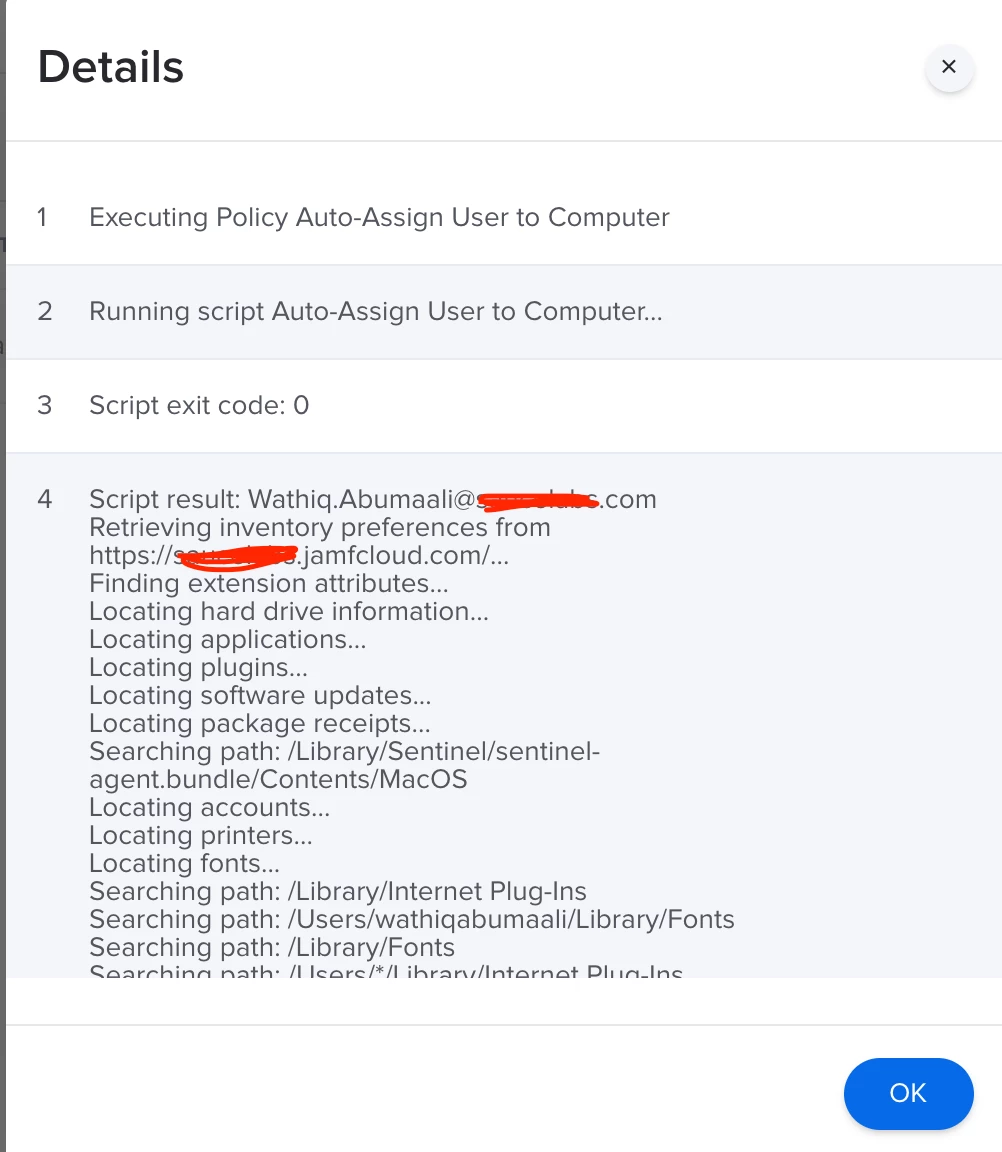
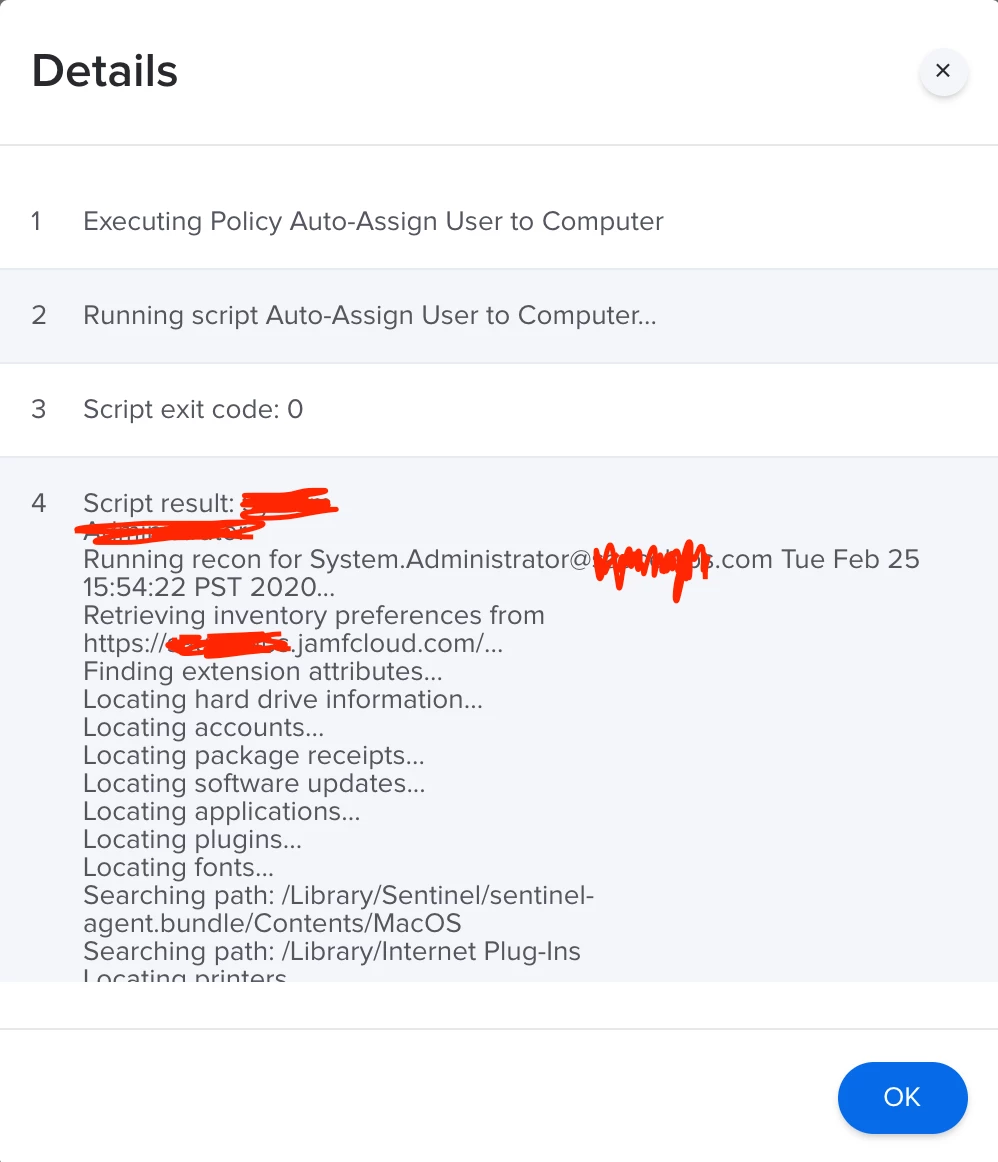
I have a policy that runs a script which grabs a users full name, splits it into 2 (first and last) and puts a . in between and then appends the domain name. The issue is that when the policy runs off of a trigger, it grabs "System" as the first name and "Administrator" as the last name. However, when I run the policy manually by running "sudo jamf policy" in terminal, it grabs the correct first and last name and the username is then inputted correctly.

#!/bin/sh

# Get the logged in users First and Last name
firstName=$(dscl . -read "/Users/$(who am i | awk '{print $1}')" RealName | sed -n 's/^ //g;2p' | cut -d' ' -f1)
lastName=$(dscl . -read "/Users/$(who am i | awk '{print $1}')" RealName | sed -n 's/^ //g;2p' | cut -d' ' -f2)
domain="@domainname.com" 
userEmail=$firstName.$lastName$domain 
echo "$userEmail"
#example userEmail: first.last@domainname.com


# Run recon, submitting the users username which as of 8.61+ can then perform an LDAP lookup
sudo jamf recon -endUsername $userEmail


exit 0

Best answer by drtaru

You need to get the current logged in user and use that instead of the Who Am I bit you have, when the policy is run via the jamf binary via a recon or checking it runs as root and doesnt use sudo at all.

A modified script that should work would be as follows

#bin/sh

# Get the logged in users First and Last name
loggedInUser=`/bin/ls -l /dev/console | /usr/bin/awk '{ print $3 }'`
firstName=$(dscl . -read "/Users/$loggedInUser" RealName | sed -n 's/^ //g;2p' | cut -d' ' -f1)
lastName=$(dscl . -read "/Users/$loggedInUser" RealName | sed -n 's/^ //g;2p' | cut -d' ' -f2)
domain="@domainname.com" 
userEmail=$firstName.$lastName$domain 
echo "$userEmail"
#example userEmail: first.last@domainname.com


# Run recon, submitting the users username which as of 8.61+ can then perform an LDAP lookup
sudo jamf recon -endUsername $userEmail


exit 0

3 replies

rqomsiya
Forum|alt.badge.img+12
  • Honored Contributor
  • March 4, 2020

Try getting the logged in users info the more Apple approved way:

https://macmule.com/2014/11/19/how-to-get-the-currently-logged-in-user-in-a-more-apple-approved-way/


drtaru
Forum|alt.badge.img+13
  • Contributor
  • Answer
  • March 4, 2020

You need to get the current logged in user and use that instead of the Who Am I bit you have, when the policy is run via the jamf binary via a recon or checking it runs as root and doesnt use sudo at all.

A modified script that should work would be as follows

#bin/sh

# Get the logged in users First and Last name
loggedInUser=`/bin/ls -l /dev/console | /usr/bin/awk '{ print $3 }'`
firstName=$(dscl . -read "/Users/$loggedInUser" RealName | sed -n 's/^ //g;2p' | cut -d' ' -f1)
lastName=$(dscl . -read "/Users/$loggedInUser" RealName | sed -n 's/^ //g;2p' | cut -d' ' -f2)
domain="@domainname.com" 
userEmail=$firstName.$lastName$domain 
echo "$userEmail"
#example userEmail: first.last@domainname.com


# Run recon, submitting the users username which as of 8.61+ can then perform an LDAP lookup
sudo jamf recon -endUsername $userEmail


exit 0

Forum|alt.badge.img+3
  • Author
  • New Contributor
  • March 10, 2020

@drtaru THANK YOU SO MUCH