Question

AutoCasperNBI 1.3.4 questions

  • May 12, 2017
  • 8 replies
  • 35 views

Forum|alt.badge.img+4

Hi guys

Moving over from DeployStudio to Casper Imaging via AutoCasperNBI

I've successfully created a boot image with AutoCasper. It based on 10.12.4 and I boot via USB-stick.

JSS is 9.98

2 things that i need help figuring out if it's a bug or me missing something.

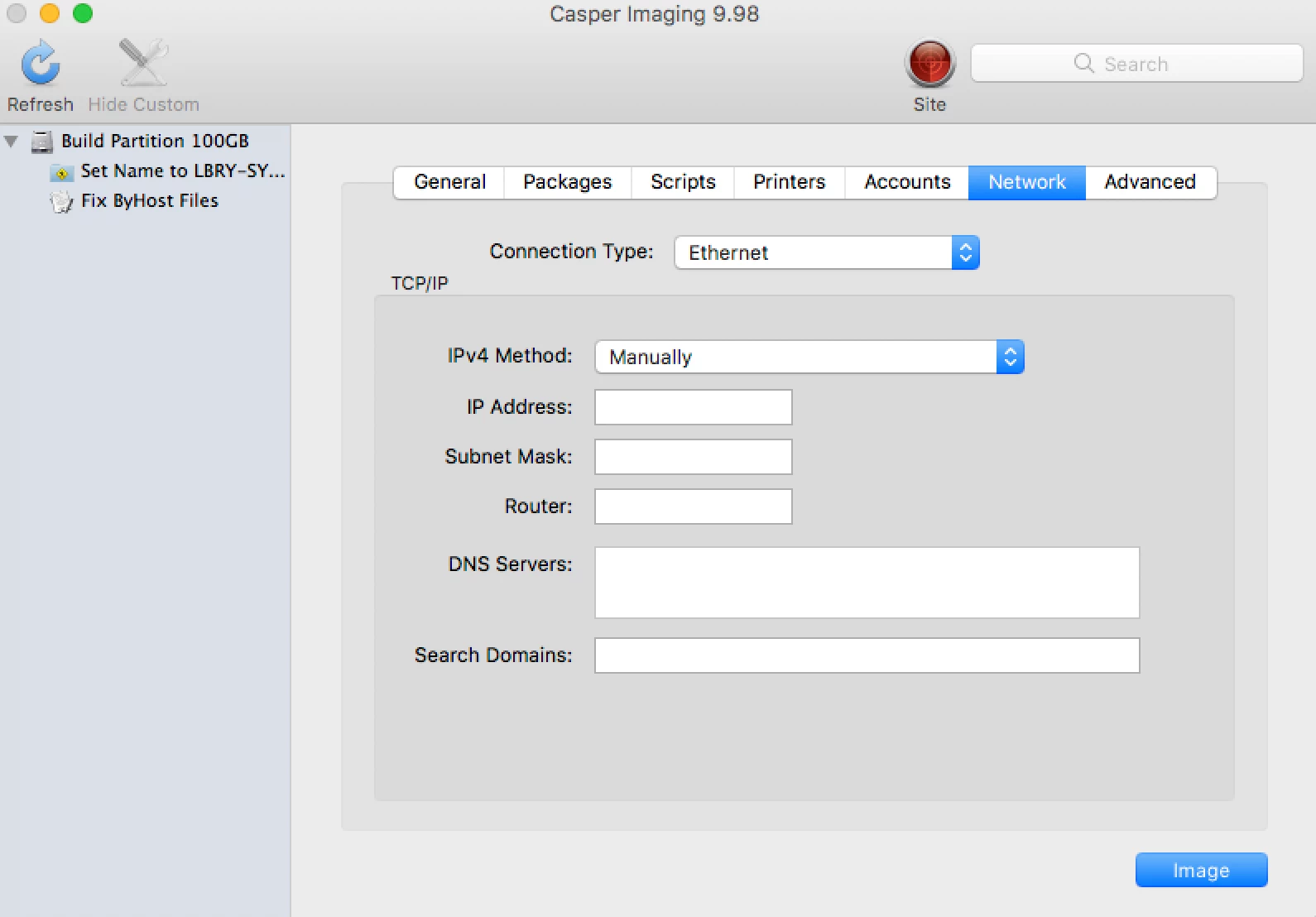
Under the network tab you can set a static IP, if I set a static IP it will still be set to DHCP after imaging and reboot.

Enrolling - normally I would enroll my machines via a ready PKG that I build via Recon. It has a static password and it's been working fine. Via deploy studio I could easily auto enroll just by adding this pkg.

What's the idea with AutoCasperNBI and enrolling? it seem to do some kind of enroll since it created LaunchDaemons with first enroll, but ideally I would like my pre-made PKG so that I get correct username and password for the management account. I tried creating a PKG that with the help of a LaunchDaemon install the enrollment pkg at first boot, but even that doesn't work...

Ideas? Best practice?

8 replies

bentoms
Forum|alt.badge.img+35
  • Hall of Fame
  • May 13, 2017

@haggan AutoCasperNBI does not enroll the devices.

But Casper Imaging will & will use the information for the management account in the select imaging configuration.


Forum|alt.badge.img+4
  • Author
  • Contributor
  • May 15, 2017

Thanks for quick reply. I just found what the issue was, somehow I had managed to create a AutoCasperNBI with a mismatch of Casper Imaging and JSS. My boot had 9.96, JSS 9.98, this led to this awkward behavior. It work just fine now after I adjusted it.

What do you say about the IP option setting? We don't use DHCP for different reasons, would be sweet if you could set these parameters and it worked.

Thanks for the good work with ACNBI!


bentoms
Forum|alt.badge.img+35
  • Hall of Fame
  • May 16, 2017

thanks @haggan

I'm not sure about the Static IP, are you setting static in the NBI when booted or somewhere else?


Forum|alt.badge.img+4
  • Author
  • Contributor
  • May 16, 2017

This would be a pure JAMF question I guess, but as in attachment, under Network, it you specify a static IP there, it does not seem to stick on the ready imaged Mac. (I hope this is the intention with the Network tab)


Forum|alt.badge.img+4
  • Author
  • Contributor
  • May 16, 2017

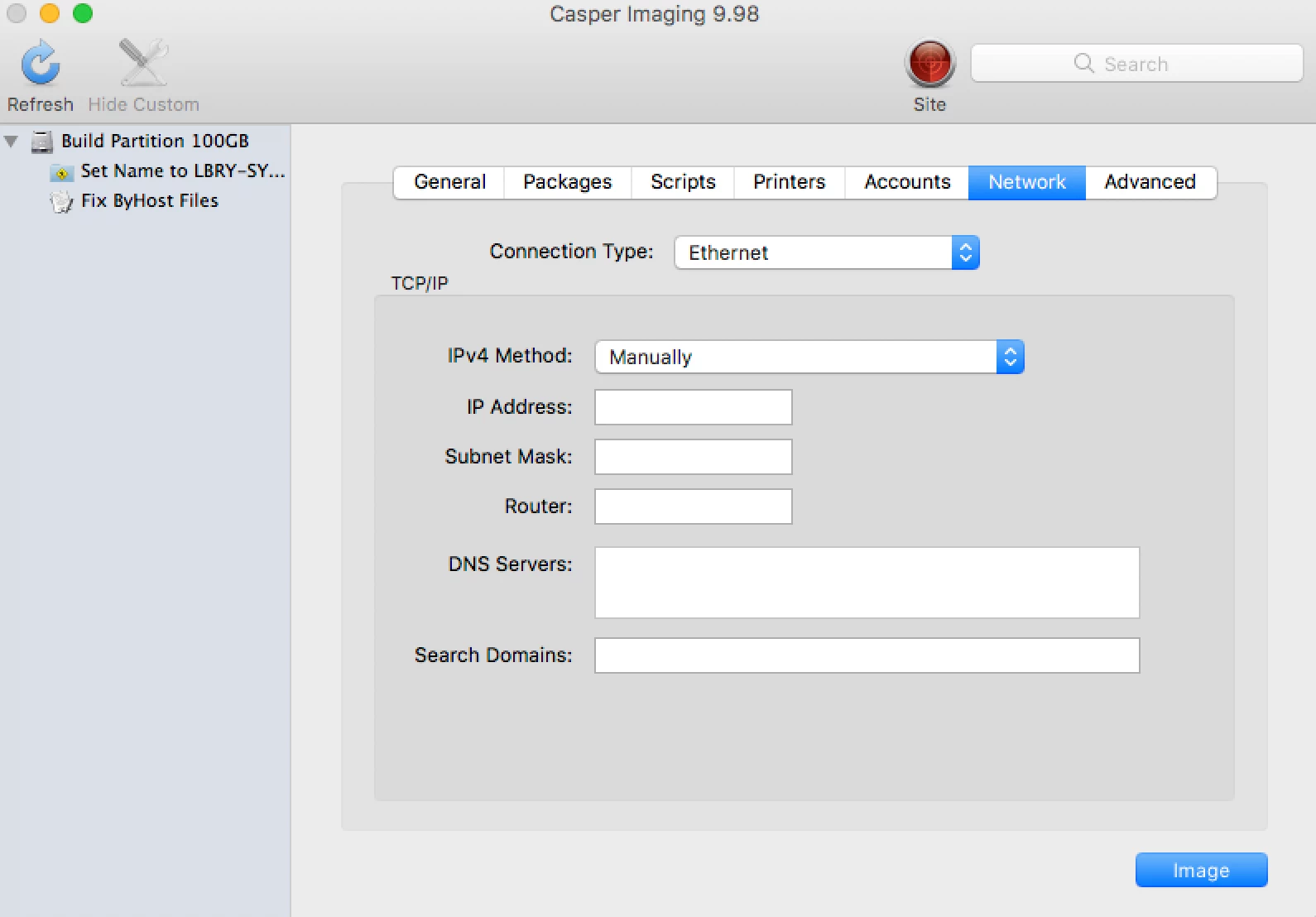
This would be a pure JAMF question I guess, but as in attachment, under Network, it you specify a static IP there, it does not seem to stick on the ready imaged Mac. (I hope this is the intention with the Network tab)


bentoms
Forum|alt.badge.img+35
  • Hall of Fame
  • May 17, 2017

@haggan I'd recommend reaching out to support & creating a new thread about that.. might get more traction from a new thread :)


Forum|alt.badge.img+4
  • Author
  • Contributor
  • May 23, 2017

Update; JAMF Support has mentioned that this feature (Static IP setting) is not working as of now. Hopefully a future update will take care of this.


bentoms
Forum|alt.badge.img+35
  • Hall of Fame
  • May 24, 2017

@haggan awesome.. (well not..).. but the update is welcomed.