Question

Autocaspernbi not working with 10.10.3

  • June 18, 2015
  • 7 replies
  • 28 views

Forum|alt.badge.img+3

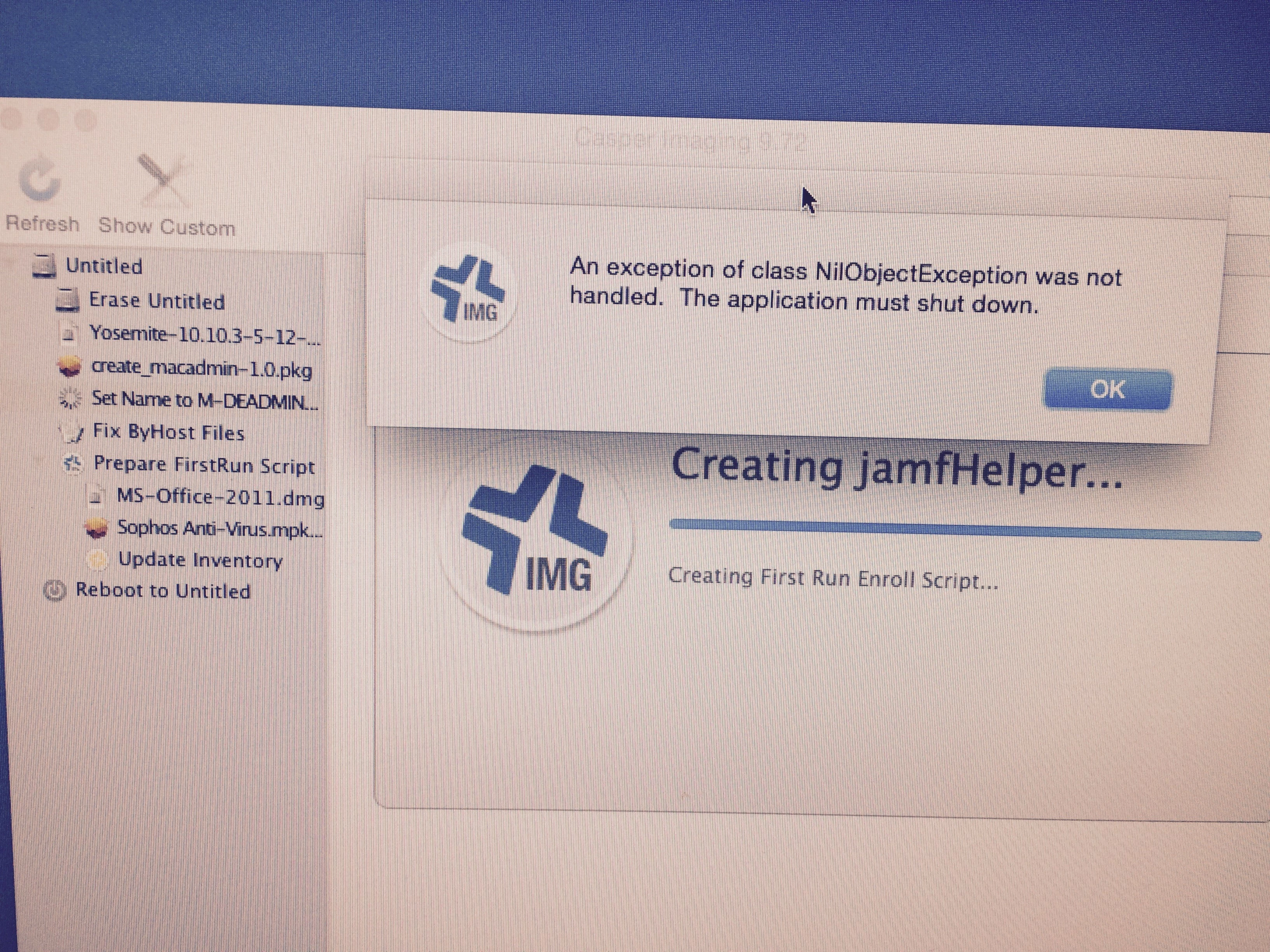
Has anyone seen this error message before ? I have created new OS.dmg file from AutoDMG ver. 1.5.3. The Mac OS X is ver. 10.10.3 14D136.
7 replies

Forum|alt.badge.img+9

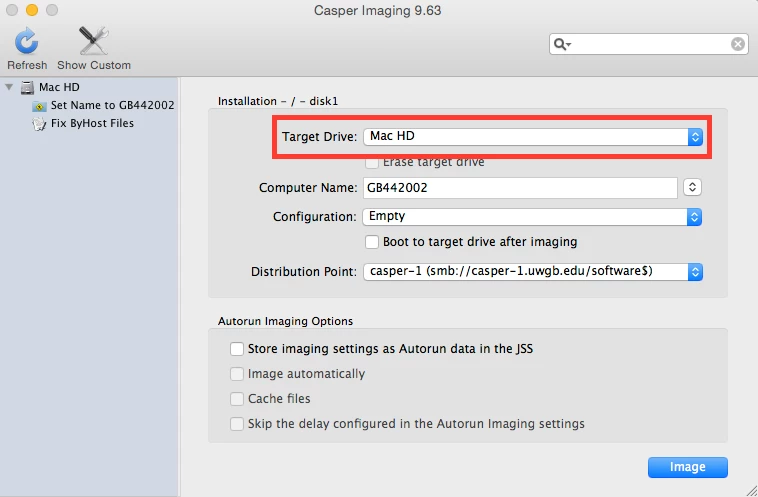
@Villaflores Yes, I will get that error with imaging from time to time If I refresh Casper Imaging and do not verify that there is a variable in the target disk selection. (As there is in this screen shot)

First I would make sure that you have a variable there. If you don't have a name there hit refresh again and it works just fine in my experience. Also, what version of JSS (I see you have Casper Imaging 9.72) are you running?


Forum|alt.badge.img+3
  • Author
  • New Contributor
  • June 18, 2015

I am running 9.72 for the JSS. I will check the target dive for a name. Does it matter if the target drive says untitled?


Forum|alt.badge.img+9

Thanks for the info.

No. The name does not matter. It just has to have a value there. I get the error when that field is left blank.

Also, how are you making your NBI to run the image? You may want to look into the AutoCasperNBI project that @bentoms works on. https://macmule.com/projects/autocaspernbi/


Forum|alt.badge.img+3
  • Author
  • New Contributor
  • June 18, 2015

I have followed the post you mentioned. I have keep it very simple nothing fancy about my netboot image. Just tried to image a macmini a few minutes ago still got the error message.


Forum|alt.badge.img+9

@Villaflores Can you get to your JSS network share when booted to the NetBoot?

Found this older thread that might be of use:
https://jamfnation.jamfsoftware.com/discussion.html?id=4426

Also, one other thing about your NetBoot image (if you did not use AutoCasperNBI) are you running as root when the NBI boots up?


bentoms
Forum|alt.badge.img+35
  • Hall of Fame
  • June 19, 2015

@Villaflores As per the email I sent you, I think this sometimes pops up when using Autorun/Prestage imaging.


Chris_Hafner
Forum|alt.badge.img+27
  • Jamf Heroes
  • June 23, 2015

I've certainly seen bad autorun data cause this in the past. However, that usually hits pretty quickly. Almost as if Casper Imaging is skipping all the installers, going straight to creating the enrollment and having nothing to enroll too. I'm not so sure this looks like an NBI issue. After all, the NBI seems to be working right? Everything boots and CI (Casper Imaging) can certainly see the JSS and the share.

Without getting too deep in the weeds. Have you tried deleting the autorun data on an existing machine before imaging, or could you image a unit that's never been associated with your JSS? Perhaps you already have and I missed it.