Solved

Big Issue of Timemachine for me

  • April 22, 2015
  • 4 replies
  • 26 views

Forum|alt.badge.img+6

I have a Timemachine setting problem. And I dig this problem 2 weeks ago but not any progress.

Envirment:
100 ad doamin Mac pros
100 non ad domain Mac book air
i have created a backup storage path : afp://server-mp.oocl.com/Backups

Problem:
1) If I use timemachine profile setting which can't apply to the non AD domain mac book. Because the login mac book are offline before login so i can't apply it by mount drive at logon item
2) So i try to use script to let the computer run the tmutil script when the machine can ping the company network DNS. But the script 'tmutil setdestination afp://$user:$pass@server-mp.oocl.com/backups'. that need the user AD password but i dont know how to set variables to let user input the password by them self

Below is the script i dig

#!/bin/bash curuser=ls -l /dev/console | cut -d " " -f 4 itest=$(ping -c 1 146.222.5.160 | grep "100.0% packet loss" | wc -l) while [ $itest == "1" ] do sleep 5 itest=$(ping -c 1 146.222.5.160 | grep "100.0% packet loss" | wc -l) done sudo tmutil enable sudo tmutil setdestination -p afp://$curuser@SERVER-MP.oocl.com/Backups

Does any buddy has the similar case. Please share the ideas
Thanks
Best answer by jennifer

I've never used it in this context, but I have been recently working with the cocoaDialog. Here is the link to the github:
http://mstratman.github.io/cocoadialog/#documentation

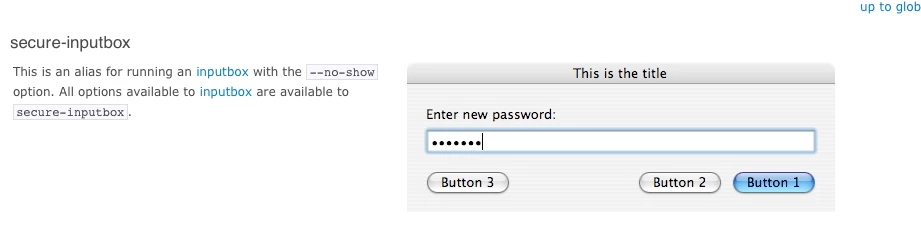
There are some nice options for interacting with the users, including a secure input box, which you may be able to use to prompt the user to put in their password.

Again, I haven't used it for a script like this, but it may be of some help.

4 replies

Forum|alt.badge.img+13
  • Contributor
  • Answer
  • April 22, 2015

I've never used it in this context, but I have been recently working with the cocoaDialog. Here is the link to the github:
http://mstratman.github.io/cocoadialog/#documentation

There are some nice options for interacting with the users, including a secure input box, which you may be able to use to prompt the user to put in their password.

Again, I haven't used it for a script like this, but it may be of some help.


Forum|alt.badge.img+6
  • Author
  • Contributor
  • April 22, 2015

@Bauer Dear Bauer
I saw your script in https://jamfnation.jamfsoftware.com/discussion.html?id=7114
do you have any suggest for my satuation?
Thanks


Forum|alt.badge.img+6
  • Author
  • Contributor
  • April 22, 2015

@jennifer_unger Thanks man you save me


mvught
Forum|alt.badge.img+9
  • Contributor
  • November 13, 2015

Thanks @jennifer and @kenho794

This is my final script i would like to share:

#!/bin/bash

######################################################################## 
# Created By: Thijs v Vught 
# Creation Date: November 2015
# Last modified: November 13th, 2015
# Brief Description: Mounts QNAP disk to your MAC (With cocoaDialog)
######################################################################## 

# Set CocoaDialog Location 
CD="/usr/local/bin/cocoaDialog.app/Contents/MacOS/CocoaDialog"

itest=$(ping -c 1 10.12.232.100 | grep "100.0% packet loss" | wc -l)
while [ $itest == "1" ]
    do
    sleep 5
    itest=$(ping -c 1 10.12.232.100 | grep "100.0% packet loss" | wc -l)
done
sudo tmutil enable
pw=($($CD secure-standard-inputbox --title "QNAP TimeMachine" --informative-text "Enter password:"))
password=${pw[1]}
sudo tmutil setdestination afp://TimeMachine:$password@yourdnsname.nl/TMBackup
$CD ok-msgbox --title "QNAP TimeMachine" --text "Timemachine Disk is Mounted"

exit 0