Question

Big Sur Dock Items

  • February 5, 2021
  • 7 replies
  • 38 views

Forum|alt.badge.img+6

Is anyone managing dock items with Jamf Pro on MacOS 11 devices? I've tried many different formats (ie. file://System/Applications/Mail.app) that I've seen posted in discussions (such as here) but nothing seems to be applying to the computer. No matter what I do, the dock essentially has nothing in it except for the 3 most recently opened items.

This is my first foray into managing MacOS computers (previously we've only managed IOS devices) so I may be missing something simple.

7 replies

Forum|alt.badge.img+16
  • Valued Contributor
  • February 5, 2021

I've had good luck using dockutil to manage users' Docks via scripts. It's a little tricky to get going since Jamf Pro runs scripts as root, and in Big Sur you can't as easily modify another user's Dock, like you could with dockutil under previous OSes.

I'm sure there's a more Apple-supported way to do this, but my workflow is letting Jamf Pro provide the username (in the third argument) and basically just running su $3 -c "dockutil [whatever]" in my script.


sdagley
Forum|alt.badge.img+25
  • Jamf Heroes
  • February 6, 2021

@sedwards Try file://localhost/Applications/Mail.app/


kgam
Forum|alt.badge.img+8
  • Valued Contributor
  • February 6, 2021

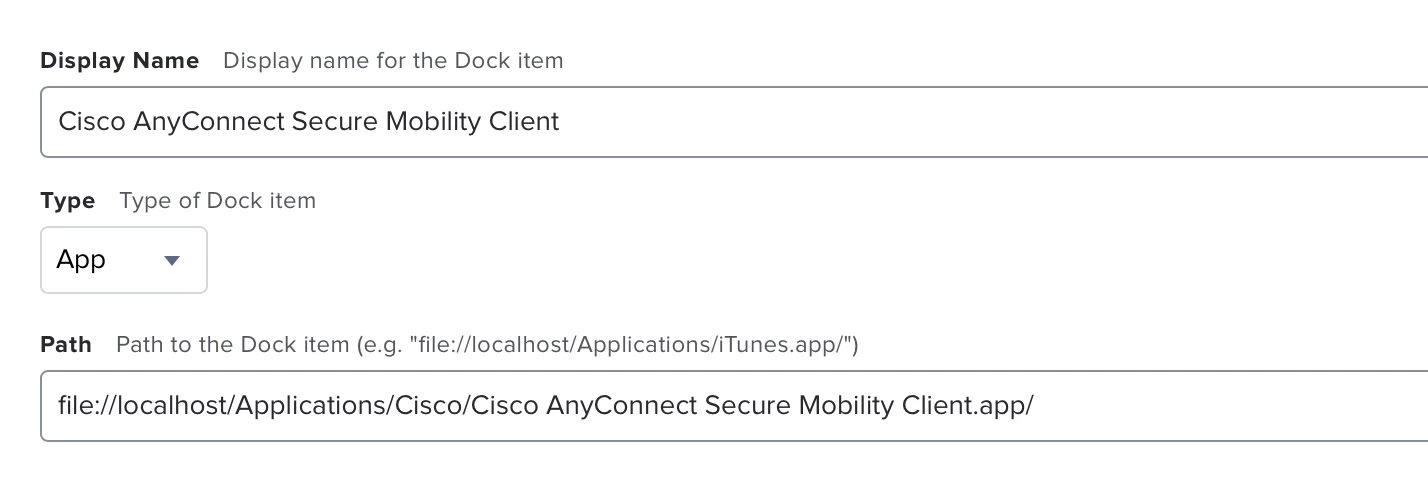
As sdagley mentioned the following format should work on Big Sur:

file://localhost/Applications/Cisco/Cisco AnyConnect Secure Mobility Client.app/


Forum|alt.badge.img+6
  • Author
  • Contributor
  • February 8, 2021

Thanks for the responses guys. It appears the main issue I'm having is no policies are actually coming down to the Big Sur device. All policies just sit as pending. Configuration profiles do come down, but no policies.


Forum|alt.badge.img+1

Thanks for the responses guys. It appears the main issue I'm having is no policies are actually coming down to the Big Sur device. All policies just sit as pending. Configuration profiles do come down, but no policies.


@sedwards after your policy run, did the Dock Item (file://localhost/System/Applications/Mail.app/) get removed on the Dock?

I am not able to remove the Mail.app Dock Item.  I have tried all kind of paths.

I have flushed the policy log and re-run the "sudo jamf policy".  I see that the policy runs and the screen and dock get refreshed.  However, the Mail.app still appears on the Dock.  😞

Does any know how to remove the Mail.app and other built-in apps on the Dock?  Does the Jamf's Dock Item + Policy work?  I am trying to avoid using 3rd-party solution like Dockutil, Dockmaster, and Dockbuilder.  Thanks.


Forum|alt.badge.img+8
  • Valued Contributor
  • September 21, 2021

Maybe that helps:
For Terminal under Big Sur this works (at the moment) -  it's 3 ///
file:///System/Applications/Utilities/Terminal.app/


Forum|alt.badge.img+8
  • Valued Contributor
  • September 21, 2021

@sedwards 
In my environment I have success with:
file:///System/Applications/Mail.app/

There are 3 ///
Hope it's helpful!