Question

Big Sur: Jamf wants access to control Dock

  • January 18, 2021
  • 11 replies
  • 45 views

Forum|alt.badge.img+6

Hi all,
and a good new year to all of you!

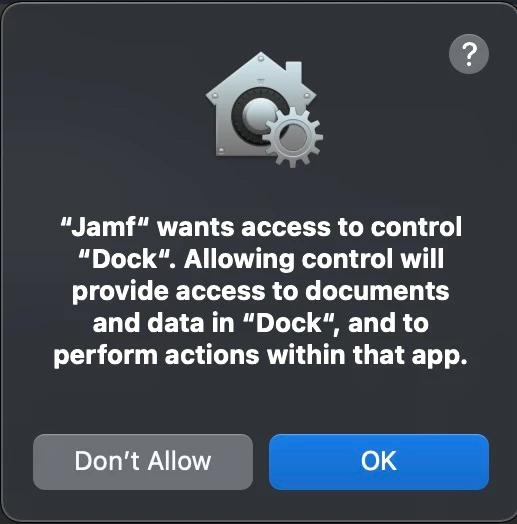
Does anyone else get this query?
When installing a policy with a dock icon on a Big Sur machine we get asked to allow Jamf access to Dock (see screenshot).
I am not sure on how to enable it. I tried it manually with the PPPC utility to allow Jamf to control the Dock but got an error with the installation of the profile.

If anyone has a solution I would be grateful for the config used :)

BR Thomas
11 replies

Forum|alt.badge.img+10
  • Valued Contributor
  • January 26, 2021

@thomas.moser

We get the same, only noticed this since Jamf 10.26, at first I thought it was M1 Mac's only but we see it on Intel as well.
I have had an open ticket with Jamf asking how to suppress since the first week of Jan.

If you have come up with fix can you post?


Forum|alt.badge.img+6
  • Author
  • Contributor
  • January 27, 2021

Hi MagG,
in our case it was apparently only with Skype for Business (v16.29.41).
All other apps/policies worked just fine. So it seems the issue was with this SfB version.
Sorry that this might not help, hopefully you can get it working normally again on your side.

BR
Thomas


Forum|alt.badge.img+2
  • New Contributor
  • February 25, 2021

Any update on this issue? I'm having the same problem. We're installing SfB on our devices but it's not included in the Dock payload, we're only doing dock icons for:
Self Service
Firefox
Google Chrome
Microsoft Teams
Microsoft PowerPoint
Microsoft Excel
Microsoft Word
Microsoft Outlook
Microsoft Edge


Forum|alt.badge.img+5
  • Contributor
  • May 16, 2021

Same here. Any solutions?


  • May 17, 2021

Hi everybody, we are creating the users dock, too, but we do not have this issue. We configure the dock with a policy.


Forum|alt.badge.img+8

@NOVELLUS Are you able to get the policy the remove items from the dock? I can't seem to get it to do that.


Forum|alt.badge.img+1

I am having issues - coincidentally or not - with Apple apps. I am starting to think this is by design. Policy works beautifully with any other app. It feels like a silent tug-of-war where Apple does not want for a mac admin to remove their apps from the dock.

It's just a though but I am seriously considering this possibility.

My issues are only with Big Sur and Facetime, TV, Podcasts, LaunchPad, and Music.

I tried all of this paths with no success:
file://Applications/TV.app
file:///Applications/TV.app
file://System/Applications/TV.app
file://System/Applications/TV.app/
/System/Applications/TV.app
Macintosh HD/System/Applications/TV.app


Forum|alt.badge.img

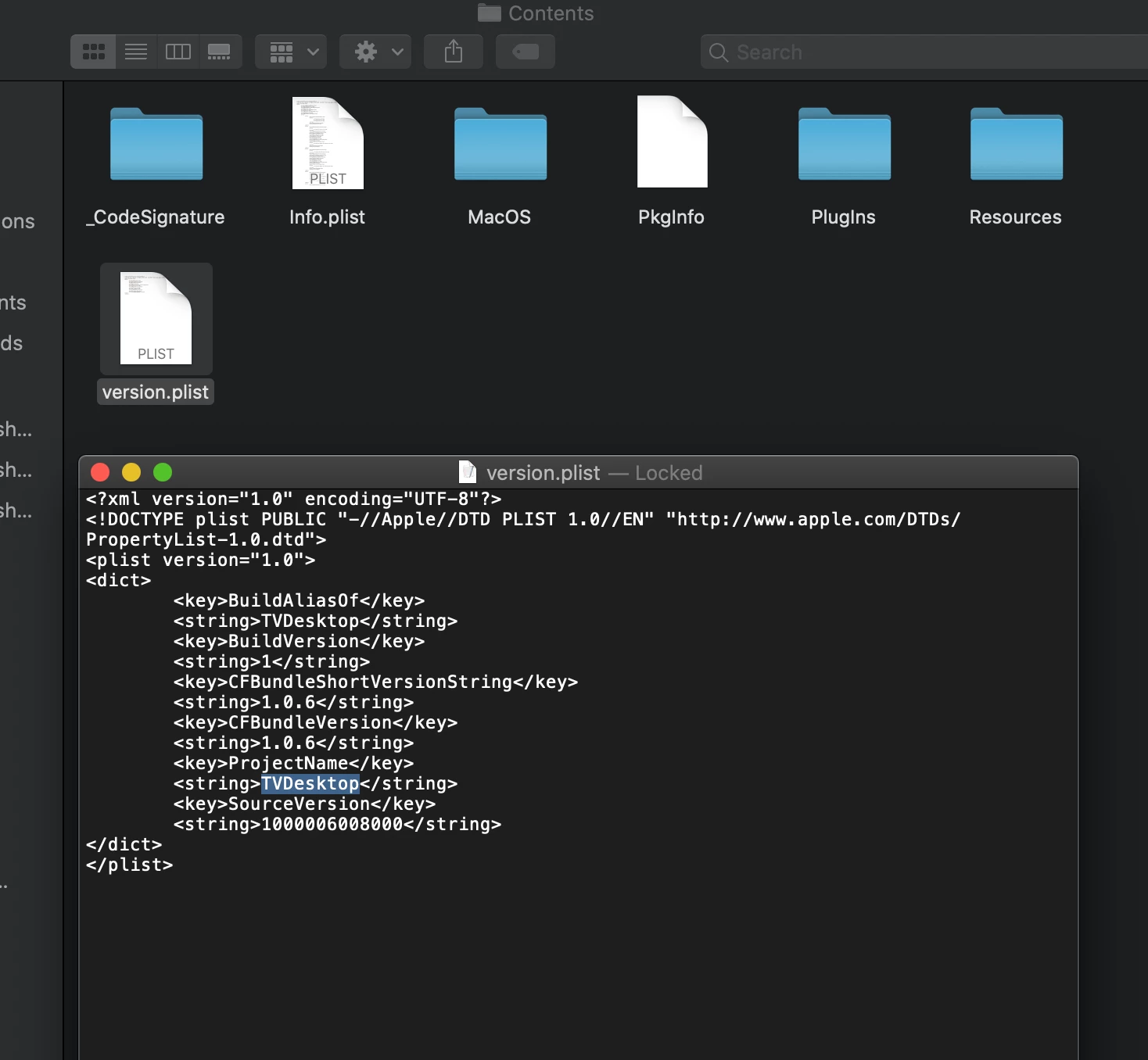
try file:///System/Applications/TVDesktop.app


Forum|alt.badge.img+12
  • Valued Contributor
  • October 5, 2021

Correct me if I'm wrong but you can't do 'file://' paths anymore - or was that just from HTML?


Forum|alt.badge.img+6
  • Contributor
  • March 24, 2022

I can't get Jamf to remove FaceTime from the dock. I got it to remove everything else we don't want. I've tried these paths:

file://Applications/FaceTime.app
file://System/Applications/FaceTime.app
file://~/System/Applications/FaceTime.app


  • March 29, 2022

I can't get Jamf to remove FaceTime from the dock. I got it to remove everything else we don't want. I've tried these paths:

file://Applications/FaceTime.app
file://System/Applications/FaceTime.app
file://~/System/Applications/FaceTime.app


for FaceTime, this path will work for you reliable:

file://localhost/System/Applications/FaceTime.App