
Question

Can't access JAMF Pro interface after the installation.

  • November 29, 2018
  • 7 replies
  • 53 views

Forum|alt.badge.img+3

Hello JAMF,

Just installed a JAMF Pro 10.7 and I can't seem to access the interface, Getting the below error.

The following error was encountered:
QueryException: Could not connect: Access denied for user 'jamfsoftware'@'localhost' (using password: NO) - An error occurred while connecting to the database.

Please check the following items:
Verify the username, password, and database name, then try again
MySQL is running on localhost
MySQL is accepting network connections
The user jamfsoftware@localhost has been granted privileges to the jamfsoftware database
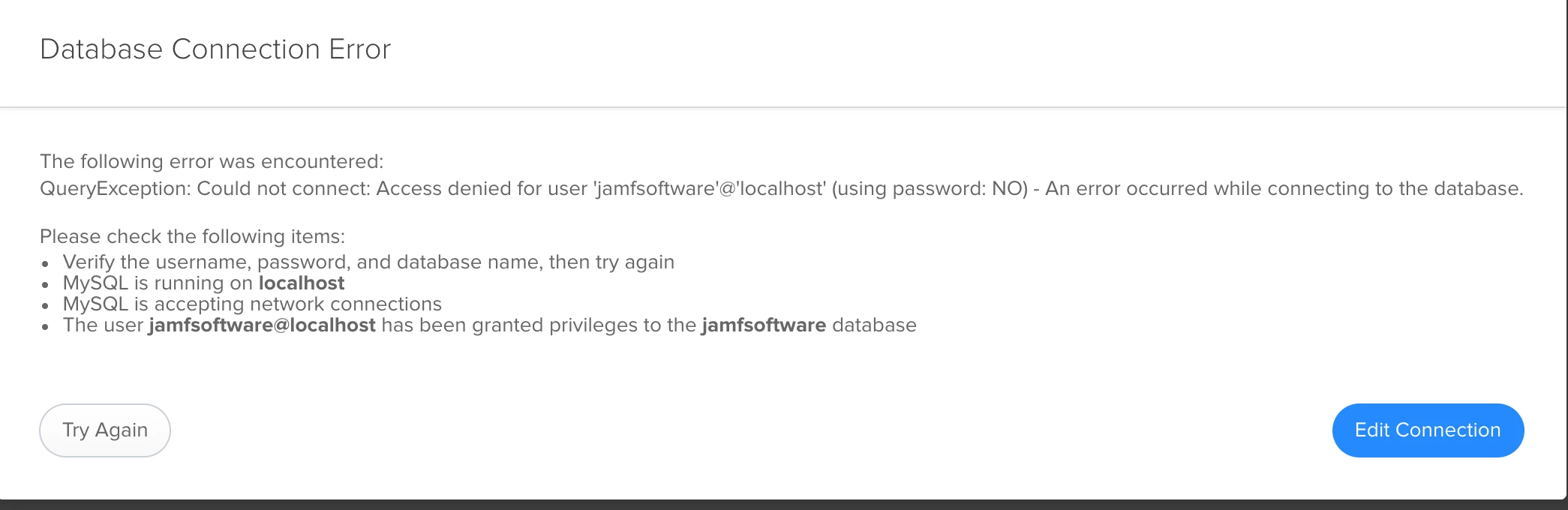
I've restarted TomCat, MySQL (8.0) and even the Mac. But still its failed .

7 replies

Forum|alt.badge.img+19
  • Contributor
  • November 29, 2018

Does your DataBase.xml have the password in it?


Forum|alt.badge.img+5
  • Contributor
  • November 29, 2018

Did you go from 8/9 to 10?


Forum|alt.badge.img+3
  • Author
  • New Contributor
  • November 29, 2018

@Ryan.ball: I don't find any Database.xml on device


Forum|alt.badge.img+3
  • Author
  • New Contributor
  • November 29, 2018

@dnelson2813

Nope its fresh install....


Forum|alt.badge.img+19
  • Contributor
  • November 29, 2018

@parasaran Here is the KB: https://www.jamf.com/jamf-nation/articles/360/changing-specific-accounts-in-jamf-pro-and-the-mysql-database

Looks like it should be here on a Mac:

/Library/JSS/Tomcat/webapps/ROOT/WEB-INF/xml/DataBase.xml

The following section should have your database password:

<DataBasePassword>new_password_goes_here</DataBasePassword>

damienbarrett
Forum|alt.badge.img+19
  • Honored Contributor
  • November 29, 2018

Heh, I spun up yet another JSS today and ran into this issue. But for me, it was because I had forgotten that Jamf likes the database user to be "jamfsoftware" accessing the database, also called "jamfsoftware". During the SLQ setup, I had created a "jamfadmin" user instead. In the past, with previous JSS setups, I had always used the jamfsoftware/jamfsoftware combo, so this slight change gave me the unexpected result, same as you above.

So, I just used Sequel Pro to connect to my local SQL database (as root). I created a user called "jamfsoftware" with my desired password. Then I granted that user access to the "jamfsoftware" database and restarted SQL. Then, the Jamf Pro setup assistant finished, and built all the tables, etc.

Hope this helps.


scottb
Forum|alt.badge.img+18
  • Valued Contributor
  • November 29, 2018
So, I just used Sequel Pro to connect to my local SQL database (as root). I created a user called "jamfsoftware" with my desired password. Then I granted that user access to the "jamfsoftware" database and restarted SQL. Then, the Jamf Pro setup assistant finished, and built all the tables, etc.

I haven't built one from scratch in a while - but I do recall that being the case too. Decided not to fight it - it works as they document it so...

