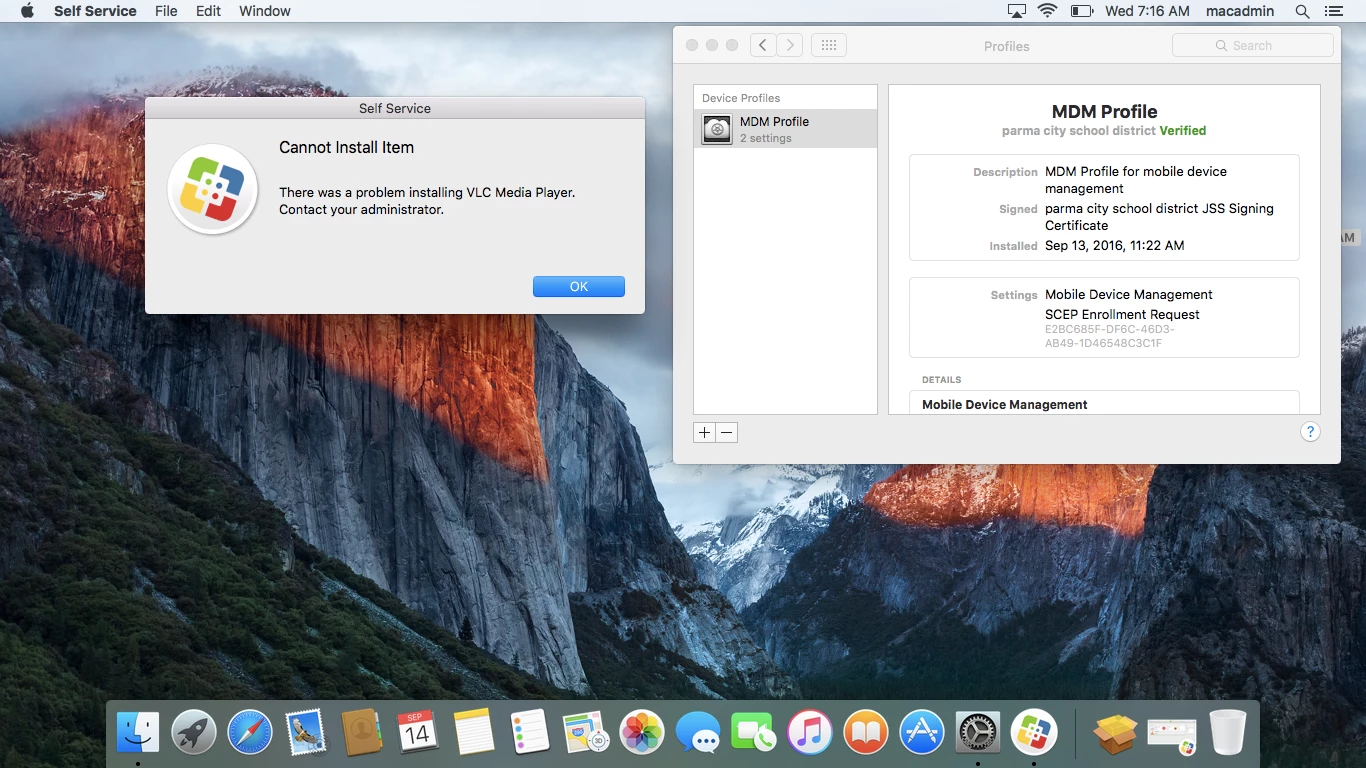
Question

Cannot Install DMG's From Self Service PKG's Install Perfect.

  • September 13, 2016
  • 5 replies
  • 54 views

feszg
Forum|alt.badge.img+7

So this seems to be a computer specific issue, some laptops can install the DMG's and some cant. Removing the MDM and re-enrolling corrects the issue. Was wondering if anybody could possibly shed some light on this issue?

5 replies

Forum|alt.badge.img+4
  • Contributor
  • September 13, 2016

maybe that's what 9.97 or 9.998 or 9.99 are for ;)


Forum|alt.badge.img+14
  • Contributor
  • September 13, 2016

@feszg Since removing MDM is part of the fix....any chance there is a config profile restricting access to Disk Images (Restrictions payload)? Maybe there is a profile that was applied to the machine but isn't when you re-enroll....just a thought.


feszg
Forum|alt.badge.img+7
  • Author
  • Jamf Heroes
  • September 14, 2016

Hi!

Seriously appreciate the response. I have excluded the computer from all off the configuration profiles other than the base MDM.


stevewood
Forum|alt.badge.img+38
  • Hall of Fame
  • September 15, 2016

@feszg Have you tried running the policy from the command line and perhaps running it in verbose mode to watch what is happening? You may be able to gather a bit more information to help you narrow down the cause.

jamf policy -id <id#> -verbose

What does the policy log say when it fails like this? What else does the policy do besides install the DMG? I have seen policies report failure from Self Service because a script failed. The software was installed, but something a script did was not completed.


feszg
Forum|alt.badge.img+7
  • Author
  • Jamf Heroes
  • September 17, 2016

Looks like a 2 year old configuration profile was the issue. Under restrictions read only was checked for disk images.