Question

CASPER 9.9 unable to mount any File Share distribution points

  • April 6, 2016
  • 14 replies
  • 54 views

Forum|alt.badge.img+5

Hi all, just wondering if anyone has had an issue with mounting File share distribution points since the upgrade to Casper 9.9 I have double checked the settings and it fails each time with the below error:
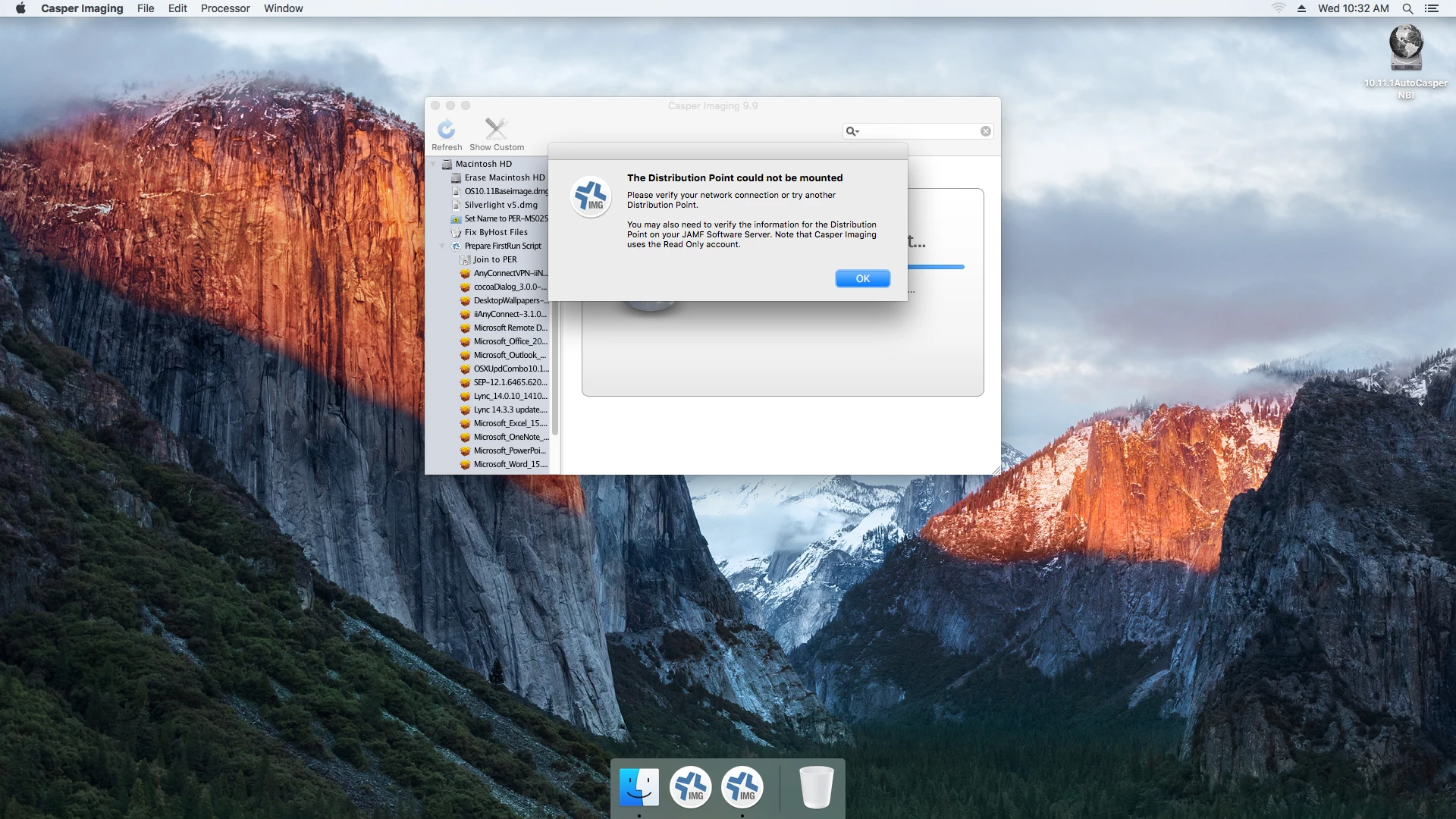
. Any known workarounds?

14 replies

Forum|alt.badge.img+5
  • Author
  • Contributor
  • April 6, 2016

Support helped me solve it (partially) I updated the RO account password that Casper Imaging uses as there was special characters in it.
Still cant mount the distribution share in Casper admin though


Forum|alt.badge.img+8
  • Contributor
  • April 6, 2016

@scharman Were they AFP or SMB?

I had some issues with 2 AFP distribution points after the 9.9 update. Changed to SMB and works again now.

Al


Forum|alt.badge.img+11
  • Valued Contributor
  • April 6, 2016

Seeing this too. We are also having the LDAP Group issue that has been a huge issue. Since the user-authentication for the dist-point is AD; wonder if this is all related?


Forum|alt.badge.img+11
  • Valued Contributor
  • April 6, 2016

Can confirm that we are seeing this too. Share is SMB and nothing is mounting.

We also have the VPP/LDAP User Group issue. Since the dist-point login is also an AD user, I wonder if this is all related?


keaton
Forum|alt.badge.img+17
  • Employee
  • April 6, 2016

If we are using SMB, do we have the "Workgroup" field filled out?

The JSS asks for "Workgroup or domain of the SMB server" but this is incorrect and should be resolved in the next release. We actually need the workgroup or domain of the users for the RW and RO accounts. This applies when the users are in a different domain or workgroup than the SMB share.

You can also try clearing the Workgroup field and see if that resolves the mounting issue.

Thanks,
Keaton


Forum|alt.badge.img+11
  • Valued Contributor
  • April 6, 2016

yes I do have the domain name in that field.


Forum|alt.badge.img+11
  • Valued Contributor
  • April 6, 2016

Ok, I removed the domain name from the Workgroup or Domain field and it all works!


Forum|alt.badge.img+5
  • Author
  • Contributor
  • April 7, 2016

Hi, I havent tried this but will give it a shot, the domain of the users is the same domain as the SMB server but I will try clearing out this field and report back


Forum|alt.badge.img+5
  • Author
  • Contributor
  • April 7, 2016

Ok that worked! but yet my RW and RO users are in the same domain as my SMB server, so I wonder why it was still failing for me?


Forum|alt.badge.img+5
  • Contributor
  • April 7, 2016

Removing Workgroup or Domain works! Thanks @keaton Could it be related to ADFS?


jconte
Forum|alt.badge.img+12
  • Valued Contributor
  • April 19, 2016

We had our casper share's named to reflect the location and we had to change them by removing the spaces and hyphens to resolve the issue. Worked fine in 9.81, broke somewhere between 9.91

Broken Name: CasperShare - Building
Fixed Name: CasShareBuilding

If you have anything like this, it is worth trying.

Thanks


Forum|alt.badge.img+1
  • New Contributor
  • April 27, 2016

Thanks! This totally helped us too after going to 9.91. Removing the domain name from the settings in jss did the trick.


Forum|alt.badge.img+6
  • Contributor
  • April 28, 2016

I had to change my domain entry from domain.localnet to just domain and it worked after that.


Forum|alt.badge.img
  • New Contributor
  • July 1, 2016

Thanks! We removed the domain.
Is something unknowable but it works.