Question

Catalina Apple Menu

  • October 24, 2019
  • 4 replies
  • 37 views

Forum|alt.badge.img+1

Has anyone been successful in removing the Shut Down option form the Apple menu in Catalina.

I was successful in greying out Sleep and removing Lock Screen and Logout.
I have even tried with SIP turned off.
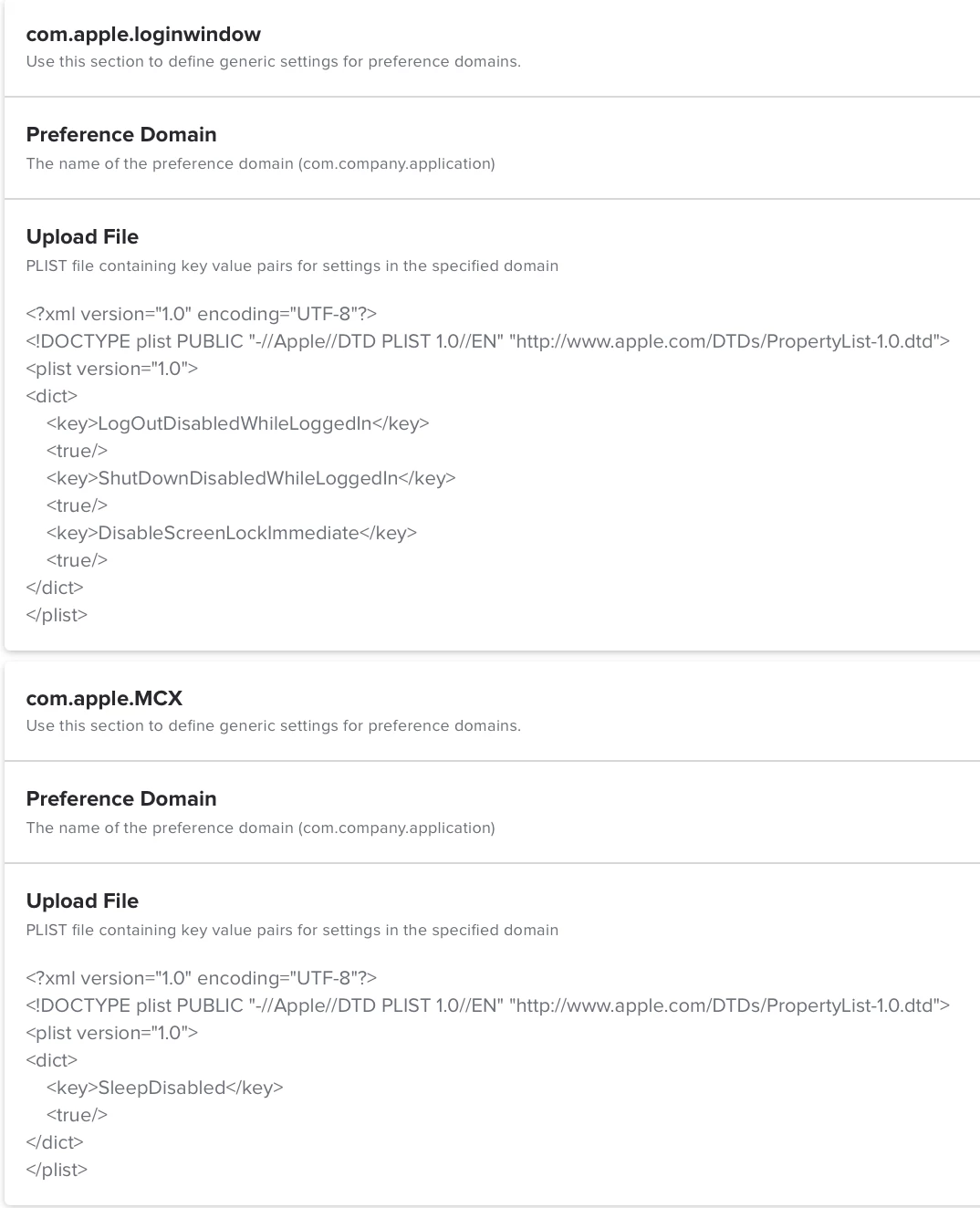
defaults write /Library/Preferences/SystemConfiguration/com.apple.PowerManagement SystemPowerSettings -dict SleepDisabled -bool YES
defaults write /Library/Preferences/com.apple.loginwindow SleepDisabled -bool true
defaults write /Library/Preferences/com.apple.loginwindow ShutDownDisabled -bool true
defaults write /Library/Preferences/com.apple.loginwindow ShutDownDisabledWhileLoggedIn -bool true
defaults write /Library/Preferences/com.apple.loginwindow LogOutDisabledWhileLoggedIn -bool true
defaults write /Library/Preferences/com.apple.loginwindow DisableScreenLockImmediate -bool true

4 replies

Forum|alt.badge.img+9
  • Contributor
  • August 6, 2020

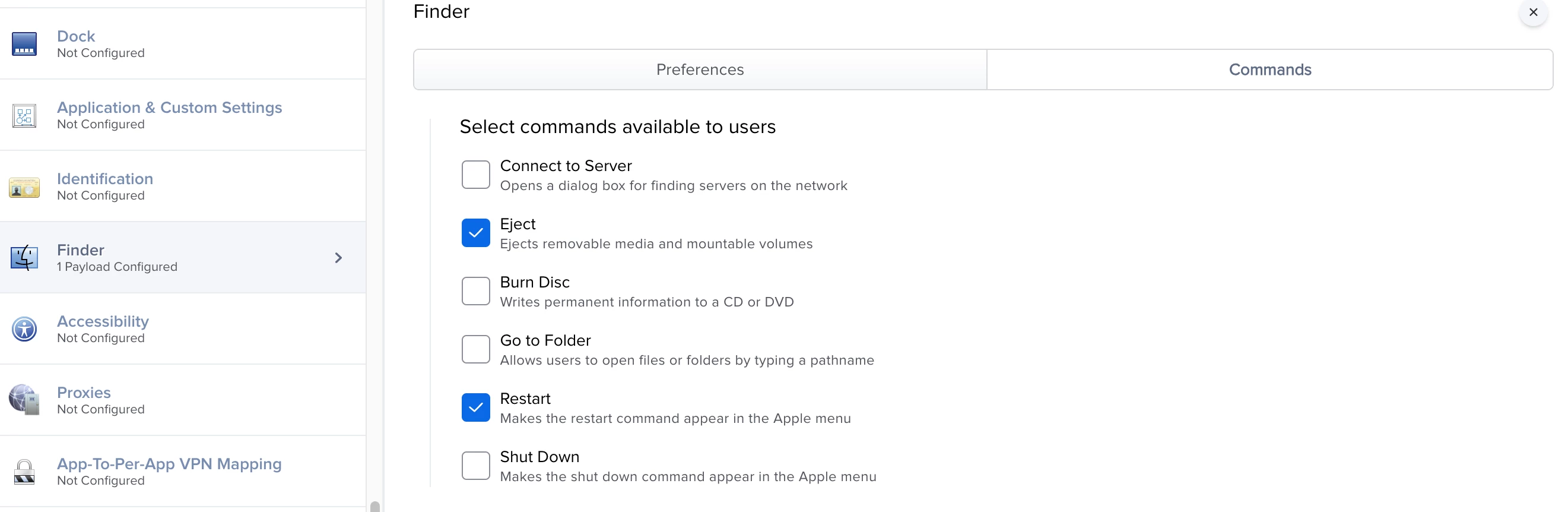
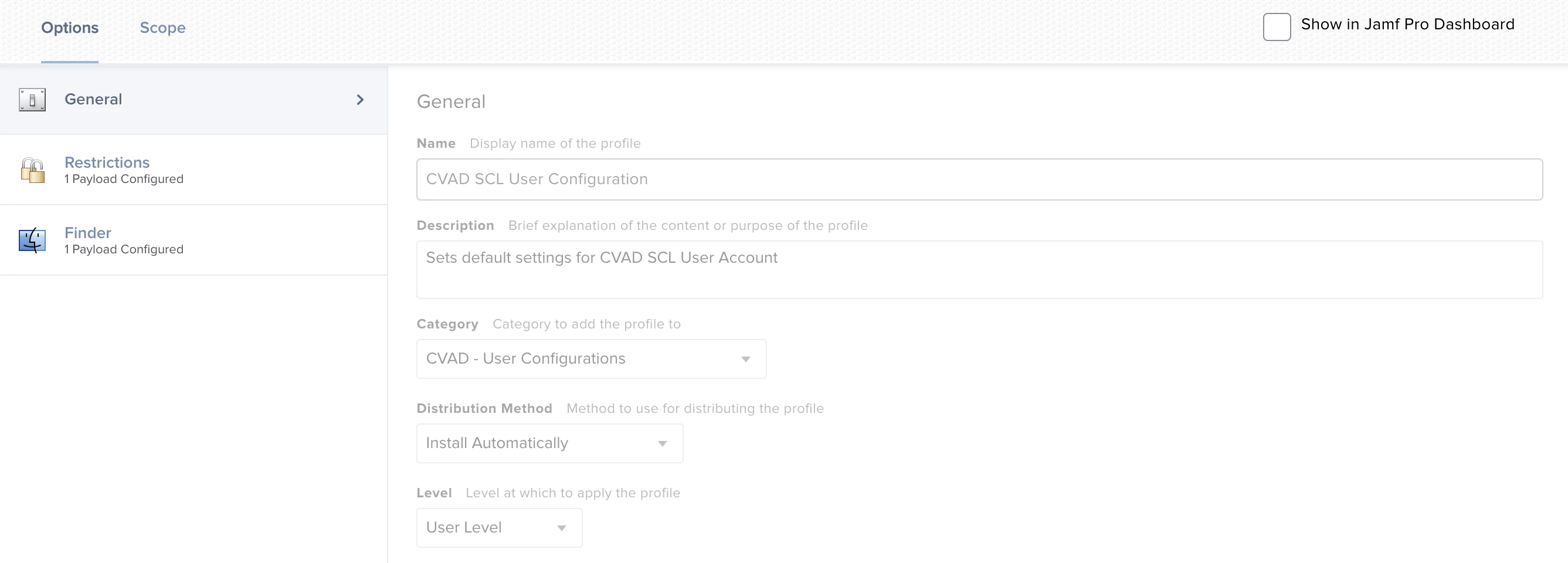
If you apply a configuration profile, you can remove Shut Down from the start menu by simply telling it not to display.

This is a user configuration, so it's possible you have to target the user you want to remove Shut Down from, but I don't recall if that's a necessity.

Configuration Profile General Settings:

Configuration Profile Finder Settings:

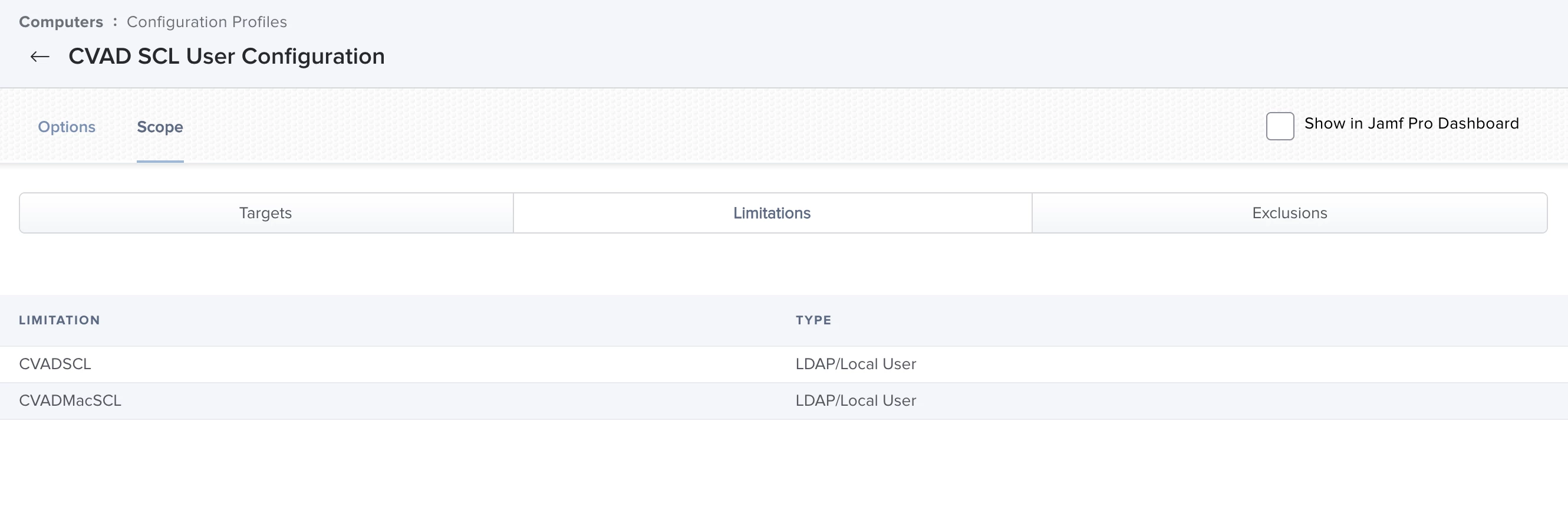
Scoped to Specific LDAP Users (Local Users would be done in the same manner):


Forum|alt.badge.img+10
  • Contributor
  • February 23, 2021

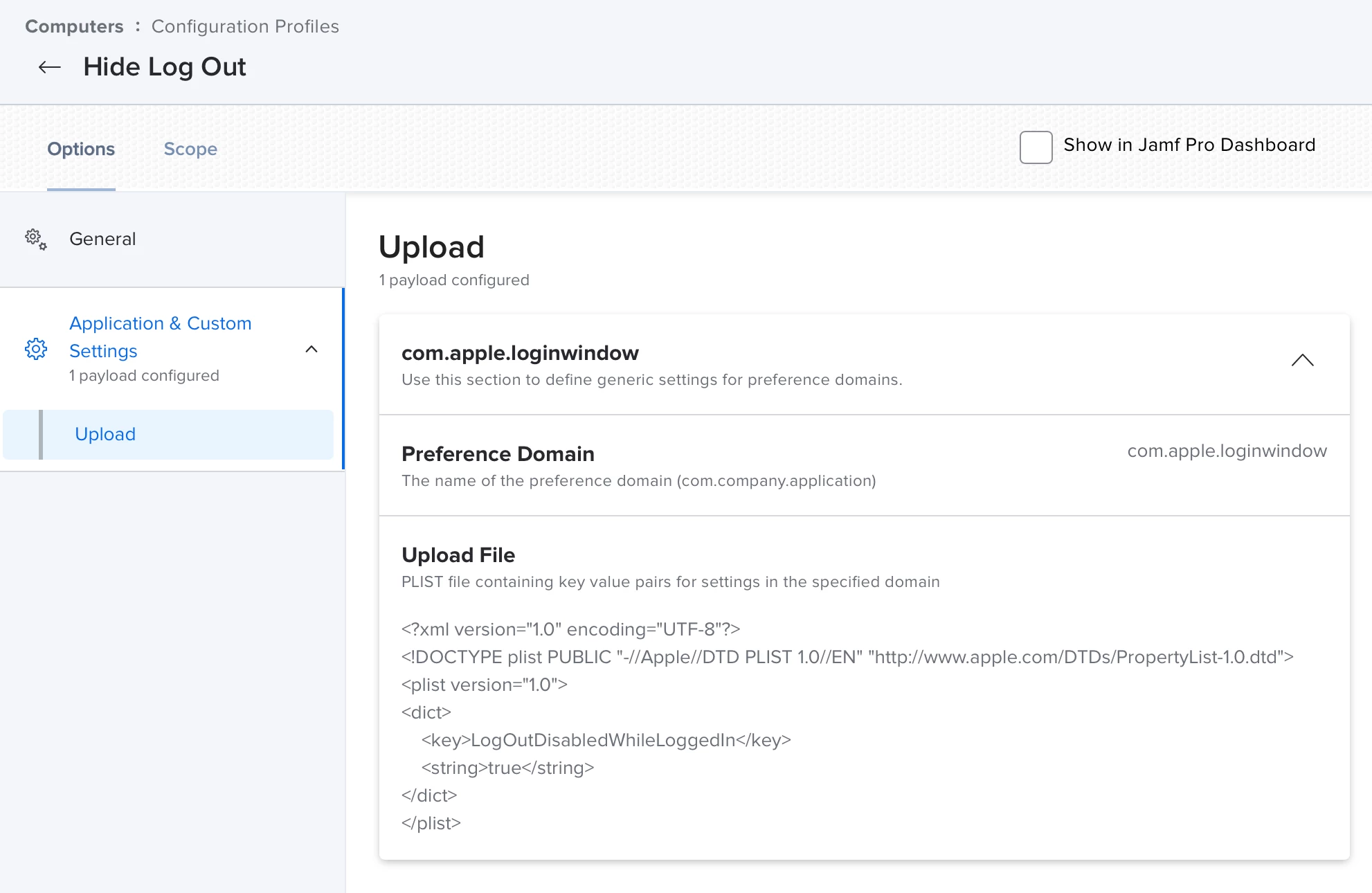
@kacey3 Thanks for the suggestion, this is what I have trying to apply both Computer and User level to hide logout option, neither worked for me. Any input appreciated!


Forum|alt.badge.img+10
  • Contributor
  • February 23, 2021

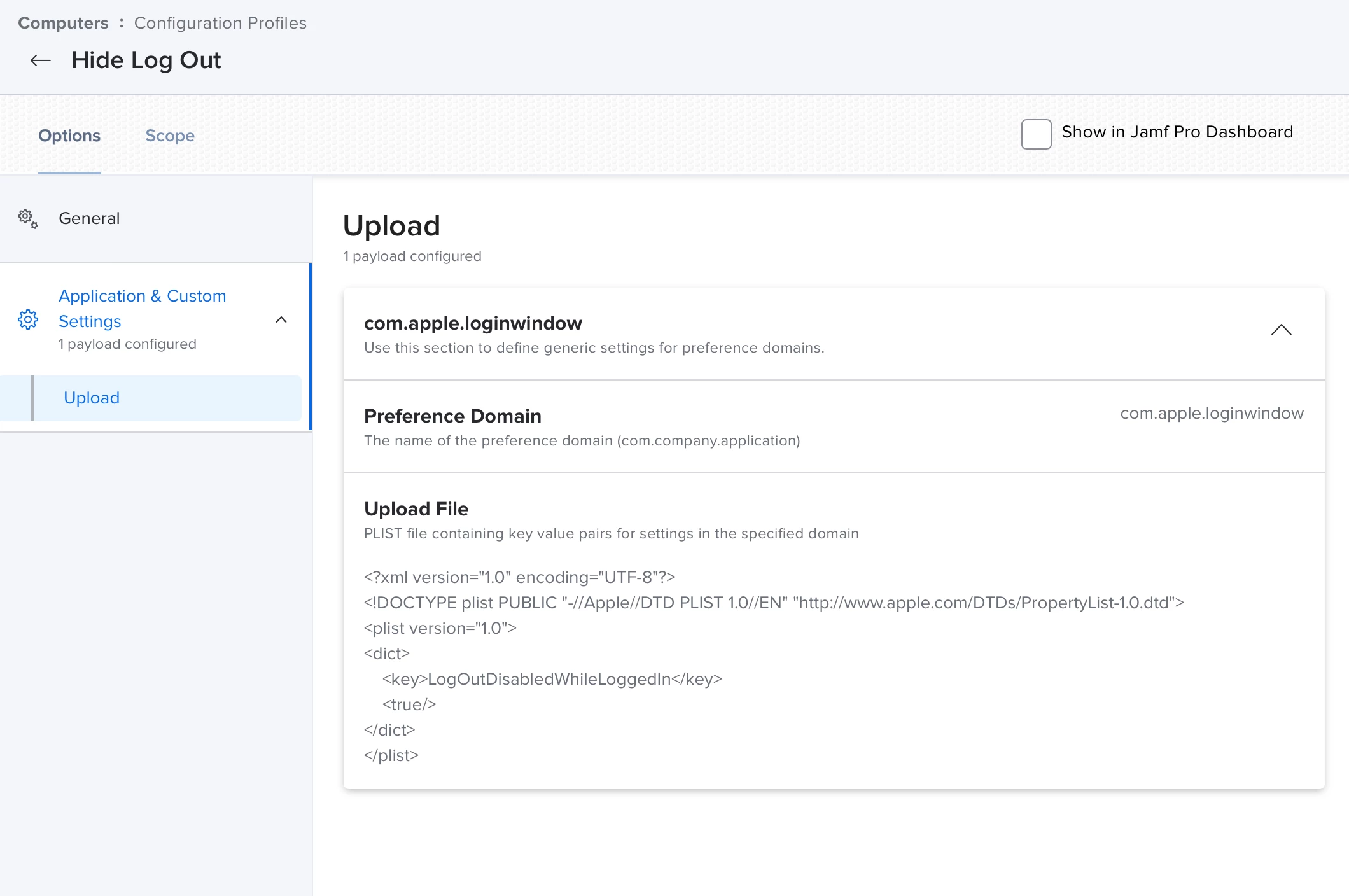
NVM, this worked. I did it in Computer level.


Forum|alt.badge.img+10
  • Contributor
  • February 23, 2021

Ok, so this is my final setup that got rid of "Log out", "Shut Down", "Lock Screen" and greyed out "Sleep"