Solved

Catalina upgrade issues

  • June 26, 2020
  • 7 replies
  • 38 views

rpayne
Forum|alt.badge.img+12

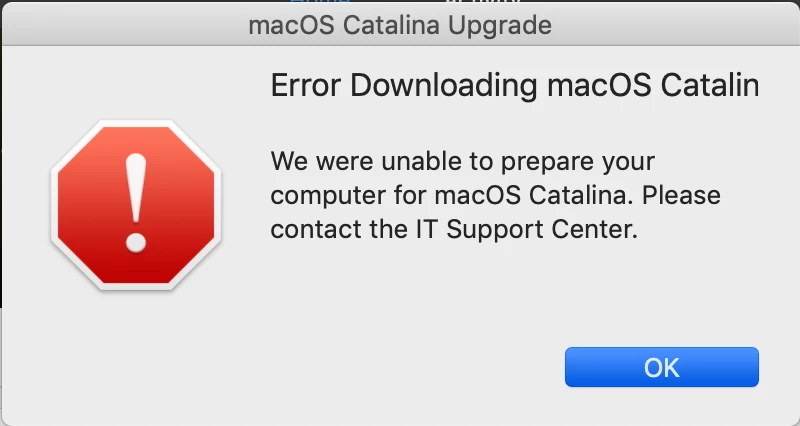
We are attempting to create a policy in self service that performs an upgrade. We use the macOSUpgrade.sh. After downloading the needed files, we get a "We were unable to prepare your computer for macOS Catalina: error (see attached). Our machines are FileVaulted. Not sure what's going on. It does not do this every time... even on the same machine.

Best answer by mack525

How are you calling the .app? Dropping it in /Applications ? Have you also modified the script with that version?

7 replies

Forum|alt.badge.img+8
  • Contributor
  • June 26, 2020

@rpayne have you tried updating your install macOS catalina.app ?


rpayne
Forum|alt.badge.img+12
  • Author
  • Contributor
  • June 26, 2020

I JUST did. It's 10.15.5.02


Forum|alt.badge.img+8
  • Contributor
  • Answer
  • June 26, 2020

How are you calling the .app? Dropping it in /Applications ? Have you also modified the script with that version?


Forum|alt.badge.img+9
  • Contributor
  • June 27, 2020

Hi @rpayne,
By default, the main log (most complete) is located:

osinstallLogfile="/var/log/startosinstall.log"

You may also be able to find the reason for the error within Jamf's policy log history.

Happy to help if you can provide a little more info about what error you're getting.


rpayne
Forum|alt.badge.img+12
  • Author
  • Contributor
  • June 28, 2020

@mack525 I'm dropping it in the applications folder and using a custom trigger per the macOSUpgrade.sh. I have modified the script to reflect the current 10.15.5.02 (also tried the current installer version 15.5.02)


rpayne
Forum|alt.badge.img+12
  • Author
  • Contributor
  • June 28, 2020

I'm an idiot. Putting it to 10.15.5 (even the CURRENT is 10.15.5.02) works.


Forum|alt.badge.img+8
  • Contributor
  • June 28, 2020

@rpayne it’s always 1 simple step that screws things up. Good hear it’s working