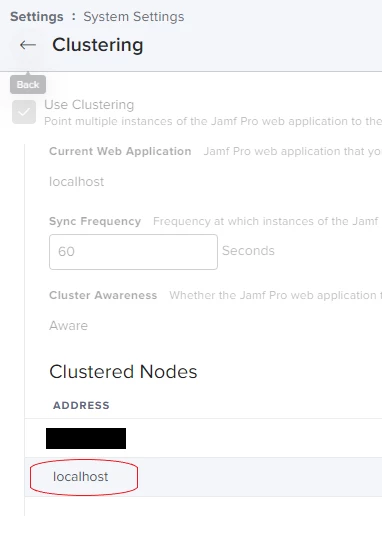
Is there a way to set the display name for the Jamf Pro Webapp? Right now it shows the IP address of our secondary server and localhost for the primary. Ideally I would like to change these to the FQDN of the servers.
Thanks!


 +7
+7Is there a way to set the display name for the Jamf Pro Webapp? Right now it shows the IP address of our secondary server and localhost for the primary. Ideally I would like to change these to the FQDN of the servers.
Thanks!
Best answer by atomason
Sorry for the late response to this.
After talking this over with support, it seems that this information is indeed pulled from the database.
Specifically, it looks at the connected user and pulls the hostname from whatever is after the "@" symbol to determine what hosts are connected.
Where it gets weird is how MySQL interprets the connection attempt; if you connect to the database by specifying the IP address of the database server, MySQL will show the user as username@ip_address, and under the "Clustering" settings your host will be displayed as it’s IP address. However, if you specify the FQDN of the database server, it will show the user as username@hostname.
So, to accomplish this you need to specify the database server by FQDN in the Jamf Pro configuration (jamf-pro server config set –database-host). Note that if you see localhost, that means you are connecting to the database server using a Unix Socket (which has performance benefits).
Enter your E-mail address. We'll send you an e-mail with instructions to reset your password.