Question

Change notification center alert duration

  • March 20, 2014
  • 46 replies
  • 175 views

Show first post

46 replies

Forum|alt.badge.img+3
  • New Contributor
  • August 28, 2015

Thank you @matt4836 for the script and thank you to @bcunning for the correction. The script appeared to do nothing before adding the code for line 204. Now it works like a charm.


Forum|alt.badge.img+21
  • Honored Contributor
  • September 2, 2015

doesn't work for me im afraid even after the modifications and putting in the parameters.

error shows t: **Missing or Incorrect Application


Forum|alt.badge.img+5
  • Contributor
  • February 4, 2016

Matt, All,

I seem to be missing something, probably obvious to someone, but I'm not seeing it - this script worked perfectly for our local casper admin account, but for any other account on the same machine or any other, it did not take. Our user accounts are Active Directory mobile accounts, but I also tested a locally created account, plus another locally created admin account. None of those took the change. Any ideas of what I've missed folks?

I will GLADLY send Matt some cash if I could get this script to work for us!!!!


Forum|alt.badge.img+4
  • Contributor
  • February 26, 2016

@ronb , I too am a big fan of @matt4836 's python script... I've been using it for months, worked like a charm in 10.10. But, please correct me if I'm wrong, I believe it is now breaking because the location of the notification database that the script looks for, in "/var/folders/" has either moved, or it is protected by SIP in 10.11.

I haven't had time to test the script on a SIP disabled 10.11 machine, but my hunch is that this is the case.

I'll +1 tho, for the continued development of the script... OR maybe we just up-vote native notification center messages from Self Service itself, here:

https://jamfnation.jamfsoftware.com/featureRequest.html?id=4479


Forum|alt.badge.img+5
  • Contributor
  • February 26, 2016

@reelmike, I hear ya about finding time. In the mean time, I did vote-up the request you've mentioned!


Forum|alt.badge.img+23
  • Valued Contributor
  • February 16, 2017

@matt4836 I took a look at your python script as well as some other similar open source projects and found that none of them seem to work any longer (in macOS v10.12.3).

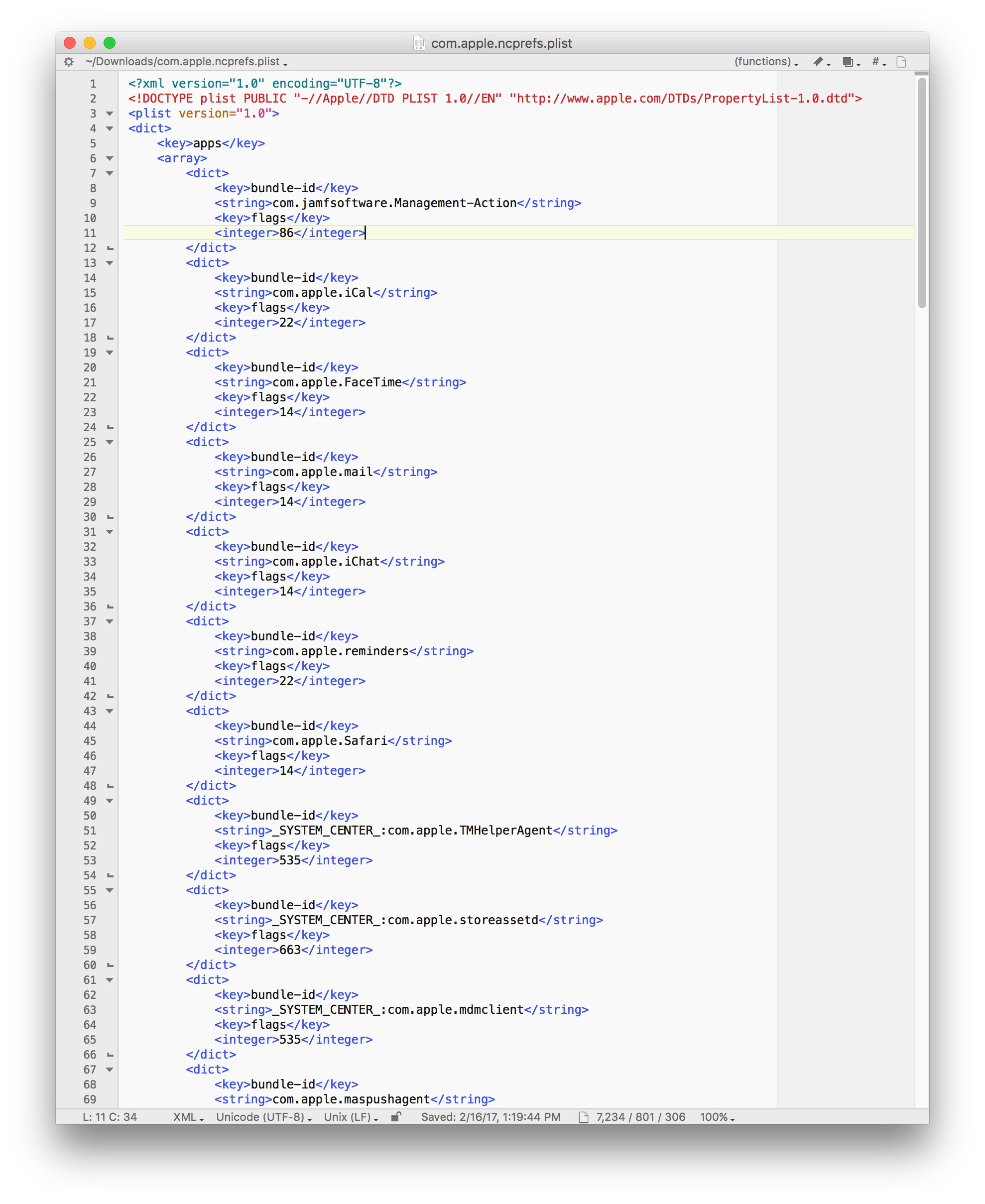
In your research for this script, did you happen to come across a key to decoding the "flags" values found in ~/Library/Preferences/com.apple.ncprefs.plist?

There are some common recurring values such as 14, 22, 86, 535, and 663, with the higher numbers seemingly reserved for Apple applications and system services.

I have had some success with delivering settings via custom payloads in configuration profiles, but I'd like to fully understand the potential values of the flags key.


Forum|alt.badge.img+9
  • Valued Contributor
  • June 14, 2017

Hey @milesleacy interested in your experiences with managing notifications with custom config profile. Not having any luck with disabling outlook notifications at lock screen with below as user or device profile... Seems like outlook like changes from 14 to 4110 when checking the option to not allow at lock screen...

<?xml version="1.0" encoding="UTF-8"?>
<!DOCTYPE plist PUBLIC "-//Apple//DTD PLIST 1.0//EN" "http://www.apple.com/DTDs/PropertyList-1.0.dtd">
<plist version="1.0">
<dict>
    <key>apps</key>
    <array>
        <dict>
            <key>bundle-id</key>
            <string>com.microsoft.Outlook</string>
            <key>flags</key>
            <integer>4110</integer>
        </dict>
    </array>
    <key>sort_order</key>
    <integer>0</integer>
</dict>
</plist>

Forum|alt.badge.img+10
  • Contributor
  • June 14, 2017

@milesleacy It was a bit-shifting. If I recall 14 was the default value. 14 as binary, 000001110. By changing values from 0 to 1 turns on different preferences. Look at my script to see the values. 1 << 5 would turn on the fifth bit. Hope that helps.


Forum|alt.badge.img+20
  • Valued Contributor
  • August 29, 2017

Did anyone figure out how to change Jamf Management Notifications to "Alerts" for 10.12 and up?


Forum|alt.badge.img+23
  • Valued Contributor
  • August 29, 2017


@ClassicII

This seems to work. I'd prefer some sort of documentation as to why and how, but this profile keeps my Jamf notifications set to alert (in an "MCX-often" way - that is, the user can change it, but it gets reset at the next login, even though it's a computer level profile).

This feature request is tangentially related... https://www.jamf.com/jamf-nation/feature-requests/6276/provide-full-notification-center-functonality


Forum|alt.badge.img+20
  • Valued Contributor
  • August 30, 2017

@milesleacy

Thank you very much for posting that!

I agree that it would be great to see some real documentation on this.

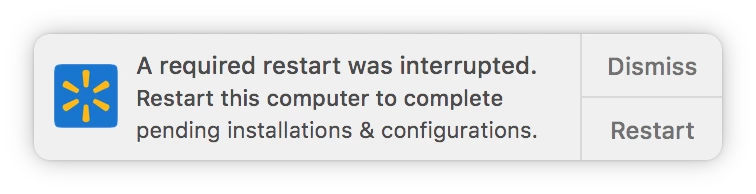
Speaking I see you changed the logo!!! how did you do that ?


Forum|alt.badge.img+23
  • Valued Contributor
  • August 30, 2017

@ClassicII If you're referring to the notification icon below, that's my own compiled instance of yo.app, with a company icon swapped into the Xcode project before compiling.

https://github.com/sheagcraig/yo


Forum|alt.badge.img+23
  • Valued Contributor
  • August 30, 2017

@ClassicII

If you decide to use Yo, you can achieve the same thing we've been discussing here re: notification center alerts with your Yo app via its bundle identifier (which you can customize in the Xcode project).


Forum|alt.badge.img
  • New Contributor
  • December 21, 2017

Does anyone know how we could simply append the com.apple.ncprefs preference file that is already there with the information described by milesleacy? When I create a config profile and just upload a .plist with the custom settings, as I suspected, it overwrites the file already there on my test machine. This would change users settings for other app notifications which is obviously not desirable. I simply want to append the file with the text below. Any ideas on how to do this successfully with Jamf? Thanks!


Forum|alt.badge.img+13
  • Contributor
  • January 22, 2018

@UID501 so I'm heading down this rabbit hole myself and much as I love profiles, I saw the same issue with the custom profile. Beyond that, to get the results to actually appear you need to reload NotificationCenter and usernoted, so you lose the instantaneousness that makes profiles great. I just threw this together as a way of just changing the com.jamfsoftware entries in the preference an kicking the needed processes. It seems to work, but please dest yourself as I literally just had it work once on my machine so far.

#!/bin/sh
CURRENT_USER=$(/usr/bin/python -c 'from SystemConfiguration import SCDynamicStoreCopyConsoleUser; import sys; username = (SCDynamicStoreCopyConsoleUser(None, None, None) or [None])[0]; username = [username,""][username in [u"loginwindow", None, u""]]; sys.stdout.write(username + "
");')

plutil -convert xml1 /Users/$CURRENT_USER/Library/Preferences/com.apple.ncprefs.plist

COUNT=0
TOTAL=$(/usr/libexec/PlistBuddy -c "Print :apps" /Users/$CURRENT_USER/Library/Preferences/com.apple.ncprefs.plist | grep "Dict" | wc -l)

while [ $COUNT -lt $TOTAL ]; do
    if [[ $(/usr/libexec/PlistBuddy -c "Print :apps:$COUNT:bundle-id" /Users/$CURRENT_USER/Library/Preferences/com.apple.ncprefs.plist) == *"com.jamfsoftware."* ]]; then
        /usr/libexec/PlistBuddy -c "SET :apps:$COUNT:flags 86" /Users/$CURRENT_USER/Library/Preferences/com.apple.ncprefs.plist
    fi
    COUNT=$((COUNT+1))
done

plutil -convert binary1 /Users/$CURRENT_USER/Library/Preferences/com.apple.ncprefs.plist

killall sighup usernoted NotificationCenter

Also please vote on my feature request as it is silly that we have to do this. https://www.jamf.com/jamf-nation/feature-requests/6910/self-service-push-notifications-should-be-configurable-as-alerts-instead-of-user-default-badges


Forum|alt.badge.img+23
  • Valued Contributor
  • January 22, 2018

@UID501

You'd have to customize the profile further than capturing a local com.apple.ncprefs.plist file and uploading it to a custom payload in Jamf Pro.

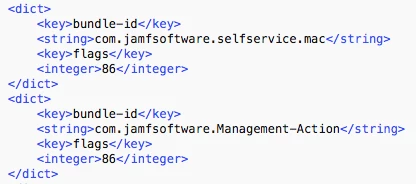
To manage only the setting(s) you're interested in, you would have to make a copy of the file and delete all superfluous items before uploading. In the case of configuring the Jamf Management Action application, that source file for the custom payload would look like this...

<?xml version="1.0" encoding="UTF-8"?>
<!DOCTYPE plist PUBLIC "-//Apple//DTD PLIST 1.0//EN" "http://www.apple.com/DTDs/PropertyList-1.0.dtd">
<plist version="1.0">
<dict>
    <key>bundle-id</key>
    <string>com.jamfsoftware.Management-Action</string>
    <key>flags</key>
    <integer>86</integer>
</dict>
</plist>

Note: If you wanted to set this for both Management Action.app and Self Service.app, I would recommend two separate profiles. Modulatity is key. You, your management, or your users may come up with reasons to change one setting and not the other, in which case, it is cleaner, easier, and less disruptive if the settings are in separate profiles.


Forum|alt.badge.img+23
  • Valued Contributor
  • January 22, 2018

@UID501

You'd have to customize the profile further than capturing a local com.apple.ncprefs.plist file and uploading it to a custom payload in Jamf Pro.

To manage only the setting(s) you're interested in, you would have to make a copy of the file and delete all superfluous items before uploading. In the case of configuring the Jamf Management Action application, that source file for the custom payload would look like this...

<?xml version="1.0" encoding="UTF-8"?>
<!DOCTYPE plist PUBLIC "-//Apple//DTD PLIST 1.0//EN" "http://www.apple.com/DTDs/PropertyList-1.0.dtd">
<plist version="1.0">
<dict>
    <key>bundle-id</key>
    <string>com.jamfsoftware.Management-Action</string>
    <key>flags</key>
    <integer>86</integer>
</dict>
</plist>

Note: If you wanted to set this for both Management Action.app and Self Service.app, I would recommend two separate profiles. Modularity is key. You, your management, or your users may come up with reasons to change one setting and not the other, in which case, it is cleaner, easier, and less disruptive if the settings are in separate profiles.


Forum|alt.badge.img+13
  • Contributor
  • January 23, 2018

@milesleacy sadly, pushing any profile for ncprefs, even with just the apps like you have written above, will cause all the apps to go back to their default settings (obviously not including whatever you mandated in your profile.) Every time the users logs in, their prefs will be blasted back to default as it reloads ncprefs. I do not know why this is.


PatrickD
Forum|alt.badge.img+9
  • Valued Contributor
  • May 21, 2018

Hi @milesleacy,

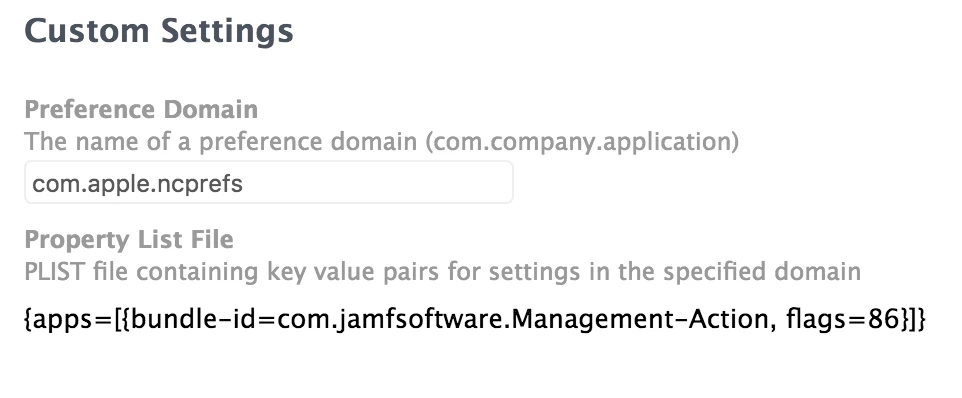
I have tried your plist as well as creating my own and deploying through Custom Settings in a Config Profile but the Notifications preferences on the client machine didn't change at all.

I have tested this with both 10.13.4 and 10.12.6 machines.

Are you, or is anyone else, able to confirm if this is working?

-Pat


Forum|alt.badge.img+23
  • Valued Contributor
  • June 4, 2018

@jesseshipley hmm. I hadn't noticed this behavior. I'll test for it, although it does kind of make sense.

Another point to investigate would be if the keys can be managed in the "com.apple.ncprefs.managed" domain. I'm not sure if this domain exists, but it stands to reason that it might, given Apple's MDM & preference conventions.

@PatrickD I have had consistent success on 10.11 and later, possibly with the caveat that @jesseshipley mentioned.


Forum|alt.badge.img
  • New Contributor
  • November 7, 2018

You have to make sure to include the extra dict & apps array. Also, you need to kill the notification center to see it right away.

killall sighup usernoted NotificationCenter

<?xml version="1.0" encoding="UTF-8"?>
<!DOCTYPE plist PUBLIC "-//Apple//DTD PLIST 1.0//EN" "http://www.apple.com/DTDs/PropertyList-1.0.dtd">
<plist version="1.0">
<dict>
   <key>apps</key>
   <array>
      <dict>
         <key>bundle-id</key>
         <string>com.jamfsoftware.Management-Action</string>
         <key>flags</key>
         <integer>86</integer>
      </dict>
   </array>
</dict>
</plist>