Solved

Changing Self Service App Icon

  • January 18, 2018
  • 25 replies
  • 105 views

Forum|alt.badge.img+3
  • New Contributor
  • 2 replies

Hey Team!
In the latest Jamf, opening Self Service changes its stock icon to whatever Branding graphic you define. What I'm looking to do is change the stock icon to match our branding image. I've done the following but currently stuck!

-Created an icns image of the branding image

-Command-I the Self Service.app and replace the Jamf image as well as replace the AppIcon.icns file in Show package contents>Contents>Resources

-Took the new Self Service.app, packaged it up, deployed it, and on end user's computer nothing changed. Show package contents shows the new icns file so it does go through but I feel like its a cache issue at this point?

-Clearing /Library/caches/icon caches didn't do the trick nor rebooting.

Thoughts?

Thanks!

Best answer by jmahlman

This is a known issue with self service. If you change the permissions on self service using a policy, it should remedy itself:

chmod 775 /Applications/Self Service.app

25 replies

Forum|alt.badge.img+10
  • Employee
  • 10 replies
  • January 18, 2018

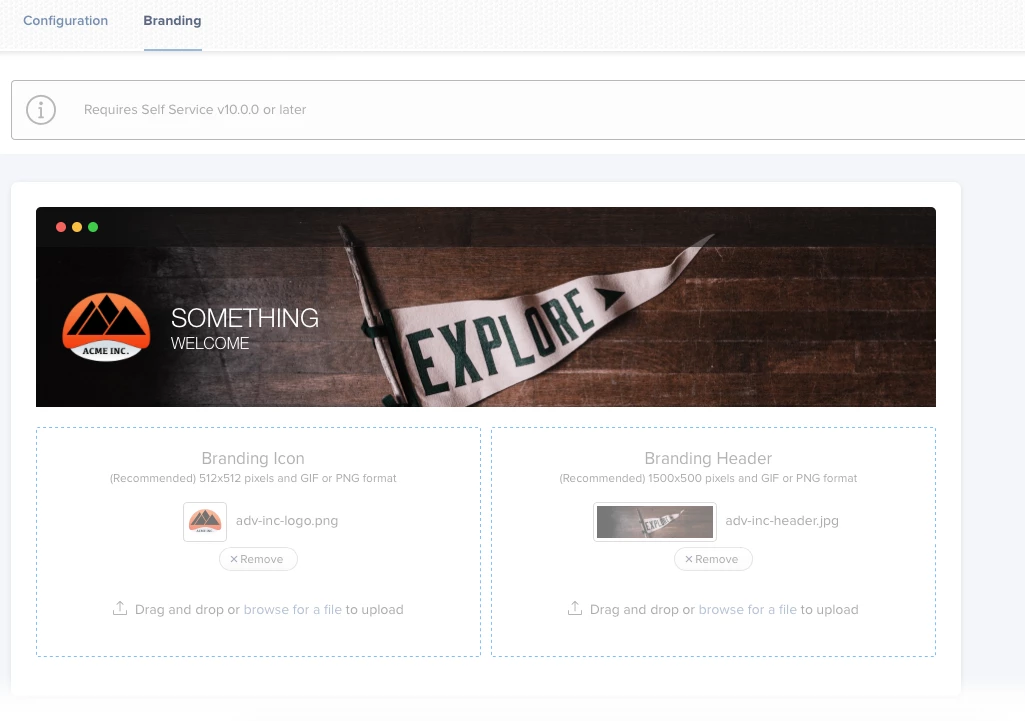
@imZack Have you uploaded the .png to the Jamf Pro server? Settings > Computer Management > Self Service > Branding.


scottb
Forum|alt.badge.img+18
  • Valued Contributor
  • 1287 replies
  • January 19, 2018

Yeah, it sounds like you're trying to make it more difficult than needed.
Do as @avasani stated above.
When users download the QA package, it will install the Self Service app with the correct graphics.
Subsequent changes on the website will be reflected in Self Service automatically...
The old days where we needed the Goddess @Emily to show us how are now gone - RIP.


Forum|alt.badge.img+3
  • New Contributor
  • 8 replies
  • January 19, 2018

Not to hijack this thread but I think OP may be trying to explain an issue we too are having where our icon branding only shows when the application is opened. Once it’s closed the dock icon reverts back to the stock Self Service icon until opened again it gets its custom branding back. Is this normal behavior?


Forum|alt.badge.img+10
  • Employee
  • 10 replies
  • January 19, 2018

@bergmire That is not normal behavior. I think I understand your problem. With Self Service either opened or closed the icon remains. I have posted screenshots of what I see. Can you do the same?


Forum|alt.badge.img+3
  • Author
  • New Contributor
  • 2 replies
  • January 19, 2018

@bergmire Yes thank you! That is the issue we are having. Our branding shows up when the app is opened but reverts to stock when it is closed. For some reason as everything was brand new I had thought it was maybe normal behavior.

Re-enrolling machines doesn't seem to fix it either, very odd.

@avasani I/we cannot do that as you pictured.

Thanks!

~Zack


jmahlman
Forum|alt.badge.img+17
  • Valued Contributor
  • 307 replies
  • Answer
  • January 19, 2018

This is a known issue with self service. If you change the permissions on self service using a policy, it should remedy itself:

chmod 775 /Applications/Self Service.app


Forum|alt.badge.img+3
  • New Contributor
  • 8 replies
  • January 19, 2018

@jmahlman this solution has solved the issue for now, thank you!


jmahlman
Forum|alt.badge.img+17
  • Valued Contributor
  • 307 replies
  • January 19, 2018

No problemo. Just mark it as the answer ;)


Forum|alt.badge.img+3
  • Author
  • New Contributor
  • 2 replies
  • January 19, 2018

@jmahlman You the man! Fixed it here too :)


scottb
Forum|alt.badge.img+18
  • Valued Contributor
  • 1287 replies
  • January 19, 2018

Interesting. What version are you running? We're on 10.1.1 and don't see this issue?


Forum|alt.badge.img+3
  • New Contributor
  • 8 replies
  • January 23, 2018

@scottb 10.0.0-t1508873342 so hopefully it's fixed in the latest version.


Forum|alt.badge.img+3
  • New Contributor
  • 8 replies
  • January 24, 2018

Hmm...just updated to 10.13.3 and this issue seems to have returned. Sadly @jmahlman solution doesn't seem to correct it.


Forum|alt.badge.img+4
  • New Contributor
  • 2 replies
  • January 25, 2018

@jmahlman Also worked for me... Guess this means that I'll need to push the updated permissions to all clients?


jmahlman
Forum|alt.badge.img+17
  • Valued Contributor
  • 307 replies
  • January 25, 2018

@bergmire My guess is that jamf is (hopefully) going to fix this with 10.2 (I haven't started testing 10.2 yet)


Forum|alt.badge.img+4
  • New Contributor
  • 11 replies
  • March 1, 2018

Just installed 10.2.1 and had the same issue. Permissions fix did not do the trick. I noticed that the owner and group of the Self Service.app on two different systems running 10.12 were assigned to different local admins (this is odd because only one of these admins should have enrolled the system). After setting the owner to root and the group to wheel with 755 permissions the problem seems to be corrected. My 10.13 test system works fine without the change.
edit: Changed owner and group back and the issue is still resolved. ???


Forum|alt.badge.img+3
  • New Contributor
  • 8 replies
  • March 7, 2018

Can confirm the same behavior @aprild After getting a little time to further test this it seems proper ownership needs to be set on the Application. Permissions at least in my case did not change the icon behavior.

chown root:wheel /Applications/Self Service.app

did the trick.

edit: this only worked on our test machine, nothing in our production environment. I'm just going to wait for 10.2 and hope for a fix there at this point...


Forum|alt.badge.img+13
  • Contributor
  • 65 replies
  • March 23, 2018

We have this issue on several production machines since upgrading to 10.2.2. Seems when updating the Self Service the permissions went wonky. It does not affect newly added systems.


scottb
Forum|alt.badge.img+18
  • Valued Contributor
  • 1287 replies
  • March 27, 2018

Posted today with 10.3.0:

[PI-004881] Fixed an issue that caused the Self Service Branding Icon to incorrectly revert to the default icon when the application was closed.

emily
Forum|alt.badge.img+24
  • Hall of Fame
  • 871 replies
  • March 30, 2018

We upgraded to 10.3 and Self Service stays branded in the Application folder but the Dock icon reverts back to the generic log when the app is closed. Anyone else seeing this?


jmahlman
Forum|alt.badge.img+17
  • Valued Contributor
  • 307 replies
  • March 30, 2018

Oddly enough, I only see what @emily sees after the first launch of the Application. After all subsequent launches it's fine.


Forum|alt.badge.img+12
  • Contributor
  • 42 replies
  • April 24, 2018

Is this still an issue, or did they fix it with their 10.3.1 maintenance release?


scottb
Forum|alt.badge.img+18
  • Valued Contributor
  • 1287 replies
  • April 26, 2018

I'm not seeing it on 10.3.1, but I didn't always see it.
One JSS has the fix in a policy, so that one is still working OK too.
I have heard of SS crashes in 10.3.1 but I have not seen those yet either.


Forum|alt.badge.img+8
  • Valued Contributor
  • 70 replies
  • October 25, 2018

Just to chime in, we are on 10.7.1 and I'm still having the issue mentioned above. Changes when its open, but when its closed it shows the JAMF icon in the dock.


scottb
Forum|alt.badge.img+18
  • Valued Contributor
  • 1287 replies
  • October 26, 2018

@danshaw - curious - I saw that on one Mac and it was seemingly due to the MDM Profile not being "Approved". At least once we had the client do it, that went away.
Otherwise, been pretty stable on 10.7.1/10.8.


scottb
Forum|alt.badge.img+18
  • Valued Contributor
  • 1287 replies
  • November 14, 2018

Well, not totally shocked, but onboarding some UAT clients today resulted in the generic icon business.
10.8 and macOS 10.13.x.
Might have to re-enable that old policy again...