Question

Citrix Files install help

  • September 3, 2020
  • 6 replies
  • 17 views

Forum|alt.badge.img+3

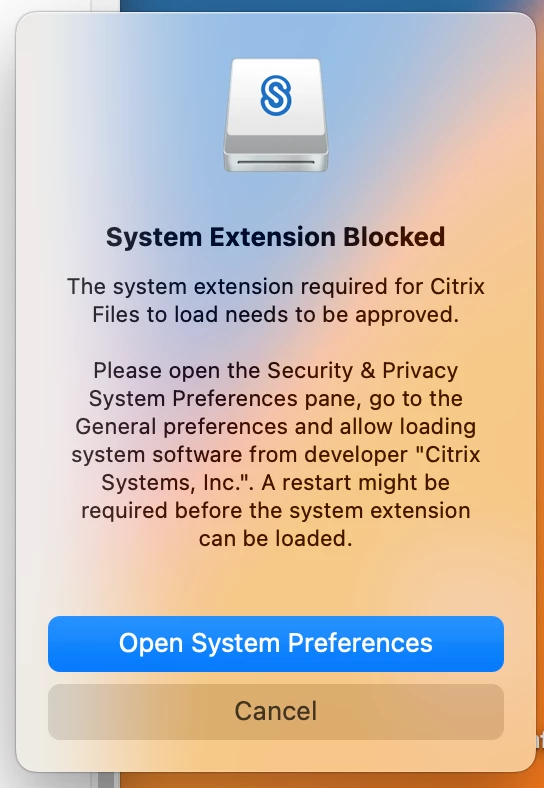
Hi, I recently setup "Citrix Files" in our Self-Service to be available for users to install as needed to use with ShareFile. The installer runs correctly and installs everything, but Catalina blocks a system extention the app needs to run and only an admin can authenticate to allow it. How do I get around this?

Thanks in advance.
6 replies

Forum|alt.badge.img+7
  • Contributor
  • September 7, 2020

You’ll need to figure out the Team ID and Bundle ID and then create a new configuration profile that whitelists the kernel extension.

This should help get you the ID’s:

https://docs.google.com/spreadsheets/d/1IWrbE8xiau4rU2mtXYji9vSPWDqb56luh0OhD5XS0AM/edit


Forum|alt.badge.img+3
  • New Contributor
  • February 22, 2022

@joshuadent have you manage to enable the system extension ? I'm trying with Monterey with no luck.

Thanks 


Forum|alt.badge.img+3
  • Author
  • New Contributor
  • February 22, 2022

@dario I used the link above to write a PPPC to allow it, the button for "Allow" still needs to be clicked but my users didn't have to be an admin to click it this time.


Forum|alt.badge.img+4

Hi to all,

someone tried to install sharefile on Ventura? it seems that tha same extension managed with monterey is not more valid on Ventura

Thanks

Claudio


Forum|alt.badge.img+4

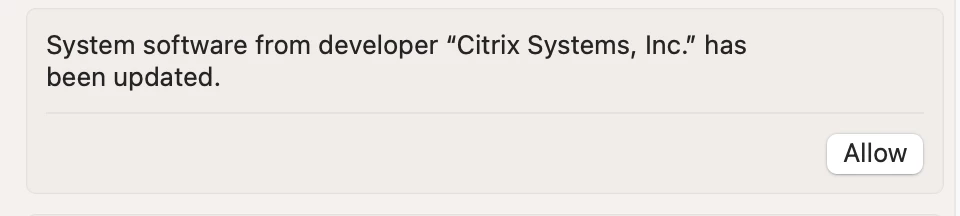
an update, the extensions seems the same but vetura ask to modify settings as picture, any idea on how can we bypass this for non computer admin?

  Thanks

Claudio


Forum|alt.badge.img+4

any solutions?

i still have problem also with Sonoma

thanks