Solved

Command Line to Extension Attribute


Forum|alt.badge.img+6

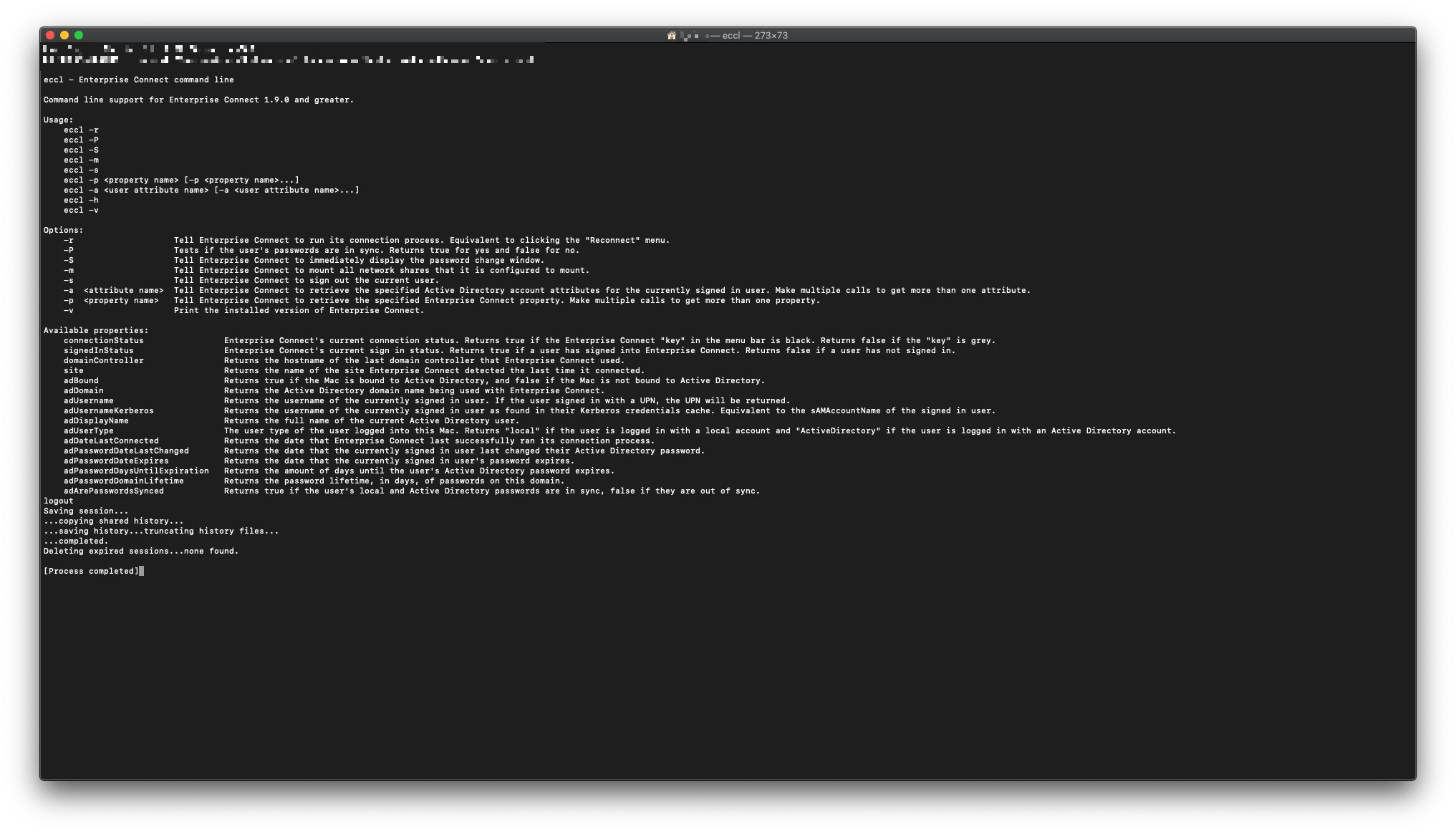
I'm trying to create all of the available command line support for Enterprise Connect into Extension Attributes. How would I make the command:

"/Applications/Enterprise Connect.app/Contents/SharedSupport/eccl -p adUsername"

into an Extension Attribute?

Best answer by donmontalvo

@Chris_Hafner good catch! Looks like -P returns true, and -p returns user's LDAP name. Fixed.

View original

6 replies

Forum|alt.badge.img+8

This will send the result of the command straight to the Extension Attribute. There's no error checking, or making sure that Enterprise Connect is installed, but it can get you started.

#!/bin/sh

echo "<result>$(/Applications/Enterprise Connect.app/Contents/SharedSupport/eccl -P adUsername)</result>"

donmontalvo
Forum|alt.badge.img+36

#!/bin/sh
if [ -e /Applications/Enterprise Connect.app ]
then
    echo "<result>$(/Applications/Enterprise Connect.app/Contents/SharedSupport/eccl -p adUsername | cut -d":" -f2 | tr -d ' ')</result>"
else
    echo "<result>NotInstalled</result>"
fi

Chris_Hafner
Forum|alt.badge.img+29

Just noticed a small thing. @donmontalvo -p instead of -P


donmontalvo
Forum|alt.badge.img+36
  • Hall of Fame
  • Answer
  • March 22, 2019

@Chris_Hafner good catch! Looks like -P returns true, and -p returns user's LDAP name. Fixed.


Chris_Hafner
Forum|alt.badge.img+29

Heh, to be honest, I've stolen this whole thing for new EA's. You guys are the very best!


Forum|alt.badge.img+6
  • Author
  • Contributor
  • March 22, 2019