Solved

Command to set Desktop icons

  • January 5, 2023
  • 6 replies
  • 34 views

Veronica_G
Forum|alt.badge.img+2

Hello, I am trying to set desktop icons as visible with a script. I assume I can do a "defaults write ..." to some plist file to set these options, but after setting them myself while running Composer to try to see which file was edited, I was lost in plist confusion.

To be clear, the settings are shown in the GUI under Finder settings (In Finder, type command comma and click the General tab) as:

Hard Disks
External Disks
CDs, DVDs, and iPods
Connected Servers


I would like to set those four as visible (checked) via command.


Thanks for any help anyone can provide

Best answer by YanW

Maybe give this a try

#!/bin/bash currentuser=`stat -f "%Su" /dev/console` su "$currentuser" -c "defaults write com.apple.finder ShowExternalHardDrivesOnDesktop -bool true;" su "$currentuser" -c "defaults write com.apple.finder ShowHardDrivesOnDesktop -bool true;" su "$currentuser" -c "defaults write com.apple.finder ShowMountedServersOnDesktop -bool true;" su "$currentuser" -c "defaults write com.apple.finder ShowRemovableMediaOnDesktop -bool true;" #Restarts cfprefsd and Finder killAll cfprefsd killAll Finder exit

6 replies

Forum|alt.badge.img+8
  • Contributor
  • January 5, 2023

Allow me to make a recommendation. The native tools that macOS and Jamf have for dock management are clunky and frustrating to use. The dockutil project simplifies things: https://github.com/kcrawford/dockutil.


Veronica_G
Forum|alt.badge.img+2
  • Author
  • New Contributor
  • January 5, 2023

Allow me to make a recommendation. The native tools that macOS and Jamf have for dock management are clunky and frustrating to use. The dockutil project simplifies things: https://github.com/kcrawford/dockutil.


Thanks for the suggestion but I'm not concerned with the Dock, only Finder Desktop icons.


YanW
Forum|alt.badge.img+11
  • Contributor
  • Answer
  • January 5, 2023

Maybe give this a try

#!/bin/bash currentuser=`stat -f "%Su" /dev/console` su "$currentuser" -c "defaults write com.apple.finder ShowExternalHardDrivesOnDesktop -bool true;" su "$currentuser" -c "defaults write com.apple.finder ShowHardDrivesOnDesktop -bool true;" su "$currentuser" -c "defaults write com.apple.finder ShowMountedServersOnDesktop -bool true;" su "$currentuser" -c "defaults write com.apple.finder ShowRemovableMediaOnDesktop -bool true;" #Restarts cfprefsd and Finder killAll cfprefsd killAll Finder exit

Forum|alt.badge.img+8
  • Contributor
  • January 5, 2023

Thanks for the suggestion but I'm not concerned with the Dock, only Finder Desktop icons.


So sorry. I have no idea how I misread this so badly. Anyhow, for your issue, I think what you're looking for is:

Off
defaults write com.apple.finder CreateDesktop false; killall Finder

On
defaults write com.apple.finder CreateDesktop true; killall Finder

Use this to see all attributes:

defaults read com.apple.finder

And this to see the current CreateDesktop setting:

defaults read com.apple.finder CreateDesktop

I hope this is more helpful!


mvu
Forum|alt.badge.img+20
  • Jamf Heroes
  • January 6, 2023

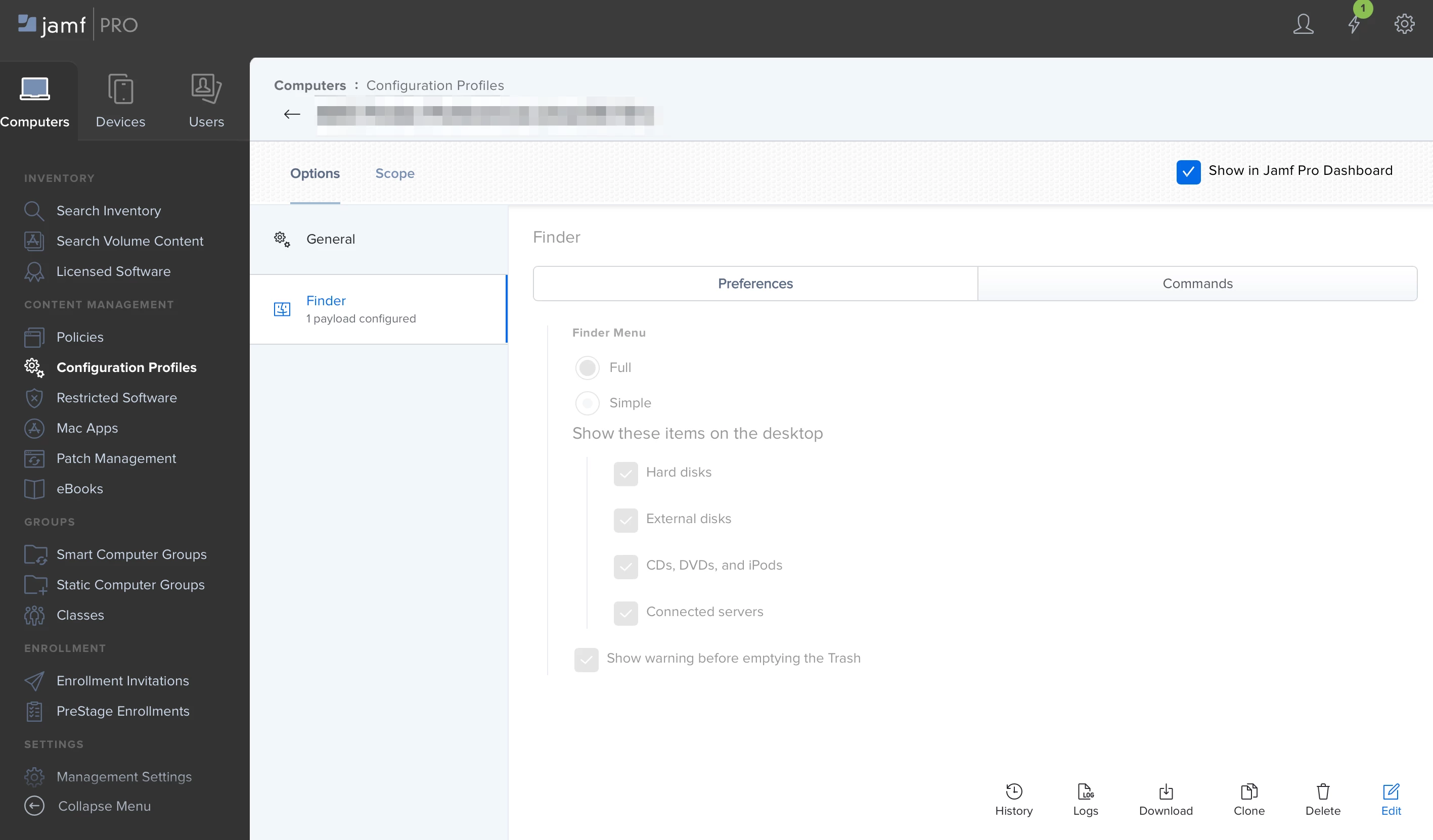
Could also do a Configuration Profile. This way, users can't uncheck the 4 boxes.


ScottMcGorie
Forum|alt.badge.img+2
  • New Contributor
  • January 10, 2023

@mvu i was going to suggest this nice one 😁