Question

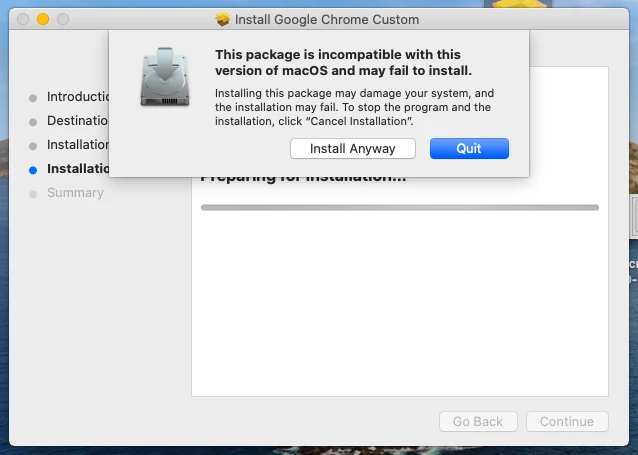
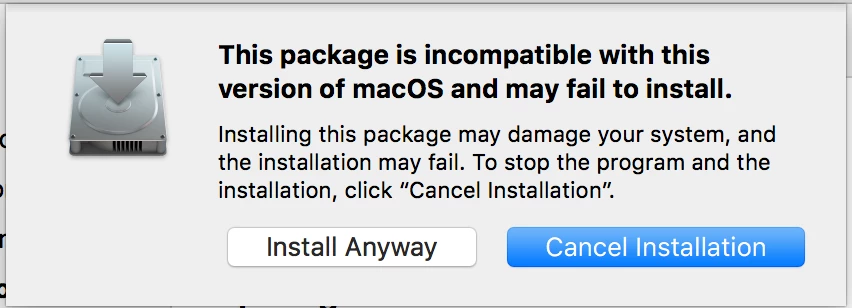
Composer pkg failures: "This package is incompatible..."

  • September 11, 2017
  • 11 replies
  • 132 views

Forum|alt.badge.img+2
  • New Contributor

I am trying to use Composer 9.97 (also tried 9.100) to create PKG to setup and install some stuff. PKG is made on macOS 10.12.6 and is run on systems using 10.12.6. Nevertheless, I am getting an "Incompatible version of MacOS error".
We just changed from 10.11.3 to 10.12.6. The procedure which is failing now, worked fine on OS X 10.11.3. I am basically a Java developer, so I am prone to very basic Mac errors. Can anyone straighten me out?

11 replies

Forum|alt.badge.img
  • New Contributor
  • October 22, 2018

Bump. I'm having the same problem.

MacOS Mojave
Composer 10.7.0

I build the packages on the same OS build and deploy to the same OS build. Some pkgs fail some do not but all of them give me the warning: "This package is incompatible with this version of macOS and may fail to install."


Forum|alt.badge.img+7
  • Contributor
  • November 5, 2018

Same issue on High Sierra.


Forum|alt.badge.img+7
  • Valued Contributor
  • November 6, 2018

APFS or HFS? As far as I know, APFS packages do not always play nice on an HFS drive. But HFS should work on both. Not sure 10.12 has APFS. Also, what response do you get making a DMG?


Forum|alt.badge.img
  • New Contributor
  • May 7, 2019

i am facing same problem i am running on 9.100 composer and 10.13 OS, any solution suggested would be helpful.


Forum|alt.badge.img+1
  • New Contributor
  • July 3, 2019

Hi All,

I'm having the same issue? Packaged with Composer on Mojave 10.14.5 and getting error machine with same version 10.14.5.

Filesystem both APFS

Composer 10.11.0

Cheers
Will


Forum|alt.badge.img+12
  • Contributor
  • July 24, 2019

Any solution to this yet? I have the same thing on Mojave 10.14.5.


Forum|alt.badge.img+8
  • Valued Contributor
  • July 24, 2019

@jleomcdo Does the package payload include files that are in SIP protected areas?


Forum|alt.badge.img+1
  • New Contributor
  • September 16, 2019

I got past this issue on Friday by using the Normal Snapshot option. At least it worked on Sierra and using Composer Version 10.12.0.
I was trying the before and after snapshot and kept getting the error. I haven't tested on 10.3 or 10.4 however.


Forum|alt.badge.img+12
  • Contributor
  • September 16, 2019

I found that when you create a pkg on macOS Mojave, that if it includes and Kernel extensions, that might be causing the issue.


Forum|alt.badge.img+12
  • Valued Contributor
  • November 21, 2019

Running into this with the Intel HAXM extension for Android Studio. Has anyone found a workaround?


Forum|alt.badge.img+4
  • Contributor
  • February 28, 2020

New to using "Composer" and I went to create a simple Google Chrome install with minor changes and got this same issue. Now for me I'm doing so on VM's on my Mac. One clean install with the OS that I can run composer on and another to test the install on. Not sure if running it in a VM will cause this issue or not.