Question

Composer postinstall

  • June 28, 2021
  • 4 replies
  • 36 views

Forum|alt.badge.img+6

Hi All,

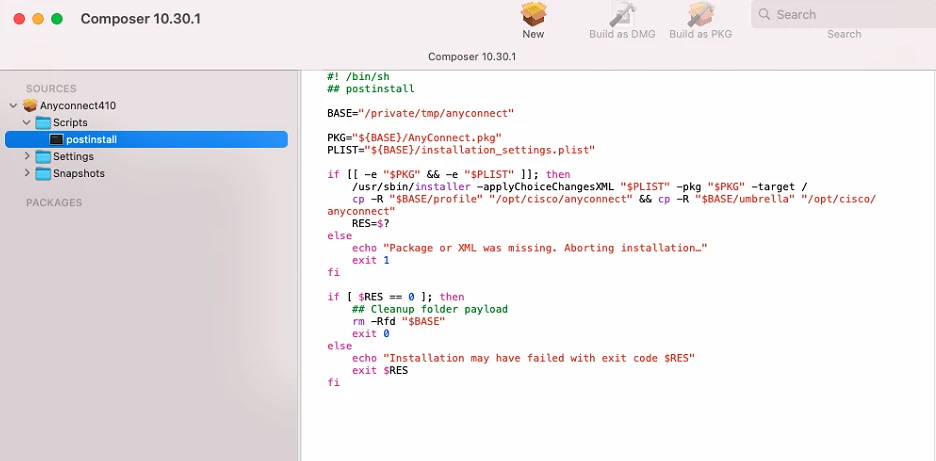
I need some help here. I am probably making a silly mistake here but the postinstall script is not working. So i am using composer to repackage Cisco Anyconnect and then i added a postinstall script as well:
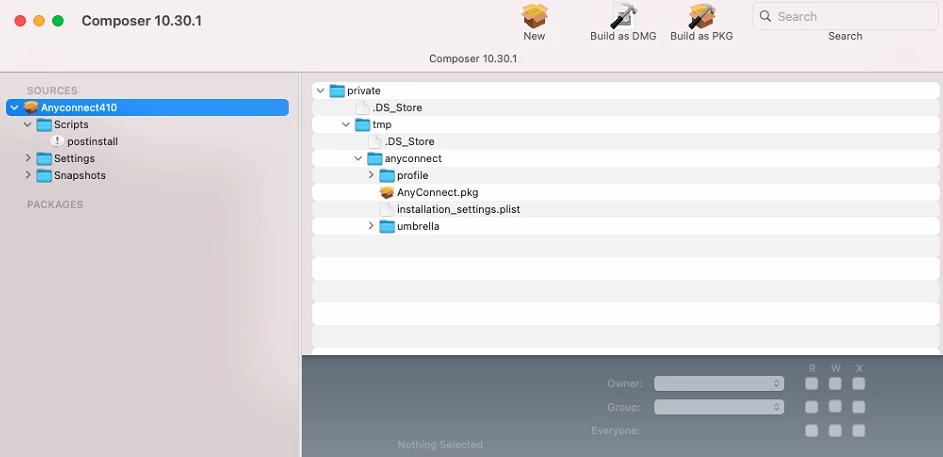
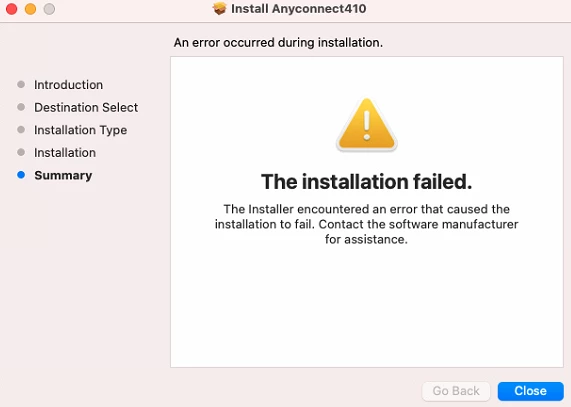
Yes the postinstall gives that exclamation mark but if i add a space in between the ! and / which makes it #! /bin/sh then it goes away however doesn't really do anything. I noticed when running the pkg it does copy the files over to the path eventhough it says the installation failed but the script just wont run.
4 replies

Forum|alt.badge.img+6
  • Contributor
  • June 28, 2021

Hi,
first things first, it's definetely 100%

#!/bin/sh

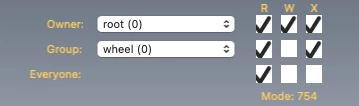
What are the permissions on the pkg file? it should be something like 754 for it to execute.


Forum|alt.badge.img+6
  • Author
  • Contributor
  • June 28, 2021

@merlin I changed it to what you have in the screenshot and its still the same. I mean it does copy the files in .pkg as per the directory structure, just the script doesn't seem to work and the installer says failed at the end.

Edit: i managed to get it working, looks like it was the script. I modified it and now it works like a charm. Thank you ! :)


PaulHazelden
Forum|alt.badge.img+12
  • Jamf Heroes
  • June 29, 2021

I have found thePost install scripts do not like to be tabbed. I copied and made some look real neat and tidy in there and they failed. Then I got rid of all of the tabs and had it all left justified and the exact same script worked.


Tangentism
Forum|alt.badge.img+10
  • Honored Contributor
  • June 29, 2021

@PaulHazelden Change the setting in your IDE/Script editor to convert tabs to spaces