Solved

Configuring Bookamrks - iOS

  • September 16, 2024
  • 4 replies
  • 115 views

Forum|alt.badge.img+3

HI,

I'm currently setting up the configuration profiles for our iPads and am trying to figure out if there is a way to have bookmarks preconfigured on the iPad for regular sites.

At this stage I have some webclips set up, but I'm trying to avoid having too many tiles on the iPad and would prefer them in bookmark form in either Chrome or Safari.

Any help would be greatly appreciated. 

Best answer by HappyMac

Hi @danyonspinelli 

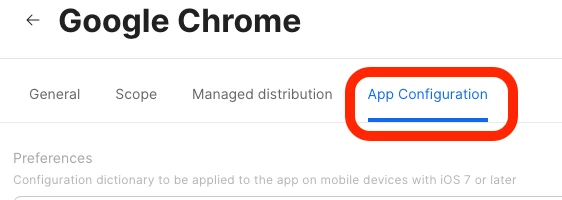
When deploying the Chrome app, you can add the ManagedBookmarks dict and keys in the App Configuration section.

Here's an example for reference:


<dict> <key>ManagedBookmarks</key> <array> <dict> <key>toplevel_name</key> <string>Danyonspinelli's Bookmarks</string> </dict> <dict> <key>name</key> <string>Jamf Nation</string> <key>url</key> <string>https://community.jamf.com</string> </dict> <dict> <key>name</key> <string>Jamf</string> <key>url</key> <string>https://jamf.com/</string> </dict> <dict> <key>name</key> <string>Apple</string> <key>url</key> <string>https://apple.com/</string> </dict> </array> </dict>


You can find more information about ManagedBookmarks and other policies here.

Hope this helps!

4 replies

HappyMac
Forum|alt.badge.img+3
  • New Contributor
  • Answer
  • September 20, 2024

Hi @danyonspinelli 

When deploying the Chrome app, you can add the ManagedBookmarks dict and keys in the App Configuration section.

Here's an example for reference:


<dict> <key>ManagedBookmarks</key> <array> <dict> <key>toplevel_name</key> <string>Danyonspinelli's Bookmarks</string> </dict> <dict> <key>name</key> <string>Jamf Nation</string> <key>url</key> <string>https://community.jamf.com</string> </dict> <dict> <key>name</key> <string>Jamf</string> <key>url</key> <string>https://jamf.com/</string> </dict> <dict> <key>name</key> <string>Apple</string> <key>url</key> <string>https://apple.com/</string> </dict> </array> </dict>


You can find more information about ManagedBookmarks and other policies here.

Hope this helps!


Forum|alt.badge.img+3
  • Author
  • New Contributor
  • October 3, 2024

Thank you so much, This has worked a treat on Chrome, I've tried replicating it on Safari but can't seem to get that to work, do you happen to know if it's possible to do the same thing with Safari?


HappyMac
Forum|alt.badge.img+3
  • New Contributor
  • October 3, 2024

Thank you so much, This has worked a treat on Chrome, I've tried replicating it on Safari but can't seem to get that to work, do you happen to know if it's possible to do the same thing with Safari?


Glad it's worked for you!

To my knowledge there's no equivalent of this in Safari. Chrome has a much more robust management framework than Safari, so you'll probably need to use Chrome for this purpose.


Forum|alt.badge.img+3
  • Author
  • New Contributor
  • October 3, 2024

Glad it's worked for you!

To my knowledge there's no equivalent of this in Safari. Chrome has a much more robust management framework than Safari, so you'll probably need to use Chrome for this purpose.


Thanks for your help! Appreciate it :)