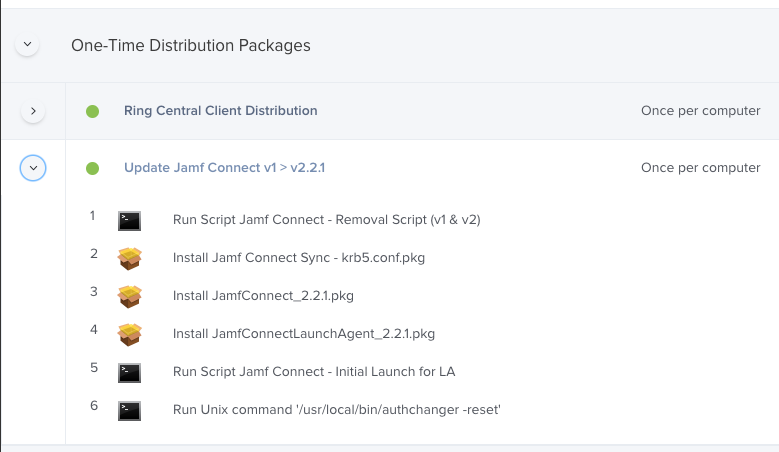
I've been putting together a workflow to upgrade Jamf Connect for deployed machines from v1 to v2. My hangup is that I cannot for the life of me get the Launch Agent to start up. The script will work from terminal, works when I manually execute it, but for the life of me will not work pushed down from a Jamf policy in a packages post install script or as a script ran after the policy from Jamf.
Anyone dealt with this yet?
High level process:
1. Jamf Policy runs a script provided by Jamf to remove all components and versions of Jamf Connect.
2. Policy calls a customized installer:
2A. Installs Jamf Connect
2B. Installs Jamf Connect Launch Agent
2C. Runs a Jamf recon (reports that JCv2 is installed so Jamf un-scopes old v1 plists and scopes v2 plists.
2D. Attempts to run a script to start the launch agent (details below).
2E. runs an authchanger -reset command
End of policy
2D info - excepts of my script to run Launch Agent
#!/bin/bash
#
#Variables
loggedInUser=$( scutil <<< "show State:/Users/ConsoleUser" | awk '/Name :/ && ! /loginwindow/ { print $3 }' )
#
sudo -u $loggedInUser /bin/launchctl load /Library/LaunchAgents/com.jamf.connect.plist
Note: I have also tried breaking this out into a policy that calls scripts instead of having them as a post install.