Question

Custom Icon for package in Jamf School

  • March 18, 2021
  • 9 replies
  • 66 views

Forum|alt.badge.img+21

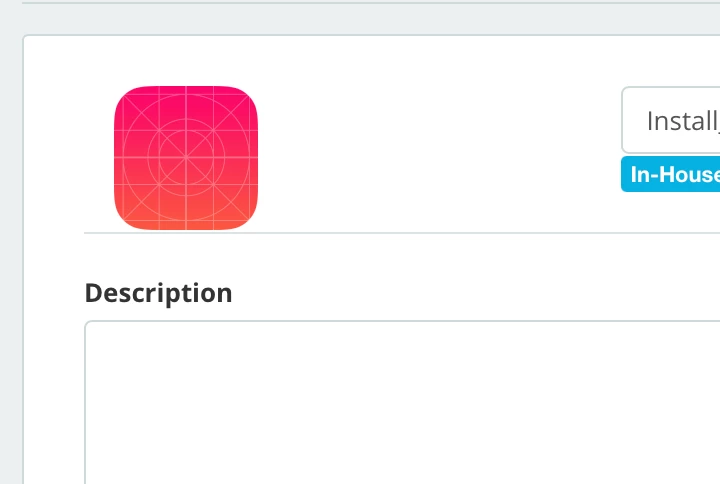
So, this is pretty straight forward for Jamf Pro, but I can't seem to figure out how to apply a custom icon to an in-house package deployed via Jamf School Self Service. Am I missing something obvious?
Thanks!

9 replies

Forum|alt.badge.img+1
  • New Contributor
  • August 4, 2021

I have this question too.


Forum|alt.badge.img+4
  • New Contributor
  • September 16, 2022

Did you figure this out? 

Also, how did you make an App/package available in self-service for MacOS in jamf school?


MasterNovice
Forum|alt.badge.img+5
  • Contributor
  • October 20, 2022

Came here for this. We need a board moderator we can call for quick answers to this stuff! : )


rob1
Forum|alt.badge.img+8
  • Contributor
  • March 8, 2023

You can make a custom app with your own icon in Xcode, package it via Jamf composer into PKG format and then add it to Jamf School by clicking Apps>Inventory>Add In-House macOS Package, you can then assign the app via device group membership.

Distributing apps via group membership rather than self service is a better solution when it comes to Jamf School

https://learn.jamf.com/bundle/jamf-school-documentation/page/App_and_Content_Distribution.html


MasterNovice
Forum|alt.badge.img+5
  • Contributor
  • March 8, 2023

You can make a custom app with your own icon in Xcode, package it via Jamf composer into PKG format and then add it to Jamf School by clicking Apps>Inventory>Add In-House macOS Package, you can then assign the app via device group membership.

Distributing apps via group membership rather than self service is a better solution when it comes to Jamf School

https://learn.jamf.com/bundle/jamf-school-documentation/page/App_and_Content_Distribution.html


Thanks @rob1 - I have not worked with Xcode but looks like plenty of intro tutorials online to check out. Thanks for the tip, will give this a shot! 


Forum|alt.badge.img+1
  • New Contributor
  • March 8, 2023

The icon provided in the description is stripped from a Blah.app included in your deployed package. When you deploy script payloads there are no Blah.app to strip an icon from and you end up with the placeholder image. Since nested apps are not allowed in JamfSchool the logic is fine. A feature request may be to allow for a custom image to override the one supplied from the Blah.app.


Forum|alt.badge.img+1
  • New Contributor
  • March 8, 2023

Just occurred to me you could fake an icon by including a placeholder app in the package. This could be done with Xcode, place the app in a /tmp/icons location so it will not confuse anybody.  If the apps get removed from the target who cares because the payload is complete and your icon exists in Jamf School. Or they could just allow for custom icons.


MasterNovice
Forum|alt.badge.img+5
  • Contributor
  • March 8, 2023

The icon provided in the description is stripped from a Blah.app included in your deployed package. When you deploy script payloads there are no Blah.app to strip an icon from and you end up with the placeholder image. Since nested apps are not allowed in JamfSchool the logic is fine. A feature request may be to allow for a custom image to override the one supplied from the Blah.app.


Done!

https://ideas.jamf.com/ideas/JN-I-26937


Forum|alt.badge.img+1
  • New Contributor
  • March 9, 2023