Question

DEP PreStage Enrollment Issue...

  • September 21, 2018
  • 5 replies
  • 35 views

Forum|alt.badge.img+13

Anyone else seeing the following behaviour??

Device added to prestage Imaging.

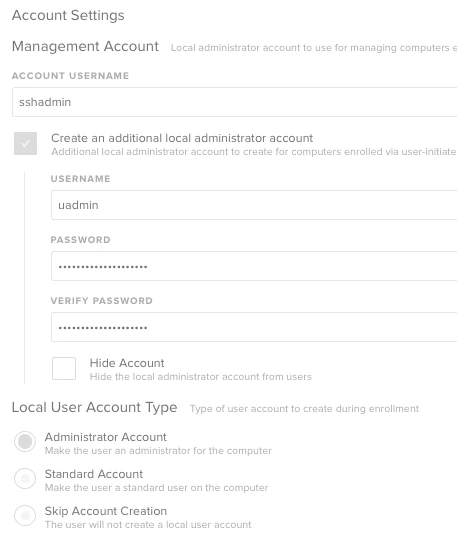
I've set a management account and a second admin account: Fine!

The device gets through the splash screens, displays the " xxx will now configure your mac etc." then asks to create a local user account as per normal setup?

I can happily just quit this and all is well.

Running V10.6.2 on a RHEL Box. Devices are High Sierra

Anyone?

5 replies

Hugonaut
Forum|alt.badge.img+15
  • Esteemed Contributor
  • September 21, 2018

I have not encountered this issue but I can certainly try to help. What Make & Model is the Mac?


Forum|alt.badge.img+13
  • Author
  • Valued Contributor
  • September 21, 2018

Every model....

It's the same splash as if you had just gone through initial setup without any management at all.

as stated, everything in the prestage is applied and all my policies are triggered as per normal, it's just a 'niggle'

Prestage account setup attached...


Hugonaut
Forum|alt.badge.img+15
  • Esteemed Contributor
  • September 21, 2018

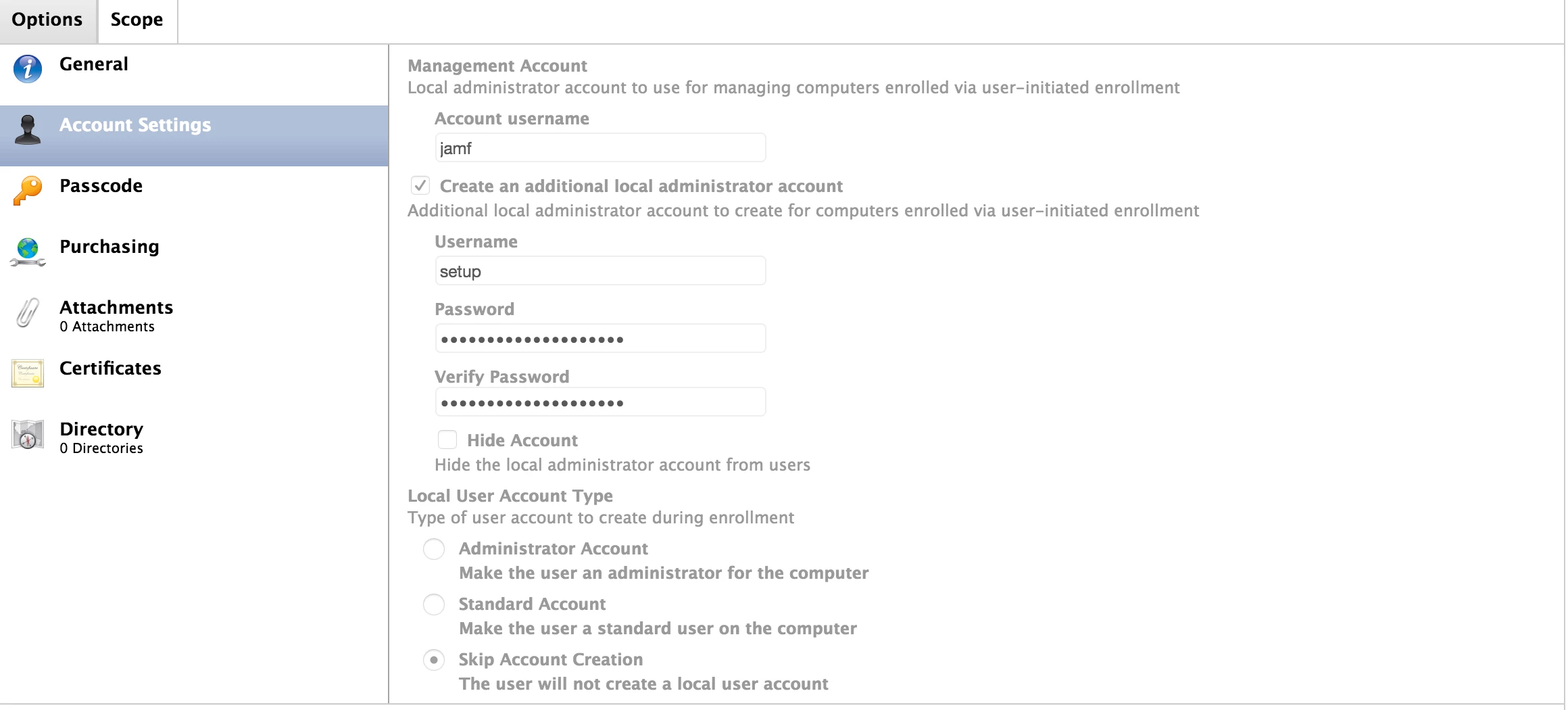
You want to select 'Skip Account Creation' under Local User Account Type - Thats the problem =)

our prestage is as follows.

'Create an addition local administrator account' - this account is the users account, we run a script via Jamf Management account after first login that makes it a local user.
- Lets call it 'Staff'

We then run a script via Jamf Management account that creates and hides our administrator account during enrollment.
- Lets call it 'Admin'

All additional scripts that are run locally are run using our newly created Admin account or server side scripts are ran via Jamf with the Management account.


Forum|alt.badge.img+13
  • Author
  • Valued Contributor
  • September 21, 2018

oh dear.... I know what it is...

DEAR O DEAR, I need to really wake up in the morning!!


Hugonaut
Forum|alt.badge.img+15
  • Esteemed Contributor
  • September 21, 2018

glad I could help haha