How is everyone deploying their SEP for lab computers?
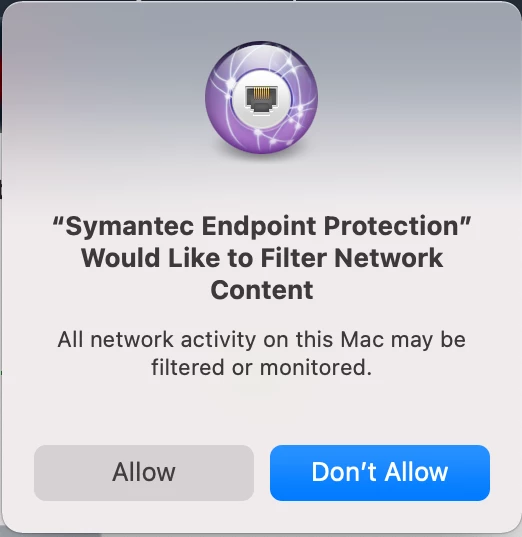
I created all of the System Extensions and no pop ups except for the Allow/ Don't allow option for SEP Filter Network Content.
How do I get rid of this message?

 +7
+7How is everyone deploying their SEP for lab computers?
I created all of the System Extensions and no pop ups except for the Allow/ Don't allow option for SEP Filter Network Content.
How do I get rid of this message?
Enter your E-mail address. We'll send you an e-mail with instructions to reset your password.