Question

Deploying Palo Alto Traps

  • May 16, 2017
  • 94 replies
  • 322 views

Show first post

94 replies

Forum|alt.badge.img+1
  • New Contributor
  • December 5, 2019

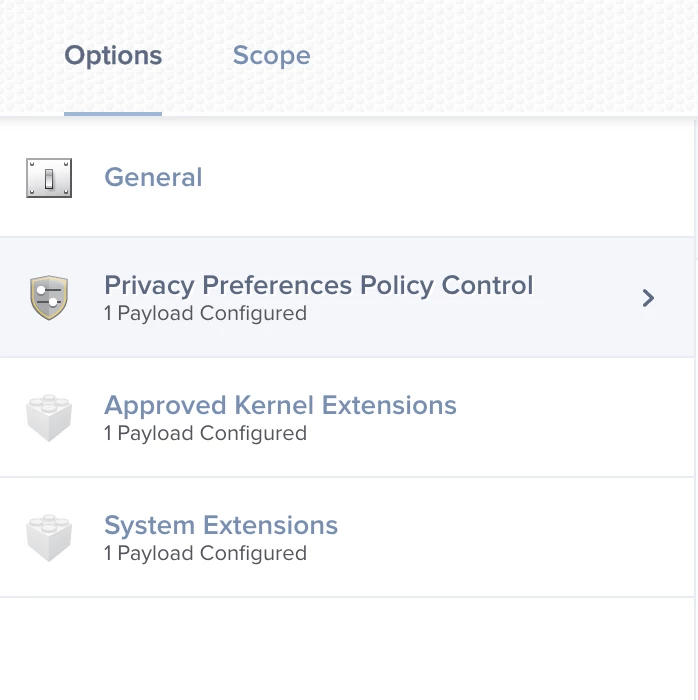
Has anyone been able to get a PPPC setup for Traps? When I tested our current policy on Catalina I had to approve installation of an extension and then "allow" notifications. I would like to avoid any need for user approval of the extenision and I want all users to get notifications from Traps by default


Forum|alt.badge.img+7
  • Contributor
  • December 5, 2019

@cputnam My "Approved Kernel Extensions" Config Profile I used from Mojave works in Catalina. That includes Traps.


Forum|alt.badge.img+1
  • New Contributor
  • December 6, 2019

Thanks Redwings - I will compare your AKE to mine and see if there is something different.


Forum|alt.badge.img+11
  • Valued Contributor
  • April 8, 2020

Has anyone done a Jamf upgrade or Palo Alto console agent upgrade to a machine sitting at loginwindow and see it fail? I'm seeing it fail and then the agent is removed altogether! Doesn't happen if a user is logged in.


Forum|alt.badge.img+15
  • Valued Contributor
  • April 8, 2020

@davidhiggs I've just tested this myself. Mac is running Mojave 10.14.6 and Traps 6.1.0. I made sure my Mac was at the login screen with no one else logged in. Added it to the scope for my new version package in QA (Cortex 7.0.2 - name change from Traps to Cortex). I used Jamf Remote to run a "sudo jamf policy" command to the Mac to kick it off. I checked the logs and it shows as installed. I confirmed that Cortex 7.0.2 installed successfully when I logged into the Mac.

Just so you know, I have my policy set to Reoccurring Checkin and Once Per Computer.


Forum|alt.badge.img+11
  • Valued Contributor
  • April 9, 2020

@bcbackes that's interesting, this is what i'm doing too. Are you dragging the agent update as is (zip file) into Jamf and deploying that? or repackaging as suggested above? I've done both and get the same result. macOS install.log has some information i'll be reviewing with Palo Alto soon


Forum|alt.badge.img+15
  • Valued Contributor
  • April 10, 2020

@davidhiggs I did repackage it with Composer. The reason for that is I'm moving the Uninstaller.app to a hidden location of my choosing so the average end user can't uninstall it. Here's what I'm doing:

  1. Unzip the contents. I place the entire unzipped content folder into the /tmp directory - with the exception of the Uninstaller.app.
  2. The Uninstaller.app I place in /var/folderIcreated for safe keeping.
  3. I pull those two things into my Composer package: the folder that contains the installer located in tmp and the uninstaller located in /var/folderIcreated.
  4. Package it up and load it into Jamf Admin.
  5. Create my policy and deploy it out.

This works like a charm for me. I suppose I could create a script to run afterwards that moves the Uninstaller.app to my desired location as well, however, I have everything right where I want it with this package and no need to create a script to run. Then for the next version I just go into composer and remove the old version files and place the new versions in there. Rinse and Repeat.

NOTE: I do change the ownership and permissions on the Uninstaller.app to Root:Wheel 754

Let me know if you have any questions.


Forum|alt.badge.img+5
  • New Contributor
  • April 16, 2020

@bcbackes , @matin or anyone , do you know how to remove the notification so it won't be displayed after successful installation? I'm using newer version of Traps. I'm using Composer and Configuration Profile to Approve Kernel Extension

update : Fixed using https://github.com/Jamf-Custom-Profile-Schemas/jamf-manifests/blob/master/macOS%20Notifications%20(com.apple.notificationsettings).json , thanks @talkingmoose


dmahase
Forum|alt.badge.img+3
  • New Contributor
  • April 16, 2020

@cbanfield0818 dragging the zip file straight to Admin worked like a charm.

I've been deploying to Catalina machines and I have the Configuration profile to allow Palo extension and another config profile to allow Full Disk Access for Authorized, pmd, and trapsd.


Forum|alt.badge.img+11
  • Valued Contributor
  • April 28, 2020

@bcbackes Looks like I hit a known issue, addressed with v7.1.0. I'm about to test and see if it's fixed.

Heads up for everyone else - major changes in 7.1.0. New system extension approval needed and changes to PPPC, I assume no more kernel extension. Make sure you have these in place before pushing the update. They even have a Jamf deployment guide now: https://docs.paloaltonetworks.com/cortex/cortex-xdr/7-1/cortex-xdr-agent-admin/cortex-xdr-agent-for-mac/install-the-cortex-xdr-agent-for-mac-using-jamf.html


Forum|alt.badge.img+11
  • Valued Contributor
  • April 28, 2020

Also, anyone that wants to use a Patch definition, I've got one in Community Patch under macmacintosh. Because of recent changes since v4-6 in 7.x and 7.1.x, it needs an EA to lookups which of 3 agents might be installed on the system.


Forum|alt.badge.img+11
  • Valued Contributor
  • April 29, 2020

Documentation on Palo Alto's page for 7.1.0 is wrong and missing full disk access for the system extension needed for macOS 10.15. Seems they have confused settings relevant for 10.14 and below and 10.15 and higher. Have fed this back for clarification.


udhayakumar
Forum|alt.badge.img+4
  • Contributor
  • April 29, 2020

In my office most of the users facing the same after upgrading into 7.1.0 it requires full disk access pop up for every time and i have read the PA support article https://docs.paloaltonetworks.com/cortex/cortex-xdr/7-0/cortex-xdr-agent-admin/cortex-xdr-agent-for-mac/install-the-cortex-xdr-agent-for-mac doing manually for the machines one by one, do we able to automate this process from JAMF?


Forum|alt.badge.img+11
  • Valued Contributor
  • April 29, 2020

@udhayakumar on that page, select v7.1 for newer info, but some of it is incorrect. What macOS versions are you deploying to?

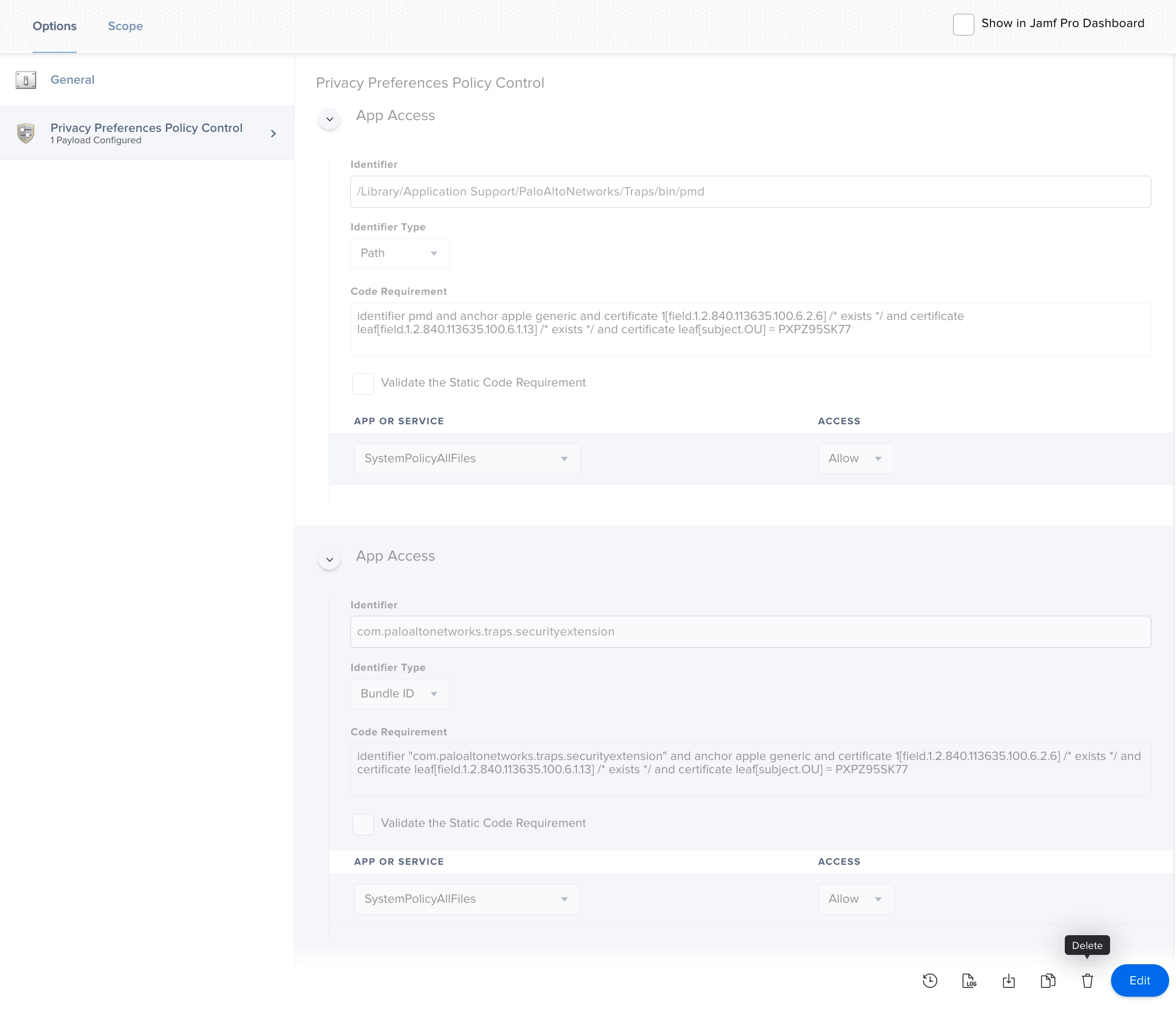
For macOS 10.15, the missing information is to add the following PPPC config profile:

Identifier:

com.paloaltonetworks.traps.securityextension

Identifier Type: BundleID

Code Requirement:

identifier "com.paloaltonetworks.traps.securityextension" and anchor apple generic and certificate 1[field.1.2.840.113635.100.6.2.6] /* exists */ and certificate leaf[field.1.2.840.113635.100.6.1.13] /* exists */ and certificate leaf[subject.OU] = PXPZ95SK77

App or Service: SystemPolicyAllFiles, Access: Allow


Forum|alt.badge.img+15
  • Valued Contributor
  • April 30, 2020

I haven't been using a PPPC at all. I still have my original KEXT for Traps deployed to my Macs and haven't ran into any issues with deploying out Cortex.


Forum|alt.badge.img+11
  • Valued Contributor
  • April 30, 2020

@bcbackes Seems strange to me if it's working on macOS 10.14+ as Full Disk Access is required for Traps/Cortex to work correctly, unless you're asking the user to add that permission in manually?


udhayakumar
Forum|alt.badge.img+4
  • Contributor
  • April 30, 2020

Hi David Higgs,

I have initiated the up-gradation from XDR portal directly to all the computers and on my org minimum users only having the Mac os 10.15 most of the peoples are in the older version only, so it will work all the Mac OS version right?

If I added in the securityextension in PPPC does it automatically allows the full disk access to everyone?

Regards,
Udhaya


Forum|alt.badge.img+11
  • Valued Contributor
  • April 30, 2020
  1. Add the System Extension config profile. I would scope to machines that are running 10.15+ and UAMDM is Yes.

  2. Add the PPPC config profile. I would scope to machines that are running 10.15+ and UAMDM is Yes.

The setup for macOS 10.14 will be different so just keep that in mind Palo Alto haven't made it clear what those settings are, but I would use the information for 6.1.x or 7.0.x. Those settings should still work in addition to what i detailed above. Cortex may fix itself on macOS 10.15 if you've already deployed 7.1.0, I haven't tested that yet.


udhayakumar
Forum|alt.badge.img+4
  • Contributor
  • April 30, 2020

@davidhiggs Thanks for your reply i have enabled all the above steps only i have to enable the security extensions. Let me add and try hopefully it will work.

Thanks


Forum|alt.badge.img+11
  • Valued Contributor
  • May 4, 2020

After contacting support, they have corrected their page: https://docs.paloaltonetworks.com/cortex/cortex-xdr/7-1/cortex-xdr-agent-admin/cortex-xdr-agent-for-mac/install-the-cortex-xdr-agent-for-mac-using-jamf.html

Be warned, the document has curly quotes in the config and this will cause a failure. Change to straight quotes. I found this in the section recently added for AppleEvents.

Supposedly this covers all macOS versions. The System Extension is only supported with macOS 10.15.4 and above.


udhayakumar
Forum|alt.badge.img+4
  • Contributor
  • May 5, 2020

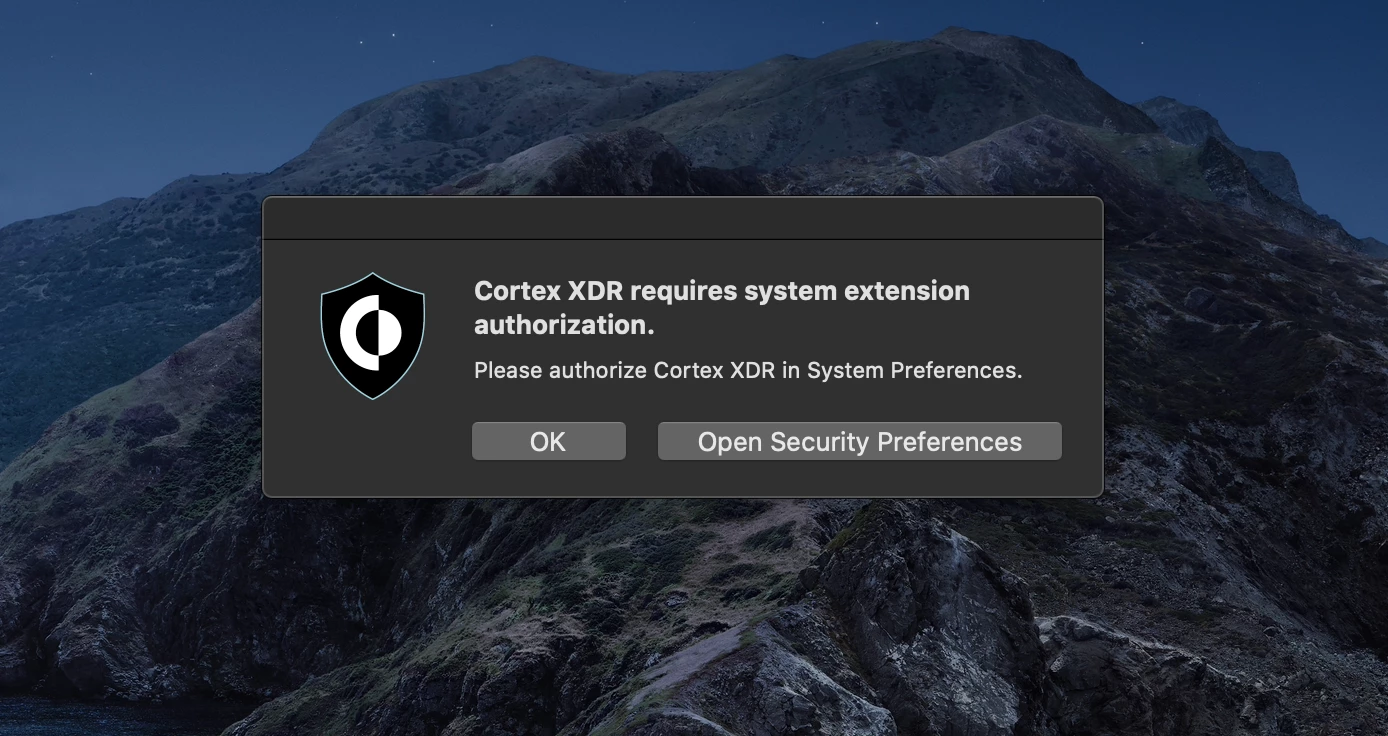
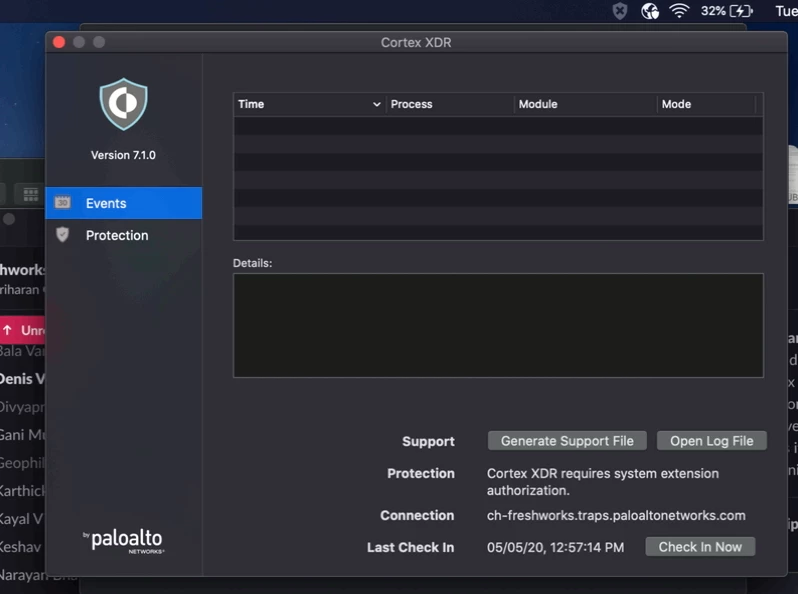
@davidhiggs today I have upgraded the latest version to all the Mac users, but most of the users getting the error to allow the application manually but I have added the team ID already but. why its asking the user to allow the application manually? can you guide me on this.


Forum|alt.badge.img+11
  • Valued Contributor
  • May 5, 2020

@udhayakumar You really need to follow that website carefully, and you should be ok. Here are notes I kept after discussions with Palo Alto and doing testing:

Kernel Extension Config Profile
macOS 10.14.6 - 10.15.3 - Needed
macOS 10.15.4+ - Not needed

Note: Kernel extension can be whitelisted for macOS 10.14.6-10.15.3 with UAMDM approved. You could include 10.15.4+ and it should be harmless.

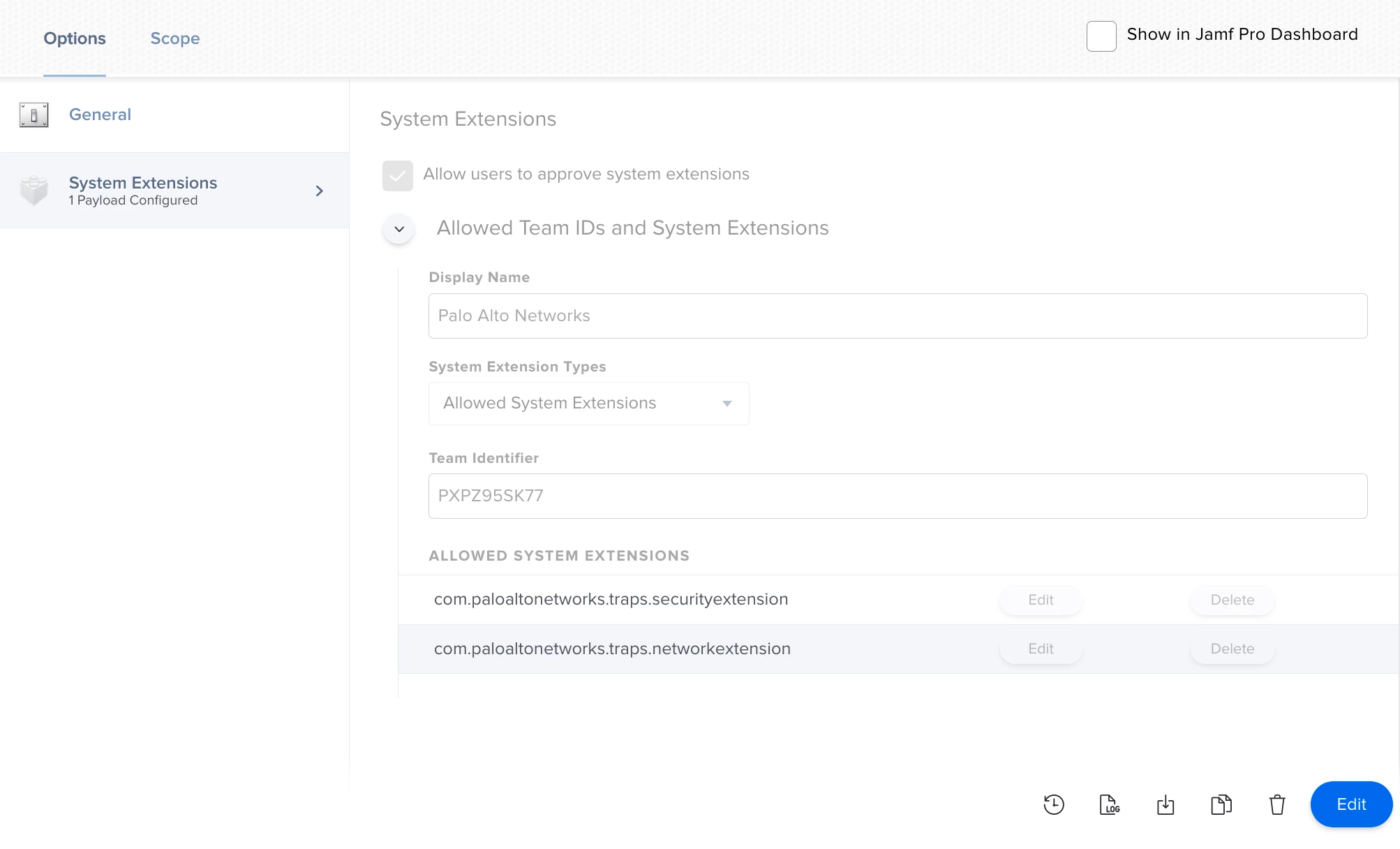
System Extension Config Profile
macOS 10.14.6 - 10.15.3 - Not needed
macOS 10.15.4+ - Needed

Note: System extension can be whitelisted for macOS 10.15.4 with UAMDM approved. You could include 10.15+ and it should be harmless.

PPPC Config Profile
macOS 10.14.6-10.15.x - Needs PPPC whitelisting.

Note: The System Extension and ‘pmd’ daemon need full disk access. The agent needs full disk access and AppleEvent permissions.

Retiring old PPPC Config Profile
When Palo Alto Traps/Cortex is upgraded to 7.1.0, you do not need whitelisting for ‘trapsd’ and ‘authorized’, but they are still needed if the machine hasn’t upgraded yet. To get around this issue, create a Smart Group which includes machines running 7.1.0 or higher. Add this as an the exclusion to your old PPPC config profile.

Eventually the number of machines using this config profile should reduce greatly. Will need to retire this config profile at some point.


udhayakumar
Forum|alt.badge.img+4
  • Contributor
  • May 5, 2020


@davidhiggs if I have a common PPPC configuration for all the versions does harm the laptop? also now i am upgrading the cortex version from 7.0.1,7.0.2 to 7.1.0, in this, the cortex is again asking to allow the application manually. The Team id and Buddle ID i have updated.


Forum|alt.badge.img+11
  • Valued Contributor
  • May 6, 2020

You're missing Step 4 from the Palo Alto article for deploying v7.1.0, which is PPPC. You need this. No harm to the computer, just deploy to your problem/testing machine first to make sure you've got it setup correctly. Feel free to reach me on @macmacintosh on MacAdmins Slack if you still get stuck


udhayakumar
Forum|alt.badge.img+4
  • Contributor
  • May 8, 2020

@davidhiggs If I apply the configuration changes now, do all the machines get enabled automatically, and also if all the exiting installed machines if the cortex is disabled does it get enabled automatically?

The configuration I created all in a single configuration only does this create any issues?

Regards,
Udhaya