Solved

Device Signature Error

  • June 18, 2019
  • 46 replies
  • 523 views

Forum|alt.badge.img+5

Lately, every Mac that has tried to perform user-initiated enrollment in Jamf has been met with "Device Signature Error in the jamf log.

To resolve, we perform these steps:
1. Remove Jamf Framework
2. Remove Jamf CA certificate
3. Remove contents of /Library/Application Support/JAMF/Downloads/
4. Run this command: sudo update_dyld_shared_cache -force
5. Delete the mac from Jamf console
6. Run the QuickAdd package on the mac
7. Approve the Device Management Profile on the Mac
8. Assign the user to the Mac in the Jamf Pro console

This issue seems to have started with MacOS 10.14.5, but that may be coincidence. I have attached screenshots from an affected Mac. We have 3 macs that are broken right now, and 2 that were repaired using the procedure above.
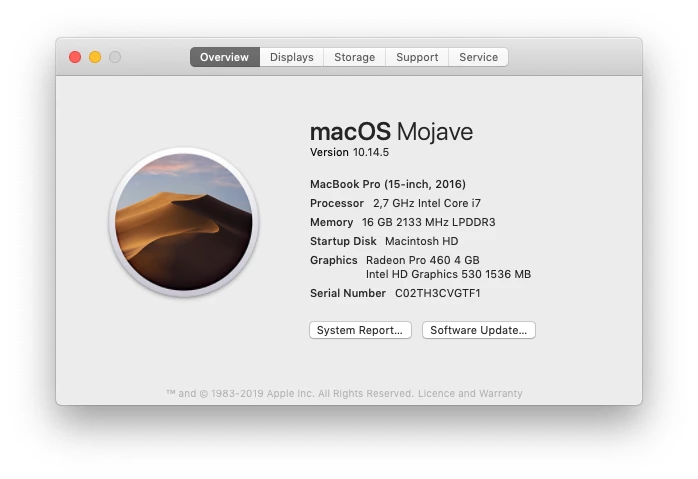
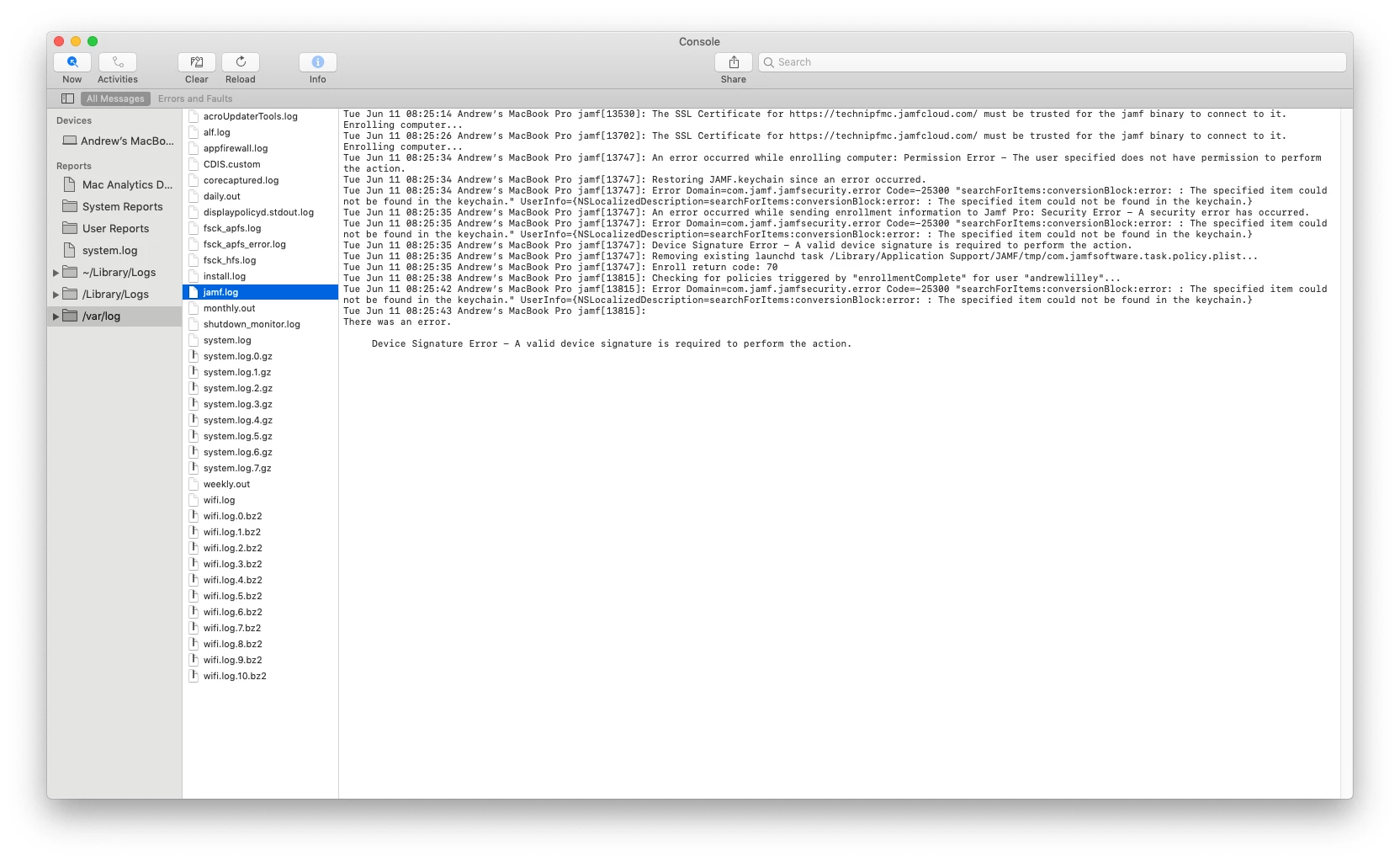
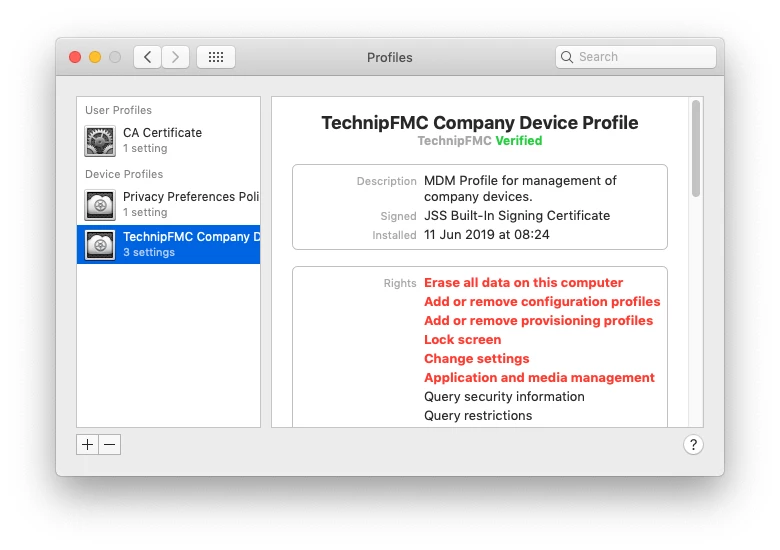
Anyone else seeing encountering this?

Best answer by jurbina23

Our company also experienced device signature errors while re-enrolling Macs with DEP and UIE. We worked with Jamf Support and it turns out that one of the VPP Mac apps was preventing the device certificate from installing. We excluded the VPP app from our Mac environment scope and the issue was resolved. 

46 replies

Forum|alt.badge.img+8
  • Contributor
  • August 14, 2019

I am, but trying to find a more elegant solution as we usually enroll with unremovable MDM.


rcole
Forum|alt.badge.img+7
  • New Contributor
  • November 14, 2019

You could always:

sudo jamf removeMdmProfile sudo jamf removeFramework then re-enroll (You may have to use a QuickAdd package)

Forum|alt.badge.img+5
  • New Contributor
  • January 15, 2020

Steps above posted by rcole worked for us


anickless
Forum|alt.badge.img+9
  • Contributor
  • May 1, 2020

Another way to fix this is to type in terminal

sudo jamf enroll -prompt
wherein the JSS username and password is an account with enrolment privileges. And the SSH username and password is a local admin.


  • May 6, 2020
Another way to fix this is to type in terminal sudo jamf enroll -prompt wherein the JSS username and password is an account with enrolment privileges. And the SSH username and password is a local admin.

This is our formal resolution process...happens all the time...


Forum|alt.badge.img+3
  • New Contributor
  • September 18, 2020

@joecurrinkys you just saved me so many hours of headaches with this... THANK YOU!


eDooku
Forum|alt.badge.img+5
  • Contributor
  • April 8, 2021

Anyone tried

sudo jamf renewDeviceCert

instead? We have only experienced this once so far, and did the 'enroll' trick, but removes the supervised status from a DEP-enrolled computer.


Forum|alt.badge.img+6
  • Contributor
  • April 19, 2021

I tried

sudo jamf renewDeviceCert

but it errors out with "Cannot get a certificate from Server".

Bye, Fridolin.


Forum|alt.badge.img+12
  • Valued Contributor
  • June 5, 2021

I reproduced the 'Device Signature Error' problem via Migration Assistant in my test lab and the following command resolved that problem successfully on the DEP-enrolled test Mac: sudo profiles renew -type enrollment

I haven't tested that on actual users affected by this but I'm confident it'll work since it did on my test Mac, which is a MacBook Pro M1 on ADE in ASM with user-removal of MDM profile disallowed.


Forum|alt.badge.img+8
  • Contributor
  • June 17, 2021

@dng2000 That works on Big Sur as they seemed to have changed the behavior of that command to allow for updates to an existing profile on the device instead of simply looking for the presence of one. This results in a full refresh of the MDM profile and is a welcome change. Running sudo jamf removeFramework followed by sudo profiles renew -type enrollment results in a fairly pain-free re-enrollment.

Running sudo profiles renew -type enrollment on a device running Mojave for example that was enrolled via DEP spits out an error of "Existing Enrollment configuration was found".


Forum|alt.badge.img
  • New Contributor
  • July 9, 2021

I just fixed a device signature error on a single machine occurrence by running jamf enroll -prompt -noPolicy. The latter switch just to save a little time I think...


boberito
Forum|alt.badge.img+22
  • Jamf Heroes
  • July 9, 2021

This got sort of fixed in a newer version of Jamf Pro. I can't remember which one...but one of them over the last 6 months

You have 2 certificates with Jamf. The MDM Profile certificate for MDM communication. This is separate from the jamf binary. They built in the auto-renewal of the MDM certificate maybe a year or so ago. The other is called something like the device identity certificate (the exact name escapes me). This is the certificate that the jamf binary uses for its trust relationship with the server. This certificate used to be a 5-year life span, but then changed to a 2 or 3-year life span(can't remember specifically). So if a machine never ran renewDeviceCert I believe or never got re-enrolled...it would eventually expire and you'd get a Device Certificate error. And you'd have zombie machines out there that can strangely get MDM commands sometimes but no communication through the jamf binary (this is why people have asked for self healing in feature requests). Offline policies continue to run happily also.

BUT thankfully Jamf finally implemented an auto-renewal. Now that shouldn't happen to machines that are deployed for long periods of time without a refresh. But machines that never got to that version or expired before would be in zombie mode.

This certificate is stored in the JAMF.keychain in /Library/Application Support/JAMF I believe as if you delete that file you end up with the same error. Doing something like a Time Machine or Migration Assistant move of data would result in the same issue as the certificate doesn't match up.


Forum|alt.badge.img+8
  • Valued Contributor
  • September 20, 2021

Anyone tried

sudo jamf renewDeviceCert

instead? We have only experienced this once so far, and did the 'enroll' trick, but removes the supervised status from a DEP-enrolled computer.


if a DEP enrolled device you can just use "sudo profiles renew -type enrollment" to enroll back in, it will be in supervised mode


FutureFacinLuke
Forum|alt.badge.img+8

I'm getting this on Monterey build. (They worked fine with the same workflow on Big Sur). So my fully automagic Zero-Touch builds are broken again. The devices don't get their 'Enrollment Complete' Trigger.


Forum|alt.badge.img+3
  • New Contributor
  • March 9, 2022

I'm getting this on Monterey build. (They worked fine with the same workflow on Big Sur). So my fully automagic Zero-Touch builds are broken again. The devices don't get their 'Enrollment Complete' Trigger.


We are seeing this on Monterey 12.2.1 as well. Anyone else? How did you fix it @FutureFacinLuke?


Forum|alt.badge.img
  • New Contributor
  • March 16, 2022

Can confirm this issue is happening on 11.6 and 11.6.2. Causing major issues for zero-touch deployment :(


Forum|alt.badge.img+2
  • New Contributor
  • April 8, 2022

We have had some success with redeploy the framework thru API when we get this one.
(jamf-management-framework)


Forum|alt.badge.img+7
  • Valued Contributor
  • June 9, 2022

Have this issue on a 12.2.1 machine.  Performed sudo profiles renew -type enrollment and it did not seem to fix the issue.


This is a DEP machine also,


rcole
Forum|alt.badge.img+7
  • New Contributor
  • June 10, 2022

Have this issue on a 12.2.1 machine.  Performed sudo profiles renew -type enrollment and it did not seem to fix the issue.


This is a DEP machine also,


What happened when you used that command? Try re-enrolling it again, using self-enrollment. If you're not able to do that, remove the framework, etc, and re-enroll. Everything should reset. This might fix the issue.


Forum|alt.badge.img+12
  • Valued Contributor
  • June 10, 2022

What happened when you used that command? Try re-enrolling it again, using self-enrollment. If you're not able to do that, remove the framework, etc, and re-enroll. Everything should reset. This might fix the issue.


Self-enrollment won't work in my experience if the MDM profile is configured to prevent the user from removing it.  In that case, removing the framework still leaves the MDM profile installed.  And since the device signature is broken (or invalid), the "Remove MDM Profile" command won't do anything.


FutureFacinLuke
Forum|alt.badge.img+8

We are seeing this on Monterey 12.2.1 as well. Anyone else? How did you fix it @FutureFacinLuke?


  1. Remove Config Profiles from PreStages
  2. sudo profiles renew -type enrolment
  3. sudo jamf policy -enrol

jconrod
Forum|alt.badge.img+4
  • Contributor
  • June 23, 2022

Anyone know WHY this is happening?  We have several hundred machines not checking in.  It will be very time consuming to touch each one to fix them. Along with fixing the machines, I'd like to change whatever needs to be changed to stop this from continuing to happen.


Forum|alt.badge.img+3
  • New Contributor
  • June 29, 2022

@jconrod We have the same situation as well, multiple machines just randomly stop checking in from time to time, can't figure out why....
We also have the same issue as @dng2000 where certain machines get a device signature error when trying to run sudo jamf recon or sudo jamf policy. Then we try the sudo profiles renew -type enrollment command but nothing happens. Our profiles are set to "prevent users from removing" so performing a sudo jamf removeMdmprofile doesn't work either. Only wiping the laptop or disabling SIP > removing profiles > enabling SIP > renew command will allow correct re-enrollment again


Forum|alt.badge.img+12
  • Valued Contributor
  • June 29, 2022

@jconrod We have the same situation as well, multiple machines just randomly stop checking in from time to time, can't figure out why....
We also have the same issue as @dng2000 where certain machines get a device signature error when trying to run sudo jamf recon or sudo jamf policy. Then we try the sudo profiles renew -type enrollment command but nothing happens. Our profiles are set to "prevent users from removing" so performing a sudo jamf removeMdmprofile doesn't work either. Only wiping the laptop or disabling SIP > removing profiles > enabling SIP > renew command will allow correct re-enrollment again


Yes.  If the sudo profiles renew -type enrollment isn't working for you, I recommend filing a support case with Apple and let them know.  There were a few occasions where that command failed to fix the device signature error on DEP enrollments with MDM profiles set to "prevent users from removing".


Forum|alt.badge.img+2
  • New Contributor
  • July 21, 2022

We're seeing this in our environment too. I have an API script to run a mass command on the delinquent Macs so they repair the jamf framework, but it isn't working on some devices so they have to be touched manually. Still talking about 30-40 of them. I've only had it start happening in June, sometime. Does anyone know if there is a product issue for this?